

A web scraping demo is often the first experiment ecommerce teams run when exploring web scraping for ecommerce and automated product data extraction. A small script can demonstrate extraction from a defined HTML structure. This walkthrough uses fictional product cards so you can reproduce the result without contacting a marketplace.
A successful demo proves only that the tested input can be parsed under the stated assumptions. It does not prove that a live source permits collection, exposes the same fields, or will remain reliable when business decisions depend on it.
What Is a Web Scraping Demo?
In practical terms, a web scraping demo is a lightweight proof-of-concept. It shows that structured data can be programmatically extracted from a webpage without manual copy–paste.
A useful demo targets a small, explicitly permitted source or a local fixture, extracts a few defined fields and records its failures. Access requirements and layout changes still matter at low volume. The initial question is: Can we extract and validate the required fields from this input?
What it doesn’t answer is whether that extraction will scale, survive campaign volatility, or support pricing and expansion decisions over months or years. That gap is where many ecommerce teams underestimate complexity.
What a Web Scraping Demo Actually Reveals
A web scraping demo reveals the mechanical backbone of automated extraction. Specifically, it shows:
- How HTML elements are structured on a page
- How selectors can isolate specific fields
- How raw HTML can be transformed into structured output like CSV or JSON
For business stakeholders, this makes the proposed fields and their limitations visible. For developers, it tests selectors against the supplied input; it does not establish feasibility for every page on a live marketplace.
However, in live ecommerce environments, even advanced web scraping tools only address the outer layer of extraction. The deeper challenge is maintaining consistency across time, especially when campaigns, vouchers, seller changes, and ranking algorithms constantly reshape the visible page. For a comparison of Python frameworks, browser extensions and managed services, see our scraping-tool selection guide.
What Data Can Be Extracted in an E-commerce Demo?
To evaluate the strategic value of a web scraping demo, we need to look beyond “what can be scraped” and examine what those fields actually represent in a competitive context.
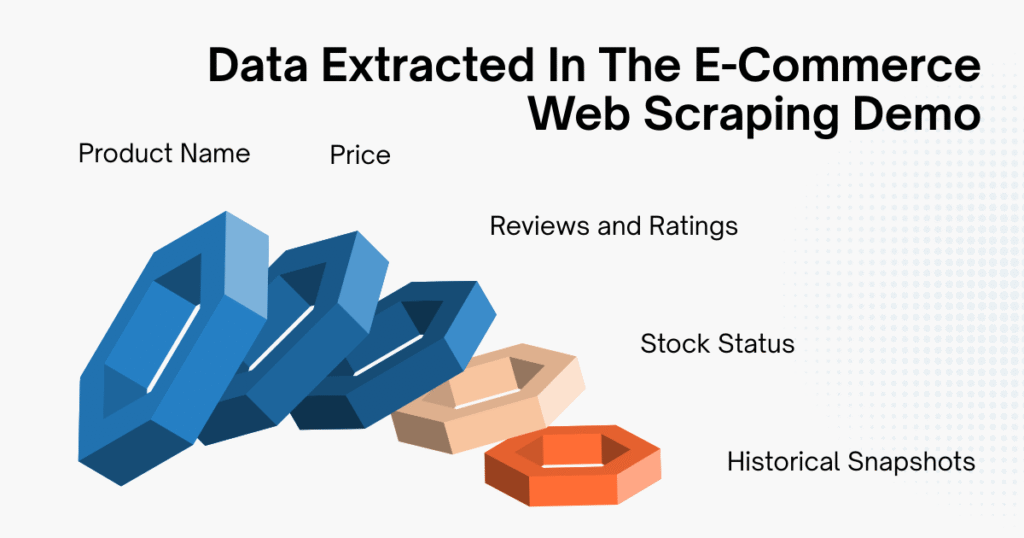
Product Name
A product title is descriptive text, not a dependable unique identifier. Keep a source product or listing ID and, where applicable, seller and variant IDs. Different products can share titles, and one product can change title. Normalize text for search without merging records solely because their titles match.
Price
Price is often the primary motivation behind running a web scraping demo. Yet ecommerce pricing is rarely a single static number. For example, what appears on the page may include:
- A crossed-out base price
- A limited-time promotional price
- Additional vouchers applied at checkout
- Region-specific pricing logic
In a demo, you typically extract the visible figure next to the product. In reality, that number might not reflect the actual transaction price customers pay.
A production-grade system must understand pricing context: distinguishing between base price, discounted price, campaign-driven reduction, and stacked incentives. That interpretive layer is where the complexity multiplies.
Reviews and Ratings
Review counts and ratings describe the displayed review activity. They do not directly measure sales, demand velocity or ranking momentum. Record the rating scale, review count, observation time and product variant where available. Pagination and JavaScript rendering can affect coverage; a missing rating must remain missing rather than becoming zero.
Stock Status
A displayed availability label can help flag changes for review. It is not a verified inventory quantity or proof of a competitor’s sales. Preserve the label and observation time, and distinguish an unavailable field from an out-of-stock value.
On many marketplaces, stock indicators are rendered dynamically using JavaScript. A static HTML-based web scraping demo may not reliably detect these changes unless additional rendering logic is introduced.
Historical Snapshots
When you run a web scraping demo repeatedly and store the outputs, you begin simulating price tracking. In real-world operations, this evolves into:
- Time-series databases
- Change-detection logic
- Alert systems
- Anomaly monitoring
At this stage, scraping is no longer just extraction, it becomes infrastructure.
Simple Web Scraping Demo Walkthrough
This walkthrough follows four steps: define the input, extract and validate fields, inspect the accepted and rejected records, then export both. The local fixture makes the result reproducible; adapting it to an authorized live source is a separate step.
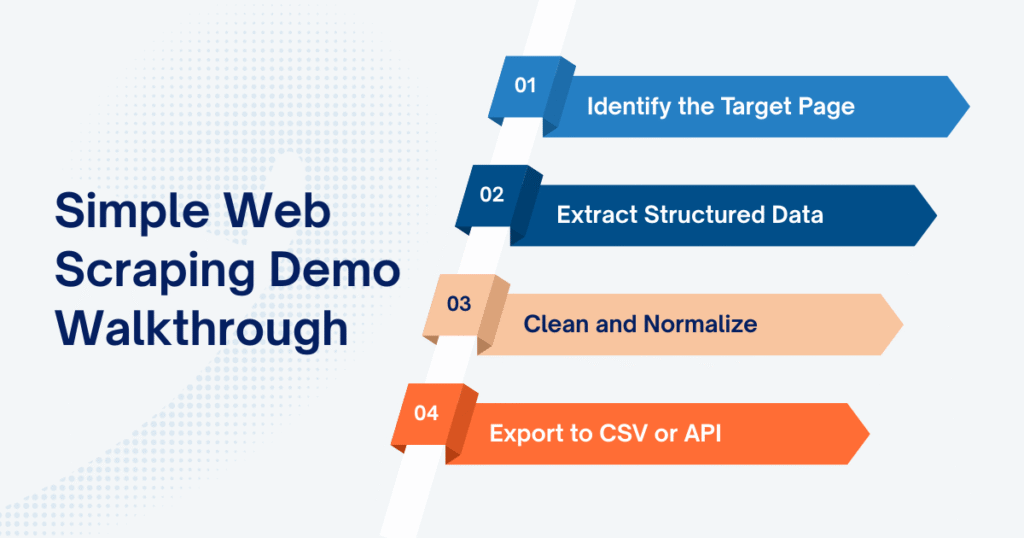
Step 1: Identify the Target Page
Every web scraping demo begins with choosing the right page structure to work with. In ecommerce, that’s commonly:
- A category listing page
- A search results page
- A product detail page
- A seller storefront
For the executable example below, the input is three fictional product cards embedded in the Python script. P1 and P2 have USD prices; P2 has no rating; P3 has no price. These are invented observations, not marketplace data. The fixture does not represent shipping, taxes, vouchers, variants or inventory.
Before adapting the example, inspect a permitted source and define its record identifiers, selectors, currency and required fields. The selectors below belong only to this fixture. A zero-match response should trigger investigation rather than silently produce a successful empty export.
Step 2: Extract Structured Data
Once the HTML structure is clear, the next step is selecting and extracting the relevant fields.
Use Python 3 and install beautifulsoup4 in a virtual environment with python -m pip install beautifulsoup4. Save the Step 2 and Step 4 code blocks, in that order, as demo.py, then run python demo.py in an empty working folder; the export replaces the two named CSV files there. This uses Beautiful Soup’s HTML and CSS-selector support and Python’s Decimal for this fixture’s explicitly defined USD format. No website request is made.
Copied!from bs4 import BeautifulSoup from decimal import Decimal import re # Fictional USD prices; no website is contacted. html = ''' <div class="product-item" data-id="P1"> <h3 class="product-title">Notebook</h3> <span class="product-price">12.50</span> <span class="product-rating">4.5</span> </div> <div class="product-item" data-id="P2"> <h3 class="product-title">Cable</h3> <span class="product-price">8.00</span> </div> <div class="product-item" data-id="P3"> <h3 class="product-title">Adapter</h3> </div> ''' def extract_products(markup): cards = BeautifulSoup(markup, "html.parser").select(".product-item") if not cards: raise ValueError("No product cards matched; check the input and selector") rows, errors, seen = [], [], set() for number, card in enumerate(cards, 1): product_id = card.get("data-id", "").strip() def field(selector): node = card.select_one(selector) return node.get_text(" ", strip=True) if node else "" name = field(".product-title") price = field(".product-price") reason = "" if not product_id or not name: reason = "Missing required ID or name" elif product_id in seen: reason = "Repeated product ID; review before merging" elif not re.fullmatch(r"\d+(?:\.\d{1,2})?", price): reason = "Missing or invalid price for this USD fixture" if product_id: seen.add(product_id) if reason: errors.append({"card": number, "product_id": product_id, "reason": reason}) continue rows.append({"product_id": product_id, "name": name, "price": format(Decimal(price), ".2f"), "currency": "USD", "rating_raw": field(".product-rating")}) return rows, errors data, errors = extract_products(html) print(f"Accepted {len(data)} rows; rejected {len(errors)} cards")
The fixture-based extraction performs four actions:
- Reads the local fictional HTML fixture; no HTTP request is sent
- Parses the HTML structure
- Identifies product containers
- Validates required identity and price fields, preserving rejected-card reasons
The expected result is 2 accepted rows and 1 rejected card. P1 is Notebook, USD 12.50, rating text 4.5; P2 is Cable, USD 8.00, with a blank rating. P3 is rejected because the price is missing. The code retains rating text without treating it as a validated score. These counts describe this fictional input only.
Step 3: Clean and Normalize
At this point, inspect both data and errors. Accepted means the row passed the limited rules in this example, not that it is ready for a pricing or inventory decision.
Extracted prices may include currency symbols. Thousands separators vary by region. Ratings may be strings instead of numeric values. Some products may be missing certain fields entirely.
The example accepts unsigned numbers with at most two decimal places because that is the fixture’s declared USD format. A value such as 1.234,56 needs a source-specific locale rule; stripping punctuation indiscriminately can change its meaning. Production normalization also includes:
- Converting all price values into standardized numeric formats
- Matching product, seller and variant identifiers before merging records
- Handling missing or inconsistent attributes
- Preserving currency and units while applying source-specific number formats
Normalization makes comparisons possible only when the underlying identities, units, currencies and observation contexts match. For a worked example of keeping offer prices and shipping separate, see the Amazon offer comparison.
Step 4: Export to CSV or API
Append this export block after Step 2 in the same script. It writes accepted rows to products.csv and rejected-card reasons to rejected.csv, using Python’s CSV writer. The optional blank rating remains blank; no missing value is invented.
Copied!import csv # Continue in the same script after Step 2. with open("products.csv", "w", newline="", encoding="utf-8") as file: writer = csv.DictWriter(file, fieldnames=[ "product_id", "name", "price", "currency", "rating_raw" ]) writer.writeheader() writer.writerows(data) with open("rejected.csv", "w", newline="", encoding="utf-8") as file: writer = csv.DictWriter(file, fieldnames=["card", "product_id", "reason"]) writer.writeheader() writer.writerows(errors) print("Wrote products.csv and rejected.csv; review both before using the data")
Open both files and check the expected two accepted rows and one rejected card before reusing the output. This example exports CSV only; it does not create an API. For arbitrary real-world text opened in spreadsheet software, apply that software’s safe text-import rules, including protection against formula interpretation.
A web scraping demo produces isolated output for inspection. A production system feeds structured data into recurring decision cycles: pricing updates, competitor tracking, campaign analysis, inventory monitoring. The mechanics may look similar at first glance, but the reliability requirements are fundamentally different.
What a Web Scraping Demo Doesn’t Show
The smooth experience of a web scraping demo can be misleading because it operates under controlled, low-volume conditions.
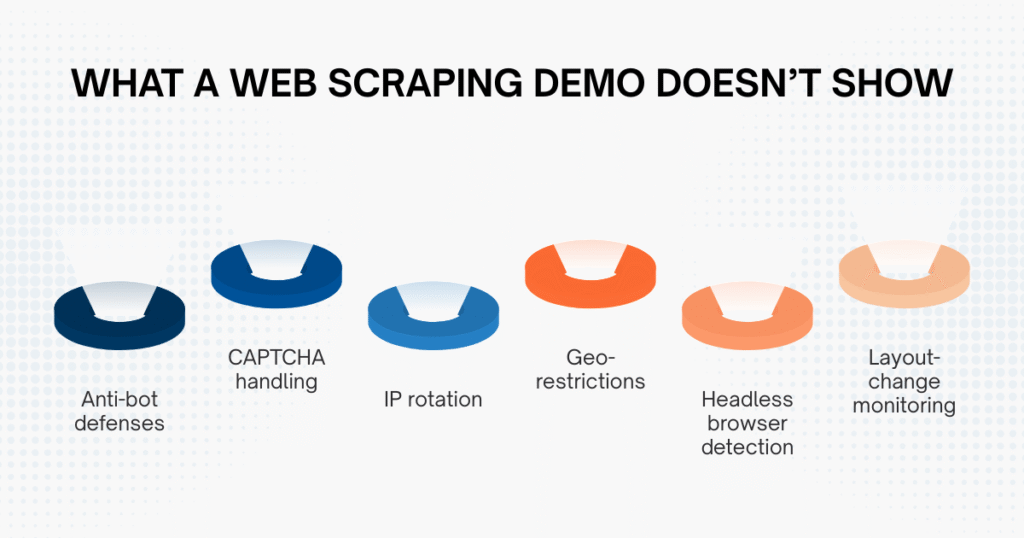
Large marketplaces actively monitor incoming traffic and implement defenses against automated threats to web applications. They analyze request frequency, browser fingerprints, IP reputation, and behavioral patterns to detect automation. Anti-bot systems, CAPTCHA challenges, geo-restrictions, and layout adjustments are all part of this defensive landscape.
Low volume does not guarantee access or permission. If an authorized live request fails, record the status and stop or follow the documented retry policy rather than treating a challenge page as product data. The Requests documentation explains timeouts and status/error handling; the local fixture intentionally does not test those network conditions.
This is typically when teams realize that scraping success isn’t about writing more lines of code. It’s about engineering resilience into the system.
Web Scraping Demo vs Production-Grade Scraping
The difference between experimentation and infrastructure becomes clearer when we compare them side by side.
| Criteria | Web Scraping Demo | Production Workflow |
|---|---|---|
| Scope | Defined fixture or small authorized sample | Agreed sources, fields, coverage and delivery schedule |
| Source access | Document the permitted test input | Documented access, request limits and stop conditions |
| Monitoring | Inspect accepted and rejected rows | Freshness, completeness and failure alerts with an owner |
| Data cleaning | Explicit rules for the sample | Versioned identity, unit and locale rules |
| Infrastructure | Local script can be sufficient | Capacity and recovery appropriate to the workload |
| Reliability | Evidence limited to the tested input | Measured against acceptance criteria over time |
A demo tests a defined hypothesis. A production workflow adds explicit acceptance rules, monitoring, incident handling and documented source access; its label alone does not prove the data can be trusted for every decision.
If pricing adjustments, expansion planning, or campaign response strategies depend on scraped data, reliability becomes non-negotiable.
Learn more: Why Your Business Needs a Web Scraping Service to Stay Ahead in 2025
When Should You Move Beyond a Web Scraping Demo?
Use a demo to establish a field schema and inspect a small sample. Move to an operational workflow when decisions depend on recurring delivery, even if the SKU count is small. Define acceptable completeness, freshness, duplicate handling and failure reporting before relying on the output.
Marketplace campaign pages can change the displayed price, voucher context and product ordering. Test those cases against authorized samples and track failures explicitly; this walkthrough provides no measurement of campaign-related block rates or collection reliability.
This is typically the inflection point: scraping shifts from being a coding experiment to becoming a data architecture decision. Some organizations build this capability internally with dedicated engineering teams or hire a web scraping expert to stabilize their data pipelines. Others partner with providers like Easy Data, especially when marketplace-specific logic (such as a structured Shopee data scraping service) requires continuous normalization, monitoring, and adaptation.
The transition isn’t about scraping more aggressively. It’s about building controlled, validated pipelines that remain stable under marketplace pressure.
Final Thoughts
A web scraping demo is a valuable starting point. It makes automated extraction tangible and demonstrates how raw marketplace data can be structured. But it is only the beginning of the journey. In fast-moving ecommerce environments, especially across campaign-driven Southeast Asian markets, decision quality depends on data stability.
- A demo answers the question: Can we extract this page?
- A mature scraping infrastructure answers a much harder question: Can we rely on this data every day, across campaigns, at scale?
Use the demo’s accepted and rejected records to write a concrete acceptance checklist. Agree the source, field definitions and failure response before extending the collection schedule or using the output in automated decisions.
Leave a Reply