

Manually monitoring competitor prices on Shopee works when you only have a small list of competitors to monitor. As that list grows, the task quickly becomes repetitive, time-consuming, and easy to get wrong or miss. There are several ways to automate competitor price monitoring, depending on the scale you need to cover and the resources available to your team.
This article looks at each approach to help you choose the right one, and walks you through how to set up a price alert workflow so you only need to check when something important changes, instead of constantly going back to Shopee to check prices.
Why Manual Competitor Price Tracking Stops Working
Consider this scenario: you need to monitor 20 competitors, with 5 products that directly compete with yours from each competitor, giving you 100 listings in total. If each listing takes around 2 minutes to open the Shopee page, select the right variant, check the price, and record it in a spreadsheet, one round of checking takes more than 3 hours.
If you do this every working day, that adds up to more than 70 hours a month (almost two weeks of one person’s working time) just to update the day’s price table.
But even that price table is still incomplete. Prices can change at any time when you are not checking Shopee. When you see a lower price, you do not know whether the competitor will keep it all day or whether it only applies during a promotional window. Without price history, you also cannot tell how many times that competitor has changed its price during the month.
On top of that, when multiple people are doing the tracking, each person may select a different variant, causing the data to become inconsistent.
Manual competitor price tracking is therefore not only time-consuming but also makes it difficult to maintain complete and consistent data. Automation does more than save time. It creates a consistent data series, so you can track the right products, the right metrics, and the right frequency.
What Competitor Price Data Should You Track on Shopee?
Before automating competitor price monitoring, you need to clearly define what data you actually need. If you get this wrong from the start, automation will only help you get the wrong numbers faster.
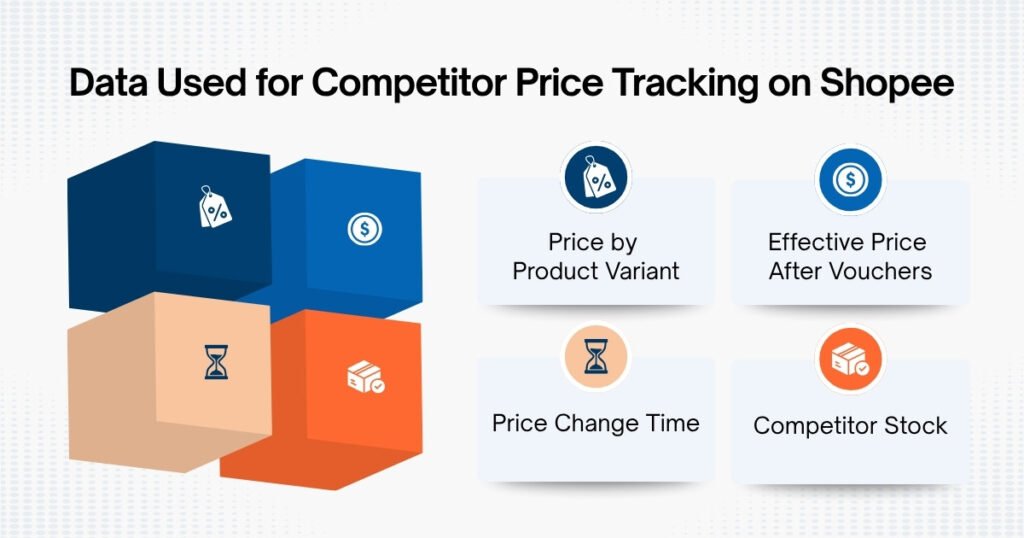
Price by Product Variant
A listing with multiple variants may display a price as “from X”, but that price may belong to the smallest size or a different product within the same listing. Comparing that price with your main SKU would give you an inaccurate result.
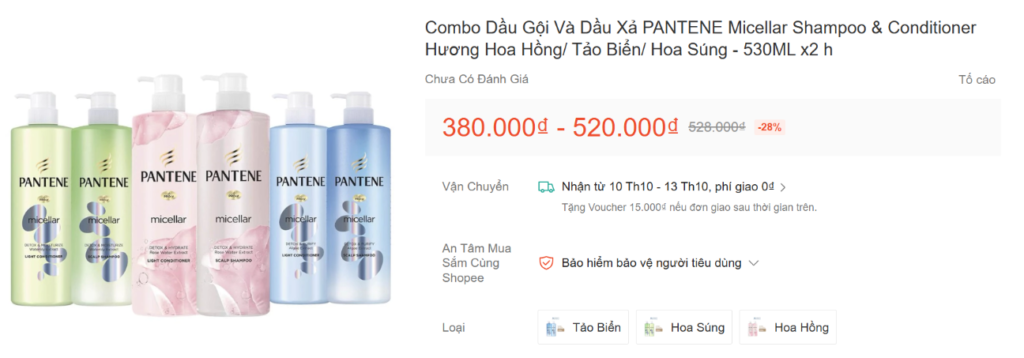
When tracking competitor prices, make sure you match variant to variant: the same size, the same product type, or the same quantity in a bundle.
Effective Price After Vouchers
Shop vouchers, platform vouchers, and promotional programs can change the final price. The price displayed on the product page is therefore not necessarily what customers actually pay.
If your goal is to compare actual competitive pricing, you should track the effective price after vouchers as a separate data field for analysis.
Price Change Time
A product discounted for a few hours during a Flash Sale is very different from a product that maintains a low price throughout the week. Recording the time of the price change helps you distinguish between short-term promotions and changes that may reflect a competitor’s pricing strategy.
Competitor Stock
Price only tells you how much the competitor is selling at. When you combine it with stock data, you get more context behind that price. Three common scenarios are:
Price change |
Stock status |
What it may mean |
Significant price drop |
Stock reaches 0 |
The competitor is out of stock, so you do not necessarily need to lower your price in response. |
Price drop |
Stock falling quickly |
They may be clearing inventory or actively trying to increase sales velocity. |
Price drop |
Stock remains high and stable |
The new price may be more likely to remain in place for longer. |
Note: Stock is seller-declared and can be adjusted in the Seller Center. Treat it as a signal for analysis, not an absolute figure.
Ways to Automate Competitor Price Monitoring on Shopee
There are three ways to automate product price monitoring on Shopee. The main difference is who is responsible for collecting and maintaining the data.
Level 1: Ready-made Tool |
Level 2: Provider-Maintained Data |
Level 3: Build Your Own |
|
Best for |
Shops with a small list and no technical staff |
Brands and agencies that need larger scale, multiple marketplaces, or customized data |
Businesses with their own data engineers |
You handle |
Choosing and installing the tool |
Defining your data requirements |
Code, scheduling, proxy, and maintenance |
Common limitations |
Limits on listings, data fields, and customization |
Requirements need to be clearly defined and aligned upfront |
Maintenance costs and blocking risks |
Use a Price Monitoring Tool
Extensions or price monitoring software can be installed quickly and let you view price history for some listings without writing code. This is a suitable option when your monitoring list is still small and you want to get started quickly without building your own system.
Use Competitor Pricing Data From a Data Provider
At this level, you do not run the scraper yourself. The provider is responsible for collecting and maintaining the data, while you receive data that has been cleaned and structured according to your requirements.
With Easy Data, the process has three steps:
- Define your data requirements: data by keyword, category, industry, brand, or a specific use case such as competitor monitoring. At this stage, you need to define the scale, markets to monitor, and collection method (web, mobile app, or a combination).
- Clean and structure the data according to your requirements.
- Deliver the data in the format you need.
Data can be collected daily, weekly, monthly, or at specific times, and then continuously updated according to the agreed schedule.
Build Your Own Price Monitoring Pipeline
Building your own system gives you the most control, but it also means handling common scraping issues, such as:
- Marketplaces may block automated access, so the system needs to handle rejected requests.
- When the page structure changes, the code needs to be updated.
- Price data may be returned as integers multiplied by a scaling factor, so it needs to be converted before use.
- Beyond data collection, you also need to handle scheduling, data storage, and error monitoring.
At this level, the challenge is not only whether you can write a scraper, but also who will handle it when the system breaks during a major sale, when collection frequency and data volume increase significantly.
If you choose to build your own system, you can learn more about scraping ecommerce data with Python. Before implementation, you should also consider the legal aspects of scraping Shopee.
How to Set Up an Automated Competitor Price Monitoring Workflow
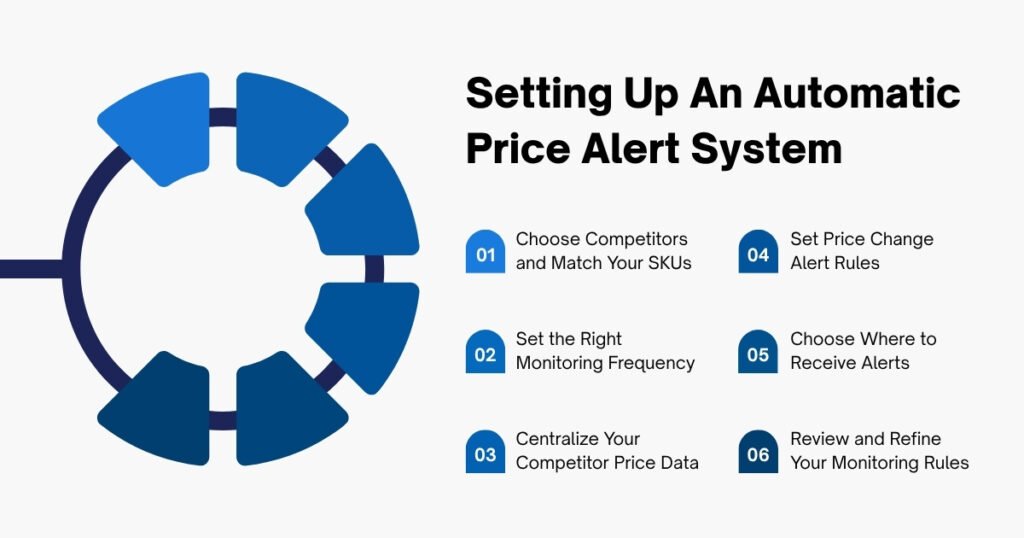
Once you have chosen the right data collection approach, you can follow the steps below to set up automated price alerts.
Step 1: Choose Competitors and Match Your SKUs
Identify your most important direct competitors and the products that compete with your key SKUs. Then create a your SKU ↔ competitor SKU mapping, matching by variant, size, and quantity in the bundle.
Do not skip this step. If you match the wrong products, the data and alerts that follow will also be wrong.
Step 2: Set the Right Monitoring Frequency
Not every product needs to be checked at the same frequency. For key products or listings running major campaigns, you can monitor them every few hours. Less volatile products can be checked daily or a few times a week.
If prices in your category change frequently, monitor them more often. If prices are relatively stable, there is no need to collect data too frequently.
Step 3: Centralize Your Competitor Price Data
Data collected from a tool, provider, or scraper should be brought into one centralized location. You can use Google Sheets, a database, or a BI tool depending on your scale, but at minimum, you should have fields such as SKU, measurement time, actual selling price, and stock.
Once all the data is in the same place, it becomes easier to analyze and set up alert rules, regardless of how the data is collected.
Step 4: Set Price Change Alert Rules
Not every price change requires your immediate attention. Set rules so the system only alerts you when a competitor’s price changes significantly or starts to affect your own pricing.
You can base your rules on three factors:
- Price change: how much the competitor’s price has increased or decreased compared with the previous measurement or a reference price.
- Competitor stock: helps determine whether a price drop is significant or simply happens when the product is running out of stock.
- Your price floor: shows whether the competitor’s price has fallen to a level that could put pressure on your profit margin.
For example, you can set an alert when a competitor’s price drops by 5% or more while the product is still in stock, or when the new price falls below your price floor. If the competitor’s product is already out of stock, you can simply record the change in your data instead of sending an alert.
Step 5: Choose Where to Receive Alerts
Once the rules are set, you can use Google Sheets, a script, or an automation tool to send notifications through email, Slack, or Telegram.
Only send alerts for meaningful changes. If you receive a long list of minor changes every day, you are likely to overlook the alerts that actually matter.
Step 6: Review and Refine Your Monitoring Rules
After the alert system has been running for a while, review and adjust your rules:
- If you receive too many alerts that are not worth reviewing, increase the threshold.
- If you regularly miss important changes, lower the threshold or add more conditions.
Rules should not be set once and left unchanged. When your competitor list, products, or monitoring objectives change, adjust the alert thresholds so the system continues to surface the changes you actually need to pay attention to.
Final Thought
Competitor price monitoring on Shopee should not be something you have to do manually every day. Repetitive tasks such as checking the right variant, recording prices, and updating data at a fixed frequency can be handled by price monitoring software or data services like Easy Data.
Your time should be spent understanding what a price change actually means and deciding whether you need to respond, rather than spending hours checking and copying competitor prices.
Leave a Reply