

When selling on Shopee, monitoring competitors’ products isn’t just about checking the selling price or the number of units sold displayed on the product page. Sellers also need to know which keywords competitors are using, how frequently they run promotional campaigns, which products are growing, and how customer feedback is changing.
However, this information isn’t always available in the Shopee Seller Centre. This is why Shopee competitor analysis tools are gaining increasing attention among sellers. In this article, we’ll explore 8 notable Shopee competitor analysis tools, their key features, and the limitations to consider before using them.
What Should You Look for in a Shopee Competitor Analysis Tool?
Before choosing a tool, you need to determine which aspects of your competitors you want to track. A platform with many features may not be the right fit if it doesn’t address the specific issues you’re facing. Here are 5 important criteria to consider.
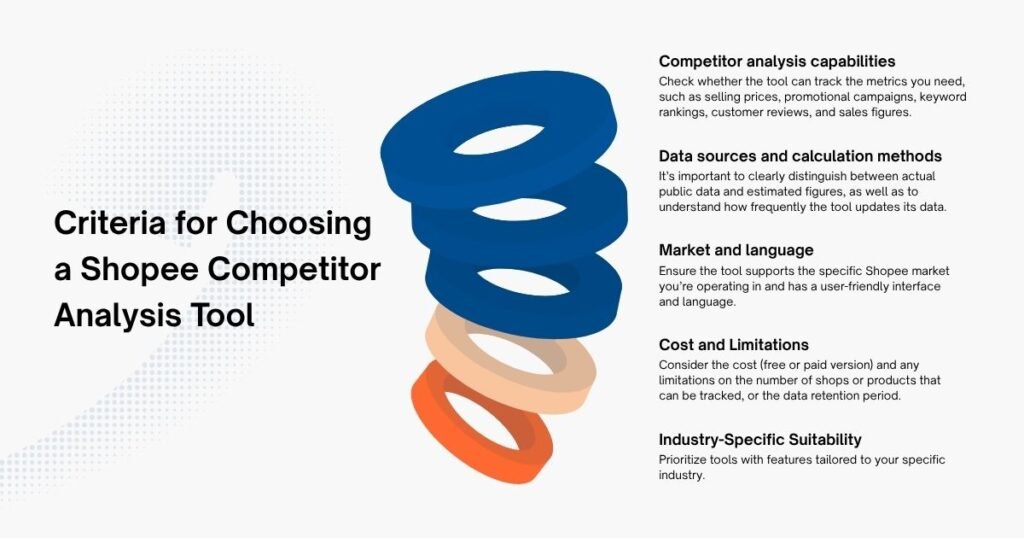
Product and Competitor Analysis Capabilities
A useful competitor analysis tool should help you monitor the activities of competing shops and products on Shopee. Depending on the platform, features may include:
- Tracking competitor products and shops.
- Analyzing selling prices, vouchers, and promotional programs.
- Tracking keyword rankings and listing performance.
- Analyzing customer reviews.
- Estimating product sales and growth trends.
These features help sellers better understand how competitors position their products, attract customers, and compete within the same product category.
Data Sources and Sales Estimation Methods
Not all sales information on third-party tools represents actual sales figures. Some platforms display public sales figures on Shopee, while others provide estimated figures based on their own analytical methods. Therefore, you need to clearly distinguish between observed data and modeled data.
Find out where the tool sources its data, how frequently it is updated, and whether it explains how the metrics are calculated. These factors directly influence how you interpret the analysis results.
Market Coverage and Language Support
If you operate exclusively in Thailand, a tool that strongly supports the domestic market can meet most of your needs. However, if you’re managing business operations across multiple Southeast Asian countries, market coverage becomes a critical factor.
You should check whether the tool supports the Shopee markets you’re interested in, such as Vietnam, Thailand, Indonesia, Malaysia, the Philippines, and Singapore. Additionally, the user interface, documentation, and language support also impact the user experience.
Costs, Usage Limits, and Scalability
Some tools offer free versions or browser extensions, while other platforms require a paid subscription.
Beyond the cost, pay attention to usage limits such as the number of products tracked, the number of queries, the scope of data, and the duration of history retention. These limits may be negligible when you’re only researching a few competitors, but they become an issue when you need to track hundreds or thousands of products.
Industry-Specific Suitability
Each industry has its own unique competitive characteristics. For example, when analyzing the Beauty market, sellers are not only concerned with price and sales but also need to monitor reviews regarding product texture, color, volume, irritation potential, and user experience.
For a Vitamin C serum, analyzing customer feedback can help you identify common issues such as a texture that’s too sticky, an unpleasant odor, or packaging prone to oxidation. Therefore, if you’re in the Beauty industry, prioritize tools capable of analyzing reviews and tracking product variants.
Top 8 Notable Shopee Competitor Analysis Tools
Each of the tools listed below has its own strengths. Some platforms focus on product and keyword research, others help track shops, while certain solutions are better suited for large-scale data collection.
Shopdora
Shopdora is an eCommerce market research tool that offers both a web platform and a Chrome extension. The tool helps sellers analyze products, SKUs, keywords, product titles, and shop activity.
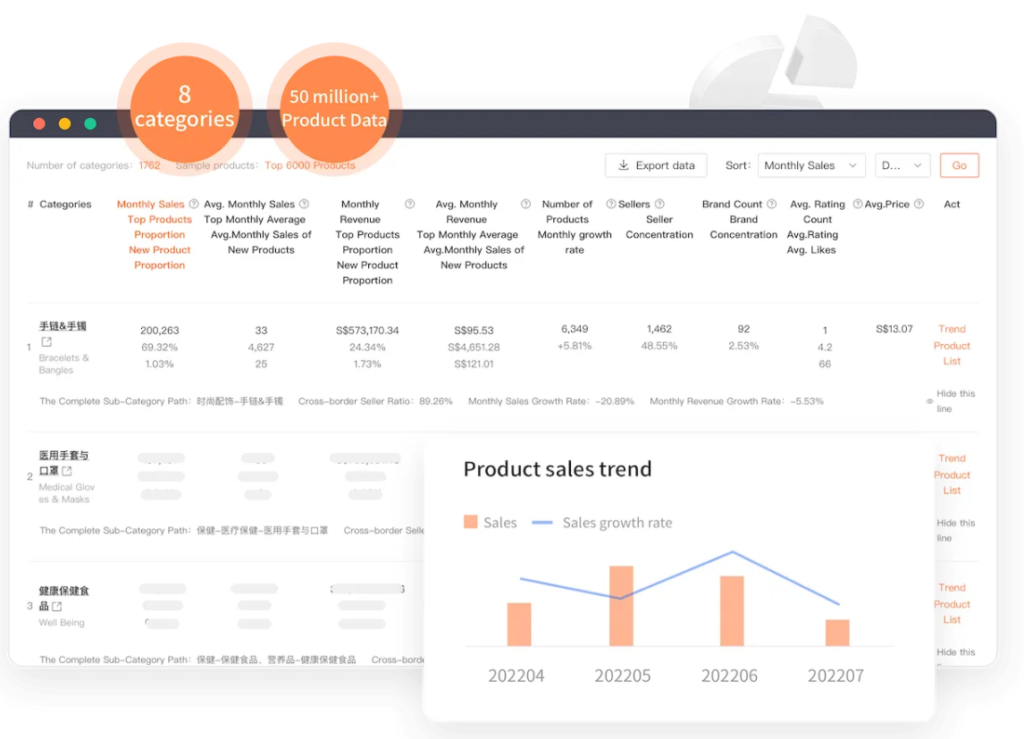
Some notable features include:
- Product research and SKU tracking.
- Keyword and listing title analysis.
- Monitoring competing shops and products.
- AI-powered product review analysis.
In the Beauty industry, the review analysis feature can be useful when you want to understand which aspects of a product customers are satisfied or dissatisfied with. For example, feedback on texture, color, volume, or skin reactions can provide additional insights when evaluating competing products.
However, you should check the scope of the data and support for the Shopee market you’re operating in before choosing Shopdora.
Zhixia (Menglar)
Zhixia, also known as Menglar, is an eCommerce data analytics platform that supports multiple Shopee markets.
The tool offers features for market research and product selection, including over 30 criteria to help evaluate products. Users can research keywords, track shops and SKUs, and monitor competitors’ traffic, promotional campaigns, and livestream activities.
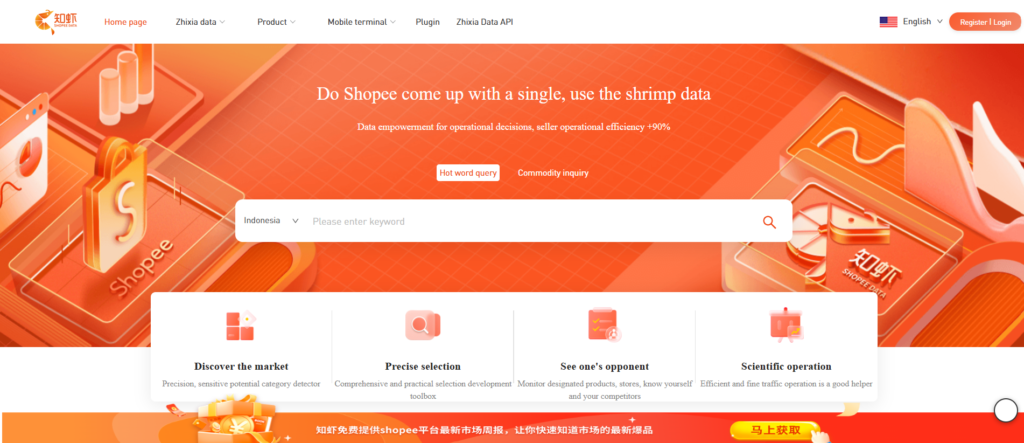
It is worth noting that Zhixia mentions the T+1 data update mechanism in its introductory materials. If this applies to the type of data you need to track, it could be a useful factor to consider when establishing a routine market monitoring process.
However, the platform’s interface and user guides are primarily in Chinese, while English language support may be inconsistent. Users in Southeast Asia should check the platform’s user experience and scope of support beforehand.
ShopeeAnalytics.com
ShopeeAnalytics.com is a third-party analytics tool designed for Shopee sellers, featuring capabilities tailored for market research in Vietnam.
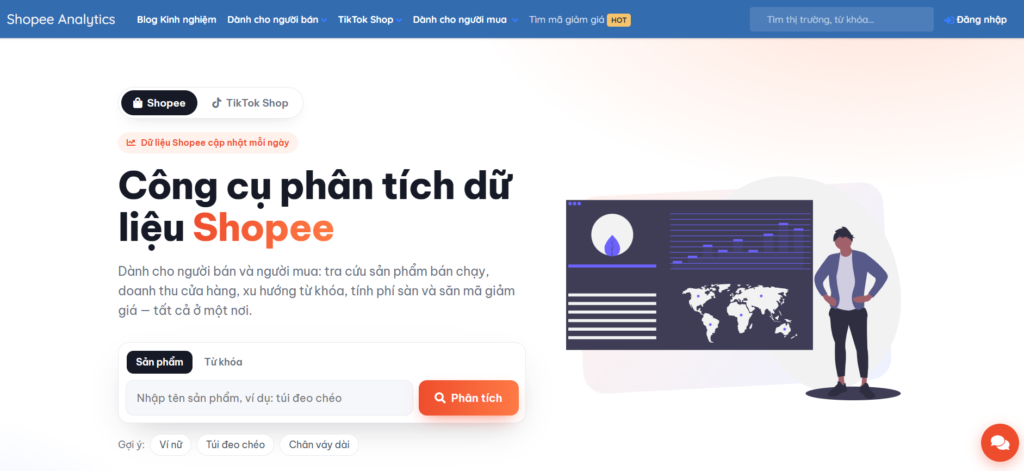
Some of the highlighted features include:
- Product and shop research.
- Price history tracking.
- Voucher and discount program monitoring.
- Keyword analysis.
- Competitor activity monitoring.
In particular, price history and promotional information can help sellers track how competitors adjust their prices over time, rather than just looking at the price displayed at a single moment.
However, before using the analysis results to make decisions, you should understand how the platform collects and updates each type of data. In particular, it’s important to distinguish between the listed price, the price after applying a voucher, and the actual price buyers can receive.
Split Dragon
Split Dragon is a platform that supports research and analysis of business activities on eCommerce marketplaces, including Shopee and Lazada.
Key features include:
- Market and product research.
- Competitor tracking.
- Keyword ranking tracking.
- A/B testing support.
- Shopee Sales Database.
The ability to track keywords and conduct A/B testing can help sellers evaluate the effectiveness of various elements in their listings, allowing them to adjust product content or presentation accordingly.
Split Dragon is worth considering when you need to combine competitor research with shop performance optimization. However, you should carefully review the market coverage, terms of use, and features included in each service plan before signing up.
iXspy (Shopee Analyzer)
iXspy, with its Shopee Analyzer tool, is a browser extension for Chrome and Edge that allows users to view product and shop information while browsing Shopee.
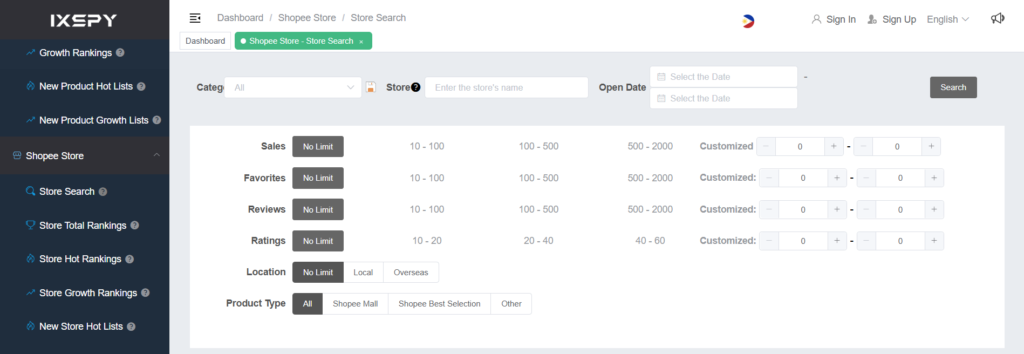
The tool provides several metrics for analysis, such as:
- Estimated sales over the past 7 days, monthly, and total.
- Product growth rate.
- Product rating.
- Listing publication date.
- Product and shop information.
These metrics give sellers additional data to compare competing products and monitor competitors’ performance trends.
However, it’s important to note that the sales figures displayed on the tool are estimates and should not be assumed to be the shop’s actual sales. iXspy also supports other platforms such as AliExpress, Shopify, and Etsy, making it suitable for users who need to research multiple sales channels.
Shopee Data Analysis Assistant (xiapishuju.com)
Shopee Data Analysis Assistant is a Chrome extension designed to help sellers collect and analyze product information on Shopee.
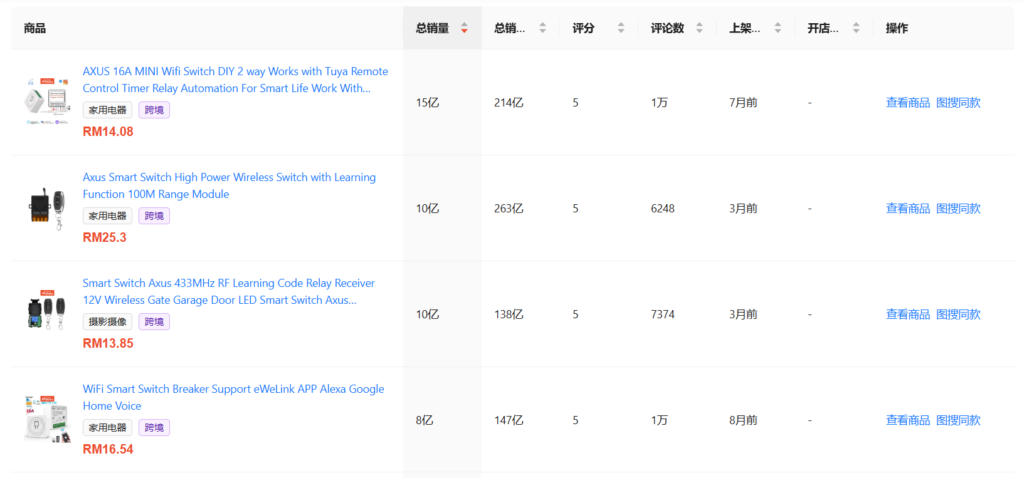
Some notable features include:
- Tracking sales trends over the past 30 days.
- Viewing SKU information.
- Analyzing keyword popularity.
- Searching for products using images.
- Supporting image and multimedia content downloads.
A key benefit of this tool is that users can access certain product information directly within their browser without having to switch between multiple platforms.
According to information gathered during the study, the extension has a rating of 4.1/5 based on 10 reviews on the Chrome Web Store, and its most recent update was recorded in July 2024. However, the number of reviews is still quite small, so it is not yet sufficient to provide a comprehensive picture of the user experience. Some feedback also mentions stability issues during use.
Therefore, you should check the extension’s current operational status before relying on it in your regular analysis process.
Digitor Shopee Competitor Analysis
Digitor Shopee Competitor Analysis is a Chrome extension that helps sellers compare listings and check information related to prices and vouchers for products on Shopee.
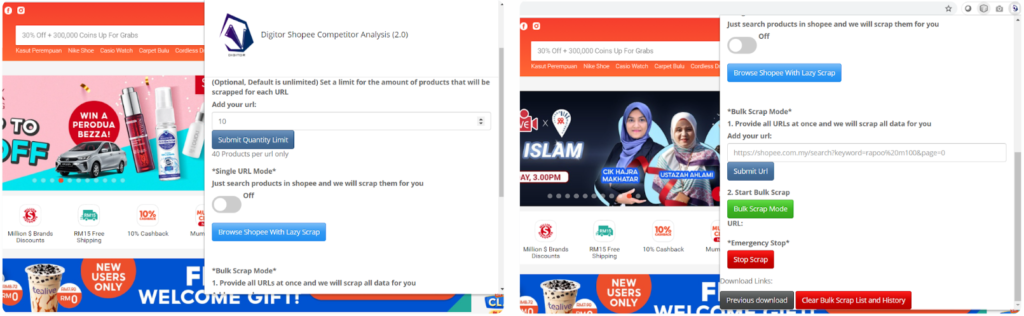
One notable feature is its ability to calculate the discount amount when applying a voucher. This gives sellers additional insight into post-promotion prices, rather than just comparing listed prices across products.
The tool also features “Lazy Scrap,” which allows you to scrape information from currently displayed Shopee search results. This approach can be convenient when you want to quickly check a group of competing products.
However, personalized vouchers may result in actual discount amounts varying across accounts or based on purchase conditions. Additionally, users should be aware of Shopee’s terms and limitations when using these data collection features.
Easy Data
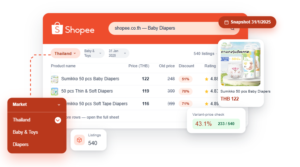
Unlike browser extensions that focus on direct analysis within the browser, Easy Data offers an on-demand Shopee data collection solution tailored for brands and businesses needing to monitor the market at scale. Instead of relying on a fixed set of metrics, businesses can define the data fields to collect based on their business objectives and scope of analysis.
How to Check the Consistency of Data from Shopee Competitor Analysis Tools
When using third-party tools, you may notice that the same product displays different metrics on each platform. This does not necessarily mean that one of the tools is malfunctioning. The differences may stem from the data source, the time of update, the scope of observable data, or each platform’s specific estimation methods.
Therefore, before using these metrics to make business decisions, you should verify how the tool operates and the consistency of the data.
Step 1: Select Products from Your Store
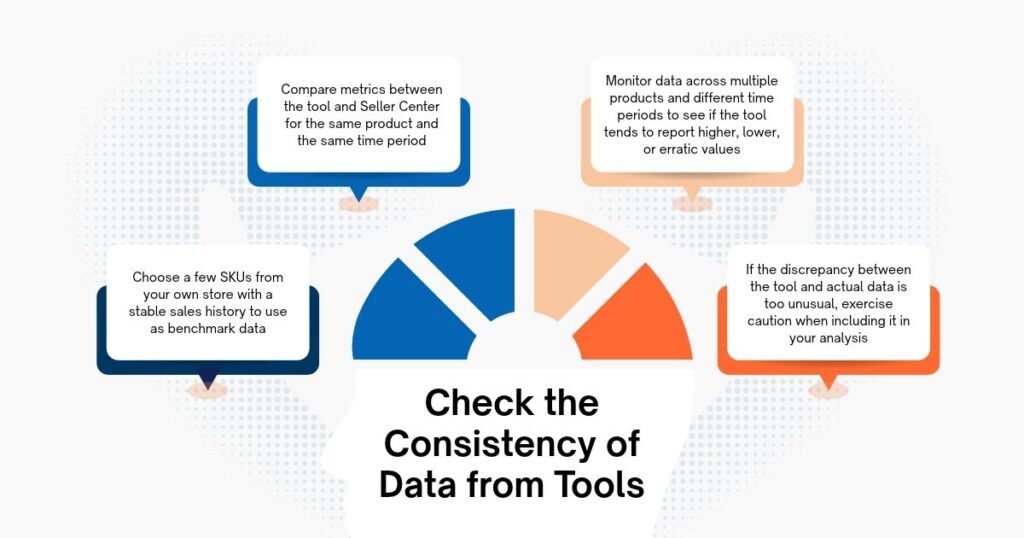
Select a few SKUs currently listed on Shopee, prioritizing products with a relatively stable sales history and information that can be cross-referenced in Seller Centre.
Using your own products provides you with reference data from an internal source, rather than relying entirely on estimated figures from third-party tools.
Step 2: Cross-Reference the Data with Seller Centre
Check for comparable metrics between the two sources, such as product information, selling price, units sold, or performance metrics provided by Seller Centre.
Ensure you’re comparing the same products, the same time period, and the same understanding of the metrics. For example, cumulative sales cannot be directly compared to estimated 7-day sales.
Step 3: Observe the Discrepancies
Note the differences between the data from the tool and the data in the Seller Centre. Instead of looking at just a single check, observe multiple products and different time periods. This helps you determine whether the tool tends to overestimate, underestimate, or fluctuate erratically compared to the reference data.
Step 4: Evaluate Consistency Before Using
After reviewing the data, assess whether the tool maintains a relatively stable measurement across products and time periods.
If the discrepancies vary too widely or lack a clear pattern, you should exercise caution when using estimated metrics to compare competitors.
Conclusion
Whether you use an off-the-shelf platform or a custom data collection solution, prioritize practical functionality over a sheer number of features. The right tool not only makes it easier to track competitors but also helps make your market analysis more consistent and effective.
Leave a Reply