

A web scraping demo is often the first experiment ecommerce teams run when exploring web scraping for ecommerce and automated product data extraction. With just a few lines of code, you can pull product names, prices, and ratings from a marketplace page. It feels powerful and it is.
But here’s the important distinction: a web scraping demo proves that extraction is possible. It does not prove that the data will remain reliable when decisions start depending on it. And in ecommerce, reliability is what ultimately determines competitive advantage.
What Is a Web Scraping Demo?
In practical terms, a web scraping demo is a lightweight proof-of-concept. It shows that structured data can be programmatically extracted from a webpage without manual copy–paste.
Most demos share similar characteristics: they target a single listing page, extract a handful of visible fields, run once or at low frequency, and operate without worrying about platform defenses or layout changes. The goal is validation. A web scraping demo answers one critical business question: Can we technically extract this data from this marketplace?
What it doesn’t answer is whether that extraction will scale, survive campaign volatility, or support pricing and expansion decisions over months or years. That gap is where many ecommerce teams underestimate complexity.
What a Web Scraping Demo Actually Reveals
A web scraping demo reveals the mechanical backbone of automated extraction. Specifically, it shows:
- How HTML elements are structured on a page
- How selectors can isolate specific fields
- How raw HTML can be transformed into structured output like CSV or JSON
For business stakeholders, this creates visibility into how competitor data can be collected.
For developers, it confirms technical feasibility.
However, in live ecommerce environments, even advanced web scraping tools only address the outer layer of extraction. The deeper challenge is maintaining consistency across time, especially when campaigns, vouchers, seller changes, and ranking algorithms constantly reshape the visible page.
What Data Can Be Extracted in an E-commerce Demo?
To evaluate the strategic value of a web scraping demo, we need to look beyond “what can be scraped” and examine what those fields actually represent in a competitive context.
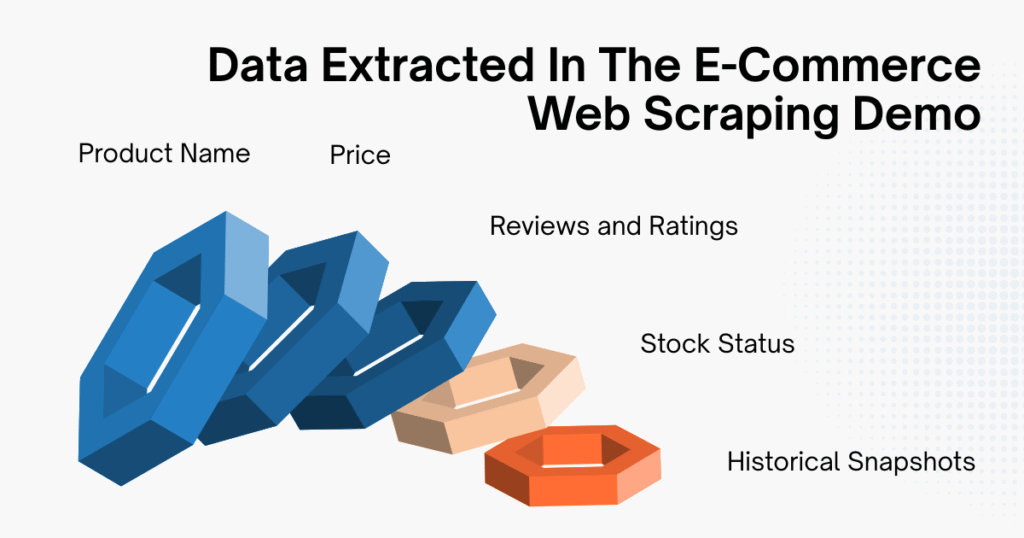
Product Name
Product titles are usually straightforward to extract, they’re essential for SKU tracking and competitor mapping. But in production environments, title variations, keyword stuffing, and duplicate listings from multiple sellers complicate normalization. A demo script might capture the text. A production system must interpret and standardize it.
Price
Price is often the primary motivation behind running a web scraping demo. Yet ecommerce pricing is rarely a single static number. For example, what appears on the page may include:
- A crossed-out base price
- A limited-time promotional price
- Additional vouchers applied at checkout
- Region-specific pricing logic
In a demo, you typically extract the visible figure next to the product. In reality, that number might not reflect the actual transaction price customers pay.
A production-grade system must understand pricing context: distinguishing between base price, discounted price, campaign-driven reduction, and stacked incentives. That interpretive layer is where the complexity multiplies.
Reviews and Ratings
Review count and rating metrics are powerful competitive signals, they help estimate demand velocity, ranking momentum, and product credibility. However, extracting review data at scale often involves handling pagination or dynamically rendered content. Many simple web scraping demo scripts don’t account for these layers, which means early tests may underestimate technical requirements.
Stock Status
Stock availability is strategically critical. A product going out of stock can temporarily reduce competitive pressure or distort pricing perception.
On many marketplaces, stock indicators are rendered dynamically using JavaScript. A static HTML-based web scraping demo may not reliably detect these changes unless additional rendering logic is introduced.
Historical Snapshots
When you run a web scraping demo repeatedly and store the outputs, you begin simulating price tracking. In real-world operations, this evolves into:
- Time-series databases
- Change-detection logic
- Alert systems
- Anomaly monitoring
At this stage, scraping is no longer just extraction, it becomes infrastructure.
Simple Web Scraping Demo Walkthrough
In practice, a web scraping demo typically follows four core steps: identify the target page, extract structured data, clean and normalize, then export the results. The mechanics are simple, the implications are not.
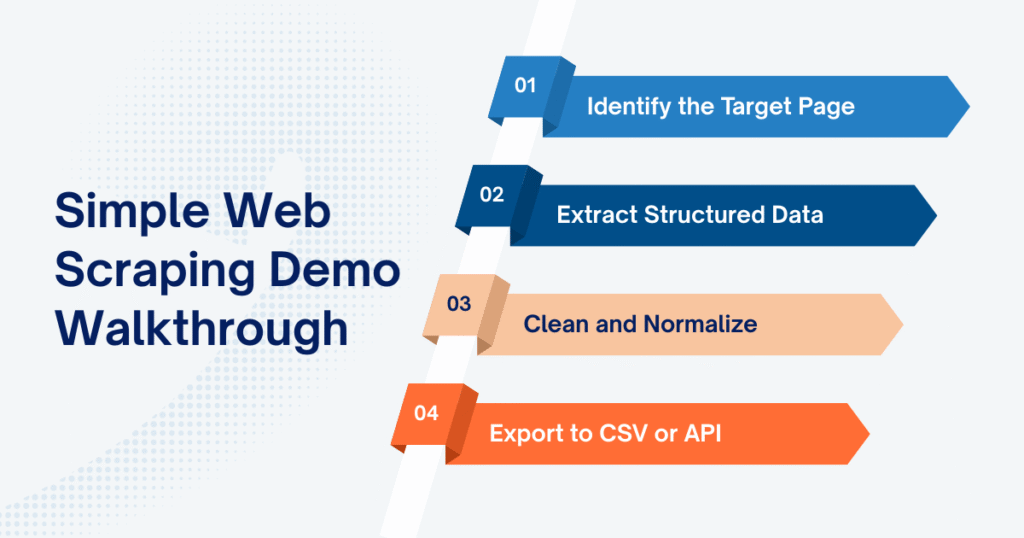
Step 1: Identify the Target Page
Every web scraping demo begins with choosing the right page structure to work with. In ecommerce, that’s commonly:
- A category listing page
- A search results page
- A product detail page
- A seller storefront
For demo purposes, category pages are often preferred because they contain repeated product blocks. What matters here is not just the URL, it’s recognizing how each product is structured in HTML.
If products are wrapped in consistent containers with predictable class names, extraction is straightforward. If layout elements vary across listings, complexity increases immediately. In a web scraping demo, this structural mapping happens once. In real-world environments, it must be monitored continuously.
Step 2: Extract Structured Data
Once the HTML structure is clear, the next step is selecting and extracting the relevant fields.
Here is a minimal web scraping demo using Python’s HTTP request handling with requests and BeautifulSoup to collect product name, price, and rating from a static category page:
Copied!import requests from bs4 import BeautifulSoup import csv url = "https://example-ecommerce-site.com/category" headers = { "User-Agent": "Mozilla/5.0" } response = requests.get(url, headers=headers) soup = BeautifulSoup(response.text, "html.parser") products = soup.select(".product-item") data = [] for product in products: name = product.select_one(".product-title").text.strip() price = product.select_one(".product-price").text.strip() rating = product.select_one(".product-rating").text.strip() data.append([name, price, rating])
Technically, this web scraping demo performs four actions:
- Sends an HTTP request to retrieve the page
- Parses the HTML structure
- Identifies product containers
- Extracts selected data fields
The transformation from raw HTML to structured rows of data is the core value of any web scraping demo. However, this step assumes that CSS selectors remain stable and that the displayed price reflects actual transactional logic. In many marketplaces, pricing layers include discounts, vouchers, regional adjustments, or dynamic rendering (factors that a basic script does not interpret).
Step 3: Clean and Normalize
At this point, the web scraping demo technically works. But “working” data is not the same as decision-ready data.
Extracted prices may include currency symbols. Thousands separators vary by region. Ratings may be strings instead of numeric values. Some products may be missing certain fields entirely.
In a demo environment, you might clean these inconsistencies with simple string replacements or type conversions. In production systems, normalization becomes a structured pipeline layer. That includes:
- Converting all price values into standardized numeric formats
- Mapping duplicate product titles to unified SKUs
- Handling missing or inconsistent attributes
- Standardizing currency and decimal logic across marketplaces
This is where the gap between a web scraping demo and a dependable data system becomes visible. Extraction is mechanical. Normalization ensures comparability across time and sources.
Step 4: Export to CSV or API
After extraction and basic cleaning, the data needs to be stored. In a typical web scraping demo, exporting to CSV is sufficient:
Copied!with open("products.csv", "w", newline="", encoding="utf-8") as file: writer = csv.writer(file) writer.writerow(["Product Name", "Price", "Rating"]) writer.writerows(data) print("Web scraping demo completed successfully.")
CSV output allows quick validation and manual inspection. In operational ecommerce environments, however, data rarely stops at a file. It flows into data warehouses, business intelligence dashboards, pricing engines, or monitoring systems that trigger automated actions.
A web scraping demo produces isolated output for inspection. A production system feeds structured data into recurring decision cycles: pricing updates, competitor tracking, campaign analysis, inventory monitoring. The mechanics may look similar at first glance, but the reliability requirements are fundamentally different.
What a Web Scraping Demo Doesn’t Show
The smooth experience of a web scraping demo can be misleading because it operates under controlled, low-volume conditions.
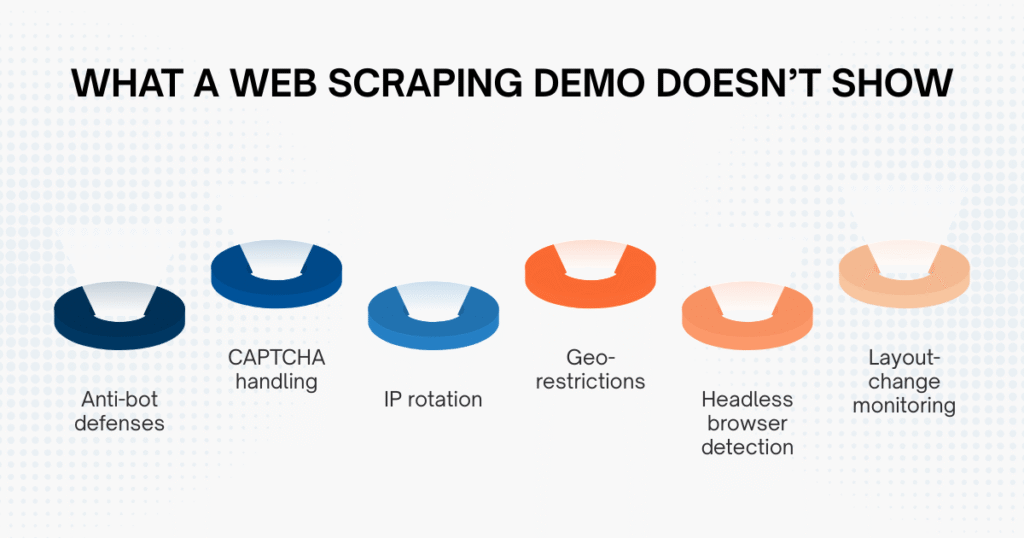
Large marketplaces actively monitor incoming traffic and implement defenses against automated threats to web applications. They analyze request frequency, browser fingerprints, IP reputation, and behavioral patterns to detect automation. Anti-bot systems, CAPTCHA challenges, geo-restrictions, and layout adjustments are all part of this defensive landscape.
At small scale, a demo script often passes unnoticed. But as request volume increases (especially when tracking hundreds or thousands of SKUs) friction appears. Requests may be blocked. Data fields may silently fail. HTML structures may change overnight.
This is typically when teams realize that scraping success isn’t about writing more lines of code. It’s about engineering resilience into the system.
Web Scraping Demo vs Production-Grade Scraping
The difference between experimentation and infrastructure becomes clearer when we compare them side by side.
| Criteria | Web Scraping Demo | Production-Grade Scraping |
| Scale | Single page | Thousands of SKUs |
| Anti-bot Handling | Minimal | Proxy rotation, fingerprint control |
| Monitoring | Manual checks | Automated alerts & validation |
| Data Cleaning | Basic formatting | Structured normalization pipelines |
| Infrastructure | Local script | Distributed system |
| Reliability | Short-term | Long-term operational |
The key takeaway isn’t that demos are inadequate, but that they serve a different purpose: a web scraping demo proves extraction is technically possible, while production-grade scraping proves that data can be trusted for strategic decisions.
If pricing adjustments, expansion planning, or campaign response strategies depend on scraped data, reliability becomes non-negotiable.
Learn more: Why Your Business Needs a Web Scraping Service to Stay Ahead in 2025
When Should You Move Beyond a Web Scraping Demo?
A web scraping demo is appropriate when you are validating feasibility, testing a small SKU set, or experimenting internally without revenue implications. However, once you begin monitoring thousands of products across multiple marketplaces, or when scraped data feeds directly into BI dashboards, pricing engines, or margin calculations, the requirements change fundamentally.
Across Southeast Asian marketplaces, campaign cycles on platforms like Shopee can introduce extreme short-term volatility. Teams relying solely on demo-level scripts often encounter IP bans, layout breaks, or silent parsing errors precisely when pricing sensitivity is highest.
This is typically the inflection point: scraping shifts from being a coding experiment to becoming a data architecture decision. Some organizations build this capability internally with dedicated engineering teams or hire a web scraping expert to stabilize their data pipelines. Others partner with providers like Easy Data, especially when marketplace-specific logic (such as a structured Shopee data scraping service) requires continuous normalization, monitoring, and adaptation.
The transition isn’t about scraping more aggressively. It’s about building controlled, validated pipelines that remain stable under marketplace pressure.
Final Thoughts
A web scraping demo is a valuable starting point. It makes automated extraction tangible and demonstrates how raw marketplace data can be structured. But it is only the beginning of the journey. In fast-moving ecommerce environments, especially across campaign-driven Southeast Asian markets, decision quality depends on data stability.
- A demo answers the question: Can we extract this page?
- A mature scraping infrastructure answers a much harder question: Can we rely on this data every day, across campaigns, at scale?
Understanding that difference is what separates experimentation from sustainable competitive advantage.
Leave a Reply