


Introduction: Choose a Workflow Before a Tool
Web scraping real estate data starts with a source and a clear question, not a tool purchase. This guide compares five extraction approaches, explains the checks needed for listing data and works through a fictional deduplication example. It focuses on choosing and validating a collection workflow; our house-price comparison guide explains how changing listing samples can distort price trends. Product documentation was checked on October 3, 2026; plan limits and site compatibility can change.
- Introduction: Choose a Workflow Before a Tool
- What is Web Scraping Real Estate Data?
- 5 Tools for Web Scraping Real Estate Data
- How to Use Web Scraping Real Estate Data for Market Analysis
- Legal and Ethical Considerations for Web Scraping Real Estate Data
- Conclusion: Validate the Workflow and Its Limits
What is Web Scraping Real Estate Data?
Web scraping extracts published listing fields from pages into a structured record. Typical fields include an advertised amount, currency, sale or rental basis, listing identifier, property characteristics, source URL and observation time. Market trends are an analysis of suitable observations, not a field that a scraper automatically proves. Check for a licensed feed, authorised API or official dataset before collecting pages.
- Market research: compare defined groups of observed listings, with source coverage, collection dates and exclusions recorded.
- Contact workflows: use contact information only for a defined, lawful purpose with the required permissions. A published listing contact is not automatically a buyer, a seller or someone who agreed to marketing.
- Offer comparison: compare similar property types and terms; an advertised price is not a completed transaction or a reliable measure of demand.
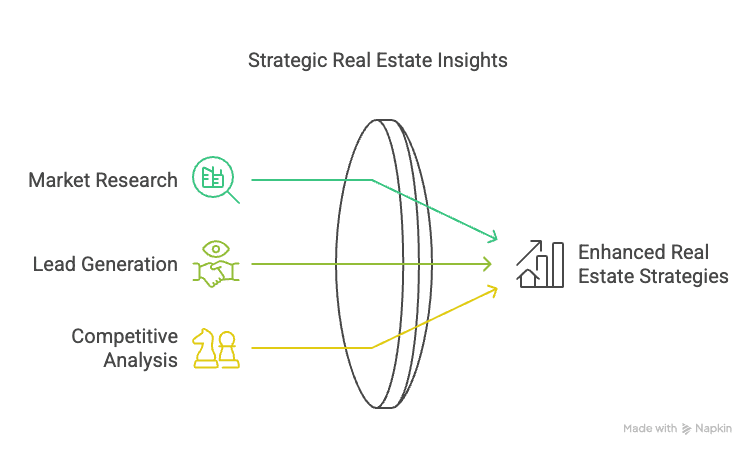
A useful pilot records permission, geographic coverage, required fields, collection frequency and a validation threshold. Keep the original displayed values and a collection timestamp alongside normalised fields. A larger export can still be incomplete, duplicated or out of date.
5 Tools for Web Scraping Real Estate Data
- ParseHub
ParseHub is a visual extraction product. Evaluate it when the workflow includes clicking through listing and detail pages and you want to configure those actions visually. Its official export guide documents CSV and JSON output; CSV can be opened in a spreadsheet. Test the actual page flow, required fields and missing-value handling rather than assuming every dynamic site will work.
Pilot checks:
- Build and review the intended selection and navigation steps visually; configuration still needs testing.
- Check that required content appears after the configured interaction and wait; record pages that fail.
- Inspect CSV or JSON output for record boundaries, repeated listings and unexpected blank fields.
- Octoparse
Octoparse offers visual tasks with local and cloud execution options. Its scheduling documentation distinguishes execution conditions and plan limits. Confirm the current allowance and environment for your pilot; a free plan is not automatically sufficient, and cloud execution is not proof of faster or more complete results.
Pilot checks:
- Evaluate the configured task on a small approved sample before scheduling it.
- Validate pagination and page interactions against the specific source, not a general dynamic-content claim.
- Confirm local versus cloud run requirements, schedule limits and how failures are reported.
- BeautifulSoup
Beautiful Soup is a Python HTML/XML parser, as described in its documentation. Use it when you already have permitted HTML and want explicit parsing and validation rules. Fetching, browser rendering, scheduling and storage are separate responsibilities. It does not give complete control over a website or make inaccessible data available.
Pilot checks:
- Write selectors and validation rules against saved representative HTML.
- Handle missing and malformed values explicitly; do not convert every blank price to zero.
- Test the parser independently of collection using our offline parsing exercise.
- Web Scraper (Browser Extension)
Web Scraper uses a selector sitemap to describe navigation and extraction. Its official documentation separates local extension runs from Web Scraper Cloud automation. This is a possible fit for a repeatable visual listing-to-detail workflow, provided the actual source works in a small test. A selector sitemap is an extraction plan, not evidence of permission or full coverage.
Pilot checks:
- Review start URLs and selector relationships so fields stay attached to the correct listing.
- Test pagination boundaries and compare exported row counts with the approved sample.
- Treat cloud scheduling, monitoring and delivery as separate operating requirements from a local extension run.
- Scrapy
Scrapy coordinates requests and extraction in Python. Its dynamic-content guide distinguishes data available in responses from cases requiring browser integration. Choose it when you can maintain code, logging and validation. Do not describe framework use as automatic CAPTCHA handling or a real-time data service; blocked access requires an authorised route and explicit failure handling.
Pilot checks:
- Budget for code maintenance, execution and source changes even when using an open-source framework.
- Configure request delays, concurrency and robots handling for the permitted source; verify them in the pilot.
- Track successful pages, failed pages, duplicates and required-field completeness before increasing scale.
How to Use Web Scraping Real Estate Data for Market Analysis
Treat source observations, entity matching and analysis as separate steps. Write down what the available fields can support and what would require additional evidence:
- Monitor advertised prices: record amount, currency, price type and time. Compare like-for-like groups and keep asking-price changes separate from completed-sale prices. The worked house-price example shows why a changing sample can reverse the apparent trend.
- Describe observed supply: use bedrooms, area, property type and location to group listings. Preserve area units and distinguish land from floor area. Many listings with a feature do not by themselves establish buyer demand for that feature.
- Compare rental offers: keep weekly and monthly rents, deposits, included bills and tenancy terms distinct. Advertised rent alone does not establish occupancy, net income or investment yield.
- Separate contact work from listing analysis: omit contact details when they are not needed. If a permitted business workflow needs them, define the lawful purpose, permitted use, access and retention before collection; do not turn a public contact field into automatic marketing consent.
- Compare offers with provenance: retain source URL, listing ID, observation time and original field values. Keep uncertain cross-site property matches separate instead of silently merging records based on an approximate address or similar photograph.
Worked example — fictional records: this single snapshot contains six invented rows from two sources. All sale amounts use the same invented currency and comparable property definition. Property labels H1–H4 are assumed to have been reviewed for this example; a real cross-source match needs evidence and can remain unresolved.
| Source / ID | Property | Observed offer |
|---|---|---|
| P1 / A | H1 | 240,000 sale |
| P1 / A | H1 | 240,000 sale, repeated row |
| P2 / B | H1 | 240,000 sale |
| P1 / C | H2 | 180,000 sale |
| P1 / D | H3 | Price on application, sale |
| P1 / E | H4 | 1,200 monthly rent |
First remove the repeated P1/A row with the same observation time: 6 raw rows become 5 unique source-listing observations. The reviewed match between P1/A and P2/B means those five observations describe 4 properties. Keep both source records for provenance while counting H1 once in a property-level analysis.
For a numeric sale-asking-price comparison, exclude H3 because its price is missing and H4 because it is a rental offer. The eligible set is 2 properties, H1 and H2. Their mean asking price is (240,000 + 180,000) / 2 = 210,000. This small fictional mean is not a market valuation; converting the missing price to zero, mixing rent into sale prices or counting H1 repeatedly would change the question being answered.
Publish an audit trail with the raw count, exact-duplicate count, cross-source matches, unresolved matches and each exclusion reason. Preserve raw records and matching evidence rather than deleting the only copy. Do not reuse a listing ID from one portal as a global property identifier.
Legal and Ethical Considerations for Web Scraping Real Estate Data
The access, reuse and personal-information questions depend on the source, jurisdiction and intended use. Complete those checks before an automated pilot; this checklist is not legal clearance for a particular project.
- Source rights: record the permitted access and reuse conditions, including any licence, attribution or redistribution limits. Prefer an authorised feed or API where it meets the need, and resolve unclear restrictions before collecting.
- Crawl instructions: follow applicable robots rules, but distinguish them from permission. RFC 9309 states that robots rules are not access authorisation. An allowed path does not settle privacy, copyright or contractual obligations.
- Source load and failures: agree conservative collection limits, use backoff or stop on rate limits and blocks, and record incomplete runs. Do not label a blocked page as a property that disappeared from the market.
- Personal information: public availability does not remove applicable privacy duties. The ICO’s joint-statement update calls for lawful, contractually controlled scraping. Minimise contact data, restrict access and assess the rules relevant to your actual market and use.
Release check: before sharing the dataset, verify that its recipients and intended use fit the source licence and privacy assessment. Remove unnecessary personal fields, include field definitions and collection dates, and record any coverage gaps. An illustration or a tool’s feature list cannot establish that clearance.
Conclusion: Validate the Workflow and Its Limits
Choose a tool only after defining the source, field meanings and acceptance checks. Keep collection failures, duplicate advertisements and uncertain property matches visible. A tested workflow can produce a useful listing dataset; it does not automatically prove market demand, realised sale prices, permission to contact people or a profitable investment.
For a scoped data project, contact Easy Data with the permitted source, geography, required fields and collection schedule. Agree a sample and validation criteria before ongoing delivery.
Further practical reading
- Offline extraction and validation exercise — test parsing rules without collecting a live property website.
- House-price comparison guide — distinguish source observations from a market trend.
Leave a Reply