
Download Guide for Shopee Beverage Data Set (April 2024)

admin Avatar

·

·

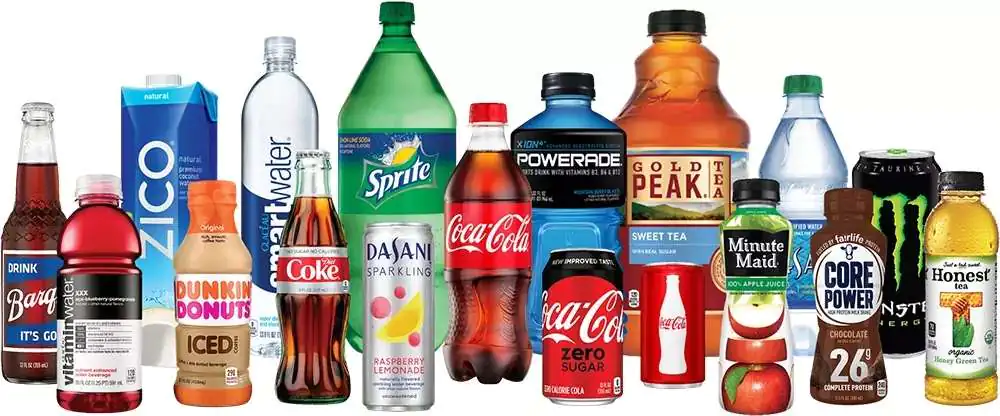
Assortment of bottled and canned beverages shown as an illustration.
Illustrative beverage packaging. This image does not establish which brands or products appear in the April 2024 Thailand archive; use the verified file scope below.

Shopee Thailand Beverage Data Set – April 2024

Explore two historical Shopee Thailand keyword-search extracts dated April 12, 2024. They use the search term เครื่องดื่ม, the English label Beverages and currency THB. The archive is useful for practising duplicate handling, product classification and unit-price calculations. The request form delivers these existing files; it does not customize their contents or provide current prices.

What the download contains

The file ending 16-59-00_popular.xlsx has 1,030 observations and 955 distinct shop/item pairs. The file ending 17-00-16_best_selling.xlsx has 500 observations and 497 distinct pairs. Both filenames begin Beveragesเครื่องดื่ม_12-04-2024_. Each workbook contains one worksheet, Sheet1, with 23 columns. The filename labels describe the extracts, not an independently verified ranking of Thailand’s beverage market.

Combining the files produces 1,530 observations, 1,160 distinct shop/item pairs and 693 shop IDs. There are 292 pairs shared between the two files. Use shopId together with itemId as the listing key. A listing can offer multiple variants or pack sizes, so a distinct pair is not necessarily one product model. This keyword sample does not establish total category coverage or market share.

Fields and interpretation

Identity and context: keyword, localizedKeyword, name, url, imageUrl, itemId, shopId, brand, country, currency and updateTime. Preserve IDs as text. Every row records Thailand, THB and 4/12/2024, consistent with the April 12 filenames. This is a historical snapshot, not a time series.

Offer prices: price, price_before_discount, discountPercent, price_min, price_max, price_min_before_discount and price_max_before_discount. Minimum and maximum prices differ in 356 popular rows and 123 best_selling rows. Match the selected variant and package to its price before calculating a unit cost. Treat zero reference prices as unavailable for discount calculations.

Captured counters: stock, sold, historySold, rating_count and rating. These are listing-level values, not individual transactions or review text. The files do not define the period represented by sold. They cannot substantiate April-only sales, revenue, customer demographics or consumer preferences.

Clean the sample before comparing

The popular file has 75 repeated observations beyond its distinct pairs; best_selling has three. Combining both leaves 370 observations beyond the 1,160 distinct pairs. Retain the source filename, flag duplicates and document your selection rule. One repeated pair has conflicting rating counts, one has conflicting stock and one has conflicting historySold values. The row date does not provide a time of day for choosing the latest observation.

Brand cells are blank in 378 popular rows and 107 best_selling rows. A further three and one respectively contain the literal value None. Preserve those missing-value distinctions when importing. Classify powders, ready-to-drink beverages and multipacks separately; a keyword match is not enough to make two offers comparable. Package count, weight and volume are not separate columns in these files, so any quantity extracted from a title needs checking.

Worked examples: powder weight and bottled volume

Powder, Sheet1 row 2 of popular: the title describes SYNOVA Peach Tea Premix 500g. Shop 287488138 and item 3961844975 record price, minimum and maximum price of THB 233. If the captured offer is one 500 g pack, its conditional dry-product price is 233 ÷ 0.5 = THB 466 per kilogram. The file gives no verified preparation ratio, so this cannot be converted into a cost per litre of prepared drink.

Bottled multipack, Sheet1 row 3 of popular: a Red Bull listing names 50 bottles of 145 ml, shop 181040265, item 2873794374. Price, minimum and maximum price are all THB 449. If that price covers the stated 50-bottle pack, the calculation is 449 ÷ 50 = THB 8.98 per bottle. Its stated volume is 50 × 145 ÷ 1,000 = 7.25 litres, giving 449 ÷ 7.25 = THB 61.93 per litre, rounded to two decimals.

Verify the selected offer and package quantities before using either result. Compare dry-product prices with equivalent powders and bottled-volume prices with equivalent drinks. Shipping, vouchers and checkout adjustments are outside these calculations. Seller-title wording does not verify nutritional or health claims. These examples explain captured records; they are not current quotes or category averages.

A practical analysis sequence

Keep both original workbooks unchanged. In a working copy, preserve IDs and source labels, flag repeated pairs, review missing brands and classify product form. Verify quantity and selected variant before deriving unit prices. Report the snapshot date, currency, exclusions and unresolved package assumptions with any comparison. For a related classification exercise, see the chocolate-search archive multipack example; keep the two samples separate.

For a new collection or repeated snapshots, specify countries, product filters, package fields and a collection schedule through our Shopee data scraping service. A consistent selection method is needed before repeated extracts can support comparisons over time.

Request the historical archive

  1. Fill Out the Form: Complete the form to request the existing April 2024 Thailand beverage archive. Please fill out this form.
  2. Submit the Form: After filling, submit the form. Ensure all provided information is accurate to avoid delays.
  3. Check Your Email: Upon form submission, a link to download the data set will be sent to your email. This may take a few minutes.
  4. Download from Email: Open the email received, click on the download link provided within to access the data set file.
  5. Open & Review Data: After downloading, open the file in your preferred spreadsheet software to start analyzing the data.

For any issues, check your internet connection or contact us via our email easydata.info.ai@gmail.com for help.


Thank you,
Easy Data Team.


Leave a Reply

Your email address will not be published. Required fields are marked *