

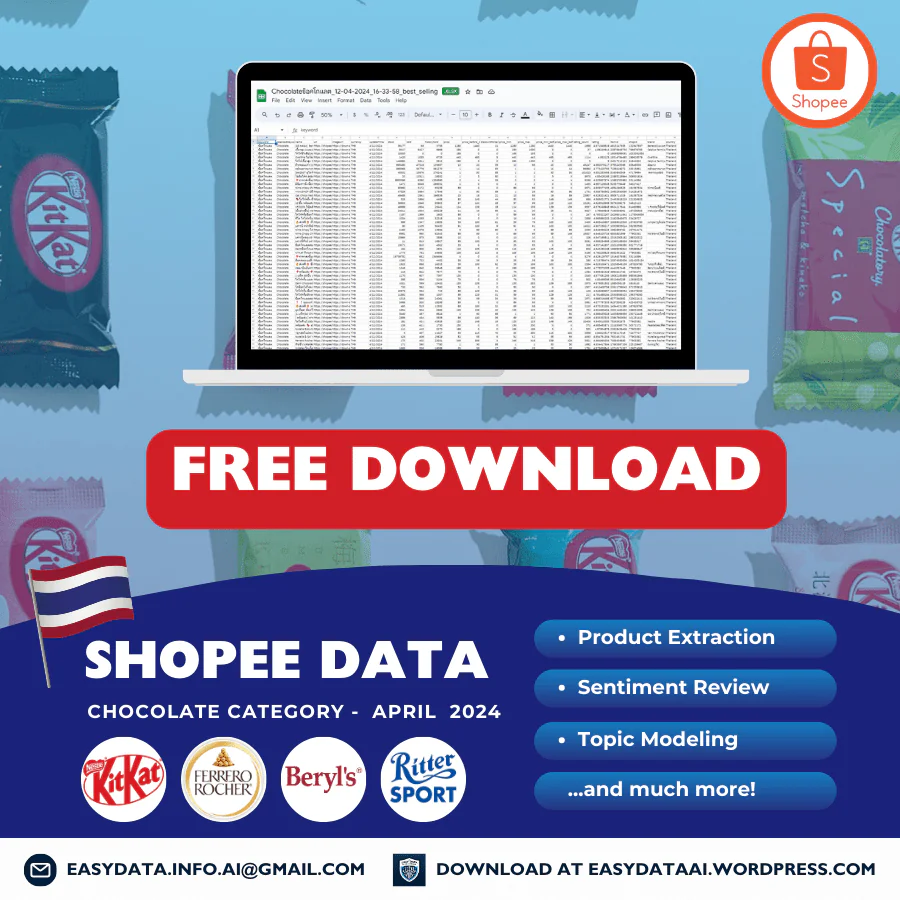
Shopee Thailand Chocolate Food Data Set – April 2024
This archive contains two Shopee Thailand keyword-search workbooks dated April 12, 2024. The records use THB and the search term ช็อคโกแลต, with Chocolate as the localized label. Use these historical snapshots to practise product classification, duplicate handling and pack-price comparisons. The download is an existing archive, not a current or customized collection.
What is in the delivered archive?
The workbook named Chocolateช็อคโกแลต_12-04-2024_16-28-51.xlsx contains 1,030 rows and 956 distinct shop/item pairs. Its filename does not identify a sorting mode. The Chocolateช็อคโกแลต_12-04-2024_16-33-58_best_selling.xlsx workbook contains 500 rows and 498 distinct pairs. The best_selling label identifies the extract; it does not establish an independently verified market ranking.
Together, the files contain 1,530 listing observations, 1,047 distinct shop/item pairs and 469 shop IDs. There are 407 pairs shared between the files. Both have 23 fields and the same recorded date. A shop/item pair identifies a listing, not a unique chocolate product, pack size or brand. The archive is a keyword result set rather than a complete category census.
The 23 fields and their limits
Identity and context: keyword, localizedKeyword, name, url, imageUrl, itemId, shopId, brand, country, currency and updateTime. Preserve long IDs as text. Brand is blank in 334 rows of the first file and 165 rows of best_selling; each file also has one literal None value. Missing brand data should remain distinct from a verified unbranded product.
Pricing: price, price_before_discount, discountPercent, price_min, price_max, price_min_before_discount and price_max_before_discount. Minimum and maximum prices differ in 272 rows of the first file and 152 rows of best_selling. A listing-level starting price is not automatically the price of the pack named in its title. Zero reference prices occur in 663 and 270 rows respectively; do not use zero as the denominator for a calculated discount.
Captured activity: stock, sold, historySold, rating_count and rating. These fields do not supply order-level transactions or define the reporting period of every counter. They cannot establish April-only sales, revenue, profit or market share. The files have no separate review-text, sentiment, topic-model, pack-weight or ingredient fields.
Deduplicate and classify before comparing
The first file contains 74 repeated observations within its 1,030 rows; best_selling contains two. Combining both files leaves 483 observations beyond the 1,047 distinct pairs. Keep the source filename, flag duplicate pairs, and document which observation you retain. Across repeated pairs, six have different stock values, four have different historySold values and one has a different rating_count. Captured prices match after numeric normalization. The shared row date provides no time of day with which to order conflicting observations.
Summing rating_count across every row gives 1,382,878. Taking one value per pair gives 886,858 or 886,859 depending on how the single conflicting counter is resolved. These are sums of listing counters, not counts of review records delivered. The artwork’s sentiment-review and topic-modeling wording is not supported by separate analysis outputs in this archive; its caption clarifies that limitation.
Review product type as well as duplicates. The first best_selling title describes a Benecol UHT milk multipack with pomegranate and strawberry wording, despite the chocolate search label. Sheet1 row 3 of the first workbook describes a cocoa product in a bag of 20 sachets. Chocolate confectionery, drink mixes, milk and other keyword matches need separate groups. A title alone does not verify ingredients, nutrition, authenticity or a health claim.
Worked example: classify a multipack before pricing it
In Sheet1 row 2 of best_selling, shop 132847887 and item 4615147855 identify the Benecol listing. Its title states 48 boxes; price, price_min and price_max all record THB 1,280. If that captured price applies to the complete 48-box offer, the conditional unit calculation is 1,280 ÷ 48 = THB 26.67 per box, rounded to two decimals.
Keep this result in a milk-multipack group, not a chocolate-bar price comparison. Verify the selected option and quantity before accepting the denominator. The file does not separately establish millilitres per box, delivered price, shipping, vouchers or checkout adjustments. It also does not validate any health-related wording in the seller’s title. The calculation explains a historical record; it is not a current quote or a market average.
A practical analysis workflow
Keep both original workbooks unchanged. Add source filename to a working copy, preserve IDs, and flag duplicate pairs and conflicting counters. Classify product type, then verify brand, variant, pack count and weight or volume where relevant. Calculate unit prices only when the captured offer and denominator match. Report the observation date, currency, selection rule, excluded records and unresolved pack attributes with any summary. Separate a same-day offer comparison from claims about trends.
For a new collection, use our Shopee data scraping service to specify the market, permitted access route, product-type filters, variant fields and refresh schedule. Repeated observations require consistent selection and field definitions before they can support a comparison over time.
Download the historical archive
- Fill Out the Form: Complete the form to request the April 2024 Thailand chocolate-search archive. It delivers existing historical files; submitting the form does not customize their contents. Please fill out this form.
- Submit the Form: After filling, submit the form. Ensure all provided information is accurate to avoid delays.
- Check Your Email: Upon form submission, a link to download the data set will be sent to your email. This may take a few minutes.
- Download from Email: Open the email received, click on the download link provided within to access the data set file.
- Open & Review Data: After downloading, open the file in your preferred spreadsheet software to start analyzing the data.
For any issues, check your internet connection or contact us via our email easydata.info.ai@gmail.com for help.
Thank you,
Easy Data Team.