Download the Carbonated Drinks & Tonics Dataset (May 2025)

admin Avatar

·

·

Explore an Excel snapshot of Shopee Thailand listings in the Carbonated Drinks & Tonics category. The workbook delivered by the form below contains 1,838 listing records from 833 distinct shop IDs. Every record has an updateTime value of May 31, 2025, country Thailand, and currency THB. This is a historical listing snapshot, not a live feed or a complete census of the market.

What is in the download?

The file has one worksheet, Sheet1, with 23 columns and 1,838 data rows, excluding the header. All rows use category ID 11045375. A check of the delivered workbook found 1,838 distinct shopId + itemId pairs, with no duplicate pairs.

  • Listing identification: category, name, url, imageUrl, itemId, and shopId.
  • Location and snapshot: country, currency, and updateTime.
  • Price fields: price, price_before_discount, discountPercent, price_min, price_max, price_min_before_discount, and price_max_before_discount.
  • Listing counters and ratings: sold, historySold, rating_count, and rating.
  • Seller and descriptive fields: shop_name, flex_name, and brand.

How to use this snapshot

Start by grouping listings by shop or brand, then compare similarly sized products and packs using the price and listing fields. Treat shopId + itemId as the listing key. Keep the original file and record any exclusions or transformations in a separate analysis sheet. Verify pack sizes and variants from the listing text before comparing prices; the workbook has no dedicated pack-size field.

For worked examples of beverage unit-price checks, see the April 2024 beverage archive’s powder-weight and bottled-volume examples. They show why dry powders and ready-to-drink multipacks need different units. These examples come from a separate, older keyword sample; use the checking method without treating the files as a matched time series or their prices as current quotes.

For another May 2025 category snapshot, see the Baby Diapers dataset. Review its own coverage before making comparisons across categories. If you need a different category, market, date range, or recurring collection, describe those requirements through our Shopee data scraping service.

Coverage and interpretation limits

  • Missing descriptive values: brand is blank in 1,015 records and flex_name in 1,588. Do not treat a blank brand as evidence that a product is unbranded. The other 21 columns have no blank cells in this file; that does not establish that every value is accurate.
  • Sales periods are not documented: the file contains sold and historySold, but it does not define their reporting windows. The May 31 snapshot date does not make either field a verified total for May. Do not calculate monthly revenue by multiplying a counter by the current listing price.
  • Zero and unusual values need review: price-before-discount and rating fields include zero values. The workbook does not explain whether each zero means unavailable, not applicable, or a measured zero. Avoid treating all such values as valid baselines.
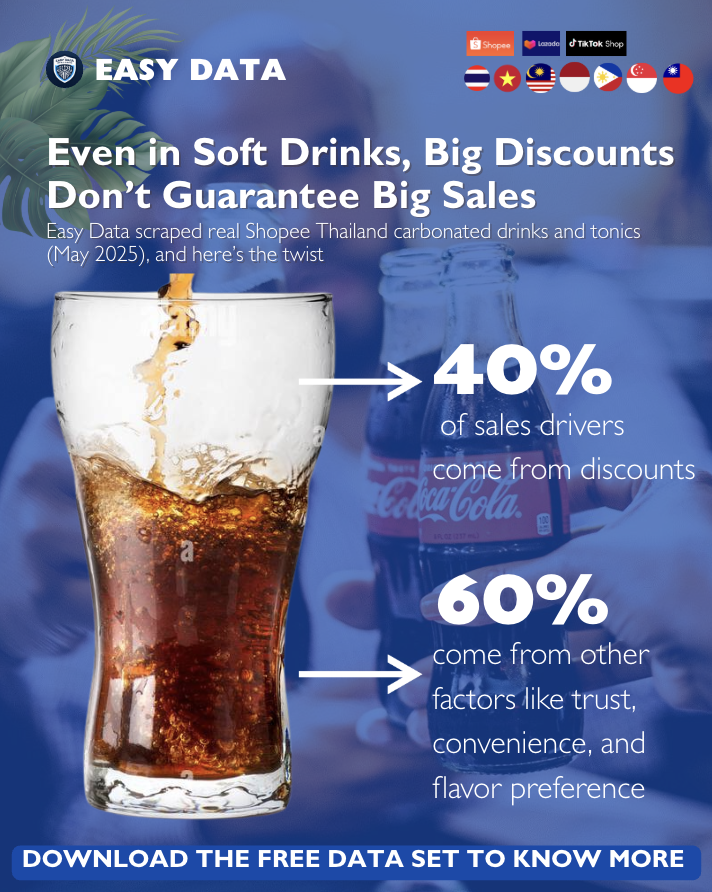
  • No causal sales model is included: the workbook has no measurements of trust, convenience, or flavor preference, and no model attributing sales to discounts. It does not substantiate a claim that discounts explain 40% of sales drivers and other factors explain 60%. Listing-level associations, if calculated, would not establish causation.
  • Collection coverage is not documented: the workbook does not provide the sampling procedure, excluded listings, collection time zone, or proof of complete category coverage. Results describe this file, not all Shopee Thailand sales.

Source check: these counts and field names were verified against the Excel file linked by this article’s published download email, 11045375-CarbonatedDrinksTonics-thailand.xlsx. The check covered the full worksheet, not a preview. It confirms the file contents; it does not independently validate each marketplace listing or test email delivery.

Get the dataset by email

  1. Fill Out the Form: Complete the required form with your details to request this historical dataset. The form does not customize the contents of this file.
  2. Submit the Form: After filling, submit the form. Ensure all provided information is accurate to avoid delays.
  3. Check Your Email: Upon form submission, a link to download the data set will be sent to your email. This may take a few minutes.
  4. Download from Email: Open the email received, click on the download link provided within to access the data set file.
  5. Open & Review Data: After downloading, open the file in your preferred spreadsheet software to start analyzing the data.

Leave a Reply

Your email address will not be published. Required fields are marked *