

Shopee product data can help a team compare prices and monitor a defined market, but useful results depend on permission, coverage and validation. The examples below illustrate the workflow; they are not evidence that a live Shopee scraper currently works.
Decide which business decision the data should support before choosing a collection method. A small, documented sample is often more useful than a large extract whose currency, variants or observation dates are unclear.
Start with the market, permitted access method, required fields and a way to check the result.
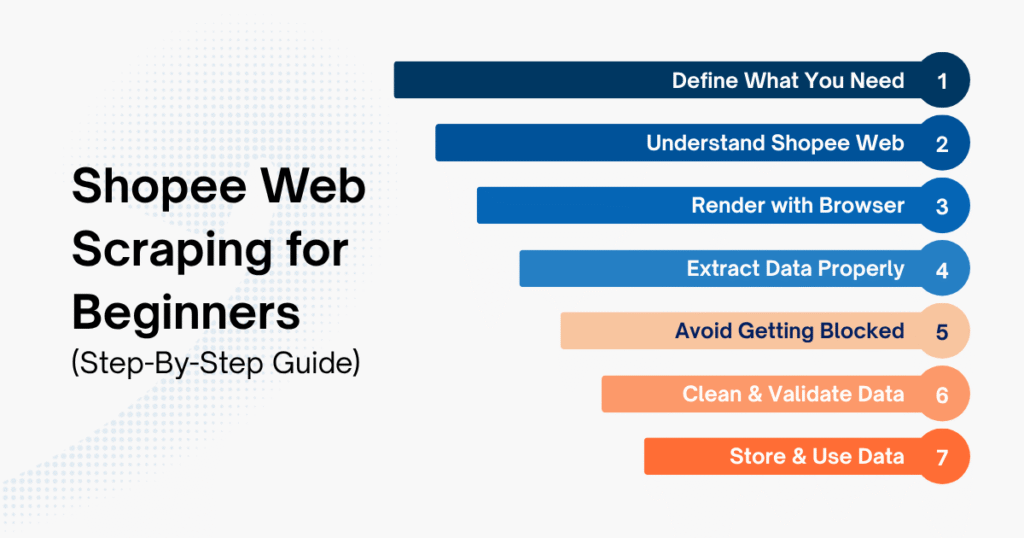
For an authorized Shopee data project, the practical sequence is:
- Confirm permission and inspect whether the required page needs JavaScript rendering
- Match each extracted record to the intended product and variant
- Use permitted request limits and stop when access is denied
- Clean and validate data before using it
- Store data in a structured format for analysis
A small prototype can test an extraction idea. It does not establish permission, complete market coverage or reliable production delivery. Keep those acceptance criteria separate.
What is Shopee Web Scraping?
Shopee web scraping means extracting information exposed through web pages, such as product names, displayed prices and seller details. Availability varies by page, market, account state and selected variant. A displayed sold count or ranking needs its own definition; neither is automatically a complete transaction history.
Shopee has both a web platform and a mobile app, and the techniques for scraping data from each differ.
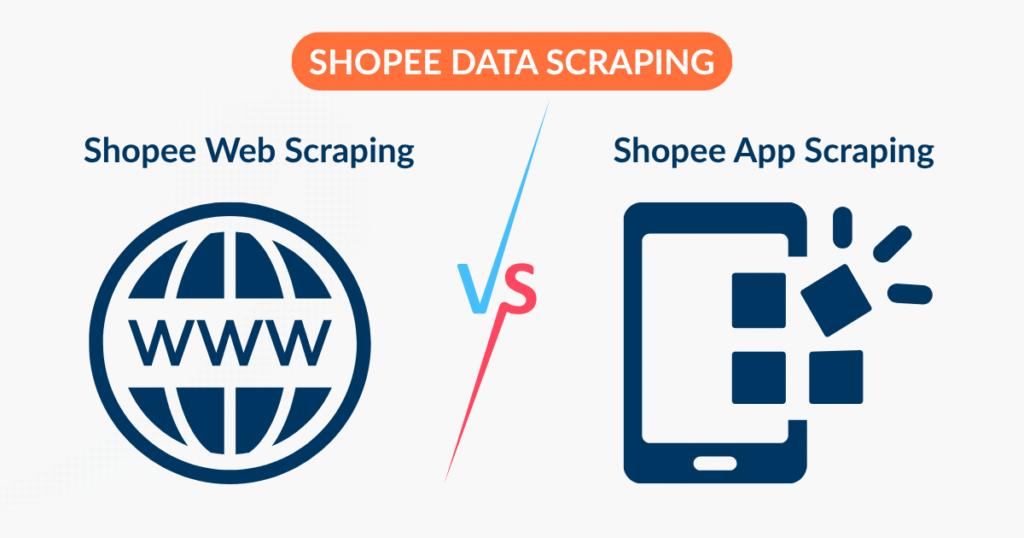
- Shopee web scraping → works with data displayed in the browser
- Mobile-app data → requires its own authorized interface and access review; this tutorial does not cover reverse engineering
A browser workflow, an authorized API integration and a mobile-app workflow have different access requirements and data contracts. Choose the permitted source that provides the fields you actually need.
How to Do Shopee Web Scraping (Step-by-Step Guide for Beginners)
The example below uses a diaper keyword and a maximum of five product links on Shopee Thailand to illustrate the steps. Its parsing, validation and failure handling are tested with synthetic local HTML fixtures; live access, current selectors and actual Shopee JSON-LD availability have not been verified.
Inspect an authorized page before choosing the extraction method. For a page that uses JavaScript:
- Some required fields may be absent from the initial HTML
- The rendered DOM may contain data added by JavaScript
- A login, challenge or unavailable field is not fixed merely by switching parsers
Permission first: section 3.1 of Shopee Thailand’s Terms of Service requires prior written consent for automated monitoring or copying, with a stated search-engine exception. Public visibility is not permission. Use this tutorial with authorized access or local fixtures; it is not a method for bypassing access controls.
Step 1 – Define your source and required data
Before writing any code, answer two simple questions:
- Where are you getting the data from?
- What data do you actually need?
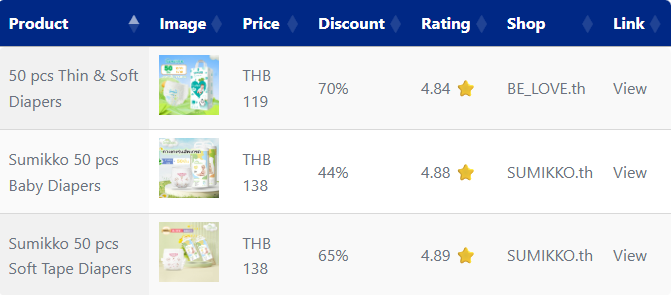
For a limited, authorized Thailand example, record:
- Keyword
- Number of products
- Fields: name, price, currency, seller, brand, rating and its scale, source URL and observation time
Copied!import csv import json import re import time from datetime import datetime, timezone from decimal import Decimal, InvalidOperation from pathlib import Path from urllib.parse import quote, urljoin, urlsplit, urlunsplit from bs4 import BeautifulSoup from selenium import webdriver from selenium.common.exceptions import WebDriverException from selenium.webdriver.chrome.options import Options from selenium.webdriver.support.ui import WebDriverWait KEYWORD = "diaper" LIMIT = 5 EXPECTED_CURRENCY = "THB" OUTPUT_FILE = "shopee_diaper_th.csv" ERROR_FILE = "shopee_diaper_th_errors.json" FIELDS = ["name", "price", "currency", "shop", "brand", "rating", "rating_best", "rating_worst", "link", "observed_at"]
Setup: use a Python virtual environment and install selenium and beautifulsoup4 with python -m pip install selenium beautifulsoup4. Copy the seven Python blocks, in order, into one file. Chrome is required only for an authorized live run; the parser can be exercised with saved fixture HTML. The local checks used Selenium 4.50.0 and Beautiful Soup 4.15.0. The final block defaults to refusing a live run until you explicitly configure authorization.
Step 2 – Understand how the Shopee website displays data
Check the response and rendered page separately. Some pages expose useful initial HTML or structured data; others require JavaScript. Do not assume every Shopee route behaves identically.
Compare the initial document with the rendered DOM using browser developer tools. Record whether the required fields are present, whether a login or challenge appears, and whether the data matches the visible product. Then choose the appropriate parser:
- Static HTML parsing: suitable when the permitted response already contains the required data
- Browser rendering: useful when the authorized page adds the required data with JavaScript
This example accepts two illustrative product-URL shapes and an exact HTTPS hostname. It preserves query parameters because they can identify a variant. Inspect the actual authorized page before adapting these assumptions.
The two page roles in this example are:
- Search page: used to retrieve product links
- Product detail page: inspect and validate an available Product/Offer record; structured data is not guaranteed
Copied!BASE_URL = "https://shopee.co.th" SEARCH_URL = f"{BASE_URL}/search?keyword={quote(KEYWORD, safe='')}" PRODUCT_PATH = re.compile(r"(?:/product/\d+/\d+|/[^/]+-i\.\d+\.\d+)/?$") def checked_url(value, *, product=False): if not isinstance(value, str) or not value.strip(): raise ValueError("Missing URL") url = urlsplit(urljoin(BASE_URL, value.strip())) if (url.scheme != "https" or url.hostname != "shopee.co.th" or url.username is not None or url.password is not None or url.port not in (None, 443)): raise ValueError("URL is outside the configured HTTPS host") if product and not PRODUCT_PATH.fullmatch(url.path): raise ValueError("Not a supported product URL") # Keep query parameters: they may identify a selected variant. return urlunsplit(("https", "shopee.co.th", url.path, url.query, "")) def product_links(html, limit=LIMIT): if type(limit) is not int or limit < 0: raise ValueError("limit must be a non-negative integer") if limit == 0: return [] links = [] for anchor in BeautifulSoup(html, "html.parser").select("a[href]"): try: link = checked_url(anchor["href"], product=True) except ValueError: continue if link not in links: links.append(link) if len(links) == limit: break return links
Step 3 – Render the page using a headless browser
For pages that need rendering, Selenium explicit waits let you wait for a specific condition instead of assuming a fixed sleep means the data is ready. Current Selenium includes Selenium Manager for driver discovery. The example uses the browser’s normal user agent rather than an old hard-coded Chrome identity.
Copied!def build_driver(): options = Options() options.add_argument("--headless=new") options.add_argument("--window-size=1440,1000") options.add_argument("--lang=th-TH") # Current Selenium uses Selenium Manager for driver discovery. driver = webdriver.Chrome(options=options) driver.set_page_load_timeout(30) return driver def open_search_page(driver): driver.get(checked_url(SEARCH_URL)) checked_url(driver.current_url) WebDriverWait(driver, 20).until( lambda d: bool(product_links(d.page_source)) ) return driver.page_source
A successful navigation does not prove extraction succeeded. This step waits for a supported product link; if none appears before the timeout, stop and inspect the page. A login, challenge, empty result or changed layout may require a different permitted approach.
Step 4 – Scrape data from HTML
If the authorized product page exposes JSON-LD, the parser below accepts a root object, list or @graph, and recognizes a string or list-valued @type. It deliberately rejects missing or multiple Products and ambiguous offers rather than selecting an arbitrary record. The workflow is:
- Retrieve the product link from the search page
- Open each product page
- Extract the product, explicit offer, currency, seller and brand separately; retain the observation URL and time
Copied!def has_type(obj, name): if not isinstance(obj, dict): return False types = obj.get("@type", []) types = [types] if isinstance(types, str) else types return isinstance(types, list) and any( item in (name, f"https://schema.org/{name}", f"http://schema.org/{name}") for item in types ) def graph_nodes(value): if isinstance(value, list): for item in value: yield from graph_nodes(item) elif isinstance(value, dict): yield value yield from graph_nodes(value.get("@graph", [])) def product_nodes(html): products = [] for script in BeautifulSoup(html, "html.parser").select( 'script[type="application/ld+json"]'): try: value = json.loads(script.get_text(), parse_float=Decimal) except (json.JSONDecodeError, ValueError): continue products.extend(obj for obj in graph_nodes(value) if has_type(obj, "Product")) return products def entity_name(value): if isinstance(value, dict): value = value.get("name") return value.strip() if isinstance(value, str) else "" def extract_product(html, source_url, observed_at): products = product_nodes(html) if len(products) != 1: raise ValueError("Expected exactly one Product; inspect missing/ambiguous data") product = products[0] offers = product.get("offers") offers = offers if isinstance(offers, list) else [offers] if len(offers) != 1 or not has_type(offers[0], "Offer") or has_type(offers[0], "AggregateOffer"): raise ValueError("Expected one explicit Offer, not a range or multiple variants") offer = offers[0] rating = product.get("aggregateRating") rating = rating if isinstance(rating, dict) else {} return { "name": entity_name(product.get("name")), "price": offer.get("price"), "currency": offer.get("priceCurrency"), "shop": entity_name(offer.get("seller")), "brand": entity_name(product.get("brand")), "rating": rating.get("ratingValue"), "rating_best": rating.get("bestRating"), "rating_worst": rating.get("worstRating"), "link": checked_url(source_url, product=True), "observed_at": observed_at, }
Schema.org Offer distinguishes price, price currency and seller. A brand is not the seller; this example stores both separately and retains the observed page URL. AggregateOffer ranges and multiple offers require an explicit variant-selection rule, so this tutorial rejects them. It does not resolve linked @id references or guarantee that structured data matches a selected checkout variant. Compare the result with the visible authorized page.
Step 5 – Pace requests and stop on access problems
A timeout, login redirect, challenge or refusal is a diagnostic event, not a signal to keep changing identities and retrying. For this small example:
- Use the request rate and scope permitted for the project
- Stop on access restrictions instead of assuming IP rotation supplies permission
Collect at the interval permitted for the project, retain an observation timestamp, and stop at the first navigation or extraction error:
Copied!def collect_products(driver, links, gap_seconds=2): if not isinstance(gap_seconds, (int, float)) or not 0 <= gap_seconds < float("inf"): raise ValueError("gap_seconds must be finite and non-negative") rows, errors = [], [] for link in links: try: link = checked_url(link, product=True) time.sleep(gap_seconds) # Use the interval allowed for your project. driver.get(link) actual_url = checked_url(driver.current_url, product=True) WebDriverWait(driver, 20).until( lambda d: bool(product_nodes(d.page_source)) ) observed_at = datetime.now(timezone.utc).isoformat() rows.append(extract_product(driver.page_source, actual_url, observed_at)) except (ValueError, WebDriverException) as error: errors.append({"link": link, "reason": str(error)}) # Stop for inspection; do not retry or switch IPs to bypass a refusal. break return rows, errors
Before production use, define:
- An agreed interval and maximum number of pages
- A stop-and-review procedure for challenges, login redirects and refusals
- A failure log and a bounded retry policy for explicitly retryable errors
The code records the failed URL and stops; subsequent discovered URLs remain unprocessed. The two-second default is illustrative pacing, not a platform-approved rate or an anti-blocking guarantee. For transient failures in a permitted integration, define bounded retries separately; do not retry an access refusal or solve challenges automatically.
Step 6 – Clean and validate data
Validate before using a row. This example requires a non-negative finite price and an explicit THB currency, preserves decimal values, reports duplicate URLs and rejected rows, and requires a timezone-aware observation time. A rating is optional, but if present it must include explicit lower and upper scale bounds; an unspecified scale is flagged for review rather than assumed to be five stars. Formatted prices such as currency symbols, separators or ranges need a source-specific rule and are rejected here.
Copied!def decimal_number(value): if isinstance(value, bool) or not isinstance(value, (str, int, float, Decimal)): raise ValueError("Missing or non-numeric value") try: number = Decimal(str(value).strip()) except InvalidOperation as error: raise ValueError("Expected an unformatted decimal number") from error if not number.is_finite(): raise ValueError("Number must be finite") return number def clean_products(products): cleaned, rejected, seen = [], [], set() for product in products: try: if not isinstance(product, dict): raise ValueError("Product must be a record") row = dict(product) if not entity_name(row.get("name")): raise ValueError("Missing product name") price = decimal_number(row.get("price")) if price < 0 or row.get("currency") != EXPECTED_CURRENCY: raise ValueError("Negative price or missing/unexpected currency") row["price"] = format(price, "f") # Do not assume every rating uses a five-point scale. if row.get("rating") not in (None, ""): score = decimal_number(row["rating"]) low = decimal_number(row.get("rating_worst")) high = decimal_number(row.get("rating_best")) if not low <= score <= high or low >= high: raise ValueError("Invalid or unspecified rating scale") row.update(rating=str(score), rating_worst=str(low), rating_best=str(high)) row["link"] = checked_url(row.get("link"), product=True) observed = datetime.fromisoformat(row["observed_at"]) if observed.utcoffset() is None: raise ValueError("Observation time must include a timezone") key = row["link"] # Exact URL only; variants remain distinct. if key in seen: raise ValueError("Duplicate URL in this snapshot") seen.add(key) cleaned.append(row) except (ValueError, TypeError, KeyError) as error: rejected.append({"link": product.get("link") if isinstance(product, dict) else None, "reason": str(error)}) return cleaned, rejected
Step 7 – Store and use the data
This is the step that many teams struggle with the most. Shopee web scraping without knowing how to use data is almost pointless. Depending on your goals, you can:
- Store it in a database
- Build a price tracking dashboard
- Set alerts when competitors make changes
The final block writes accepted rows and a separate error report, closes the driver even after a failure, and guards against an accidental live run. CSV text that looks like a spreadsheet formula is prefixed with an apostrophe. This exports one snapshot, not a price-history database; use timestamped storage or a database with an explicit observation key for longitudinal analysis.
Copied!def csv_cell(value): text = "" if value is None else str(value) # Protect spreadsheet users from formula-like text fields. return "'" + text if text.lstrip().startswith(("=", "+", "-", "@")) else text def save_results(rows, errors): with open(OUTPUT_FILE, "w", newline="", encoding="utf-8-sig") as handle: writer = csv.DictWriter(handle, fieldnames=FIELDS) writer.writeheader() writer.writerows({field: csv_cell(row.get(field)) for field in FIELDS} for row in rows) Path(ERROR_FILE).write_text(json.dumps(errors, ensure_ascii=False, indent=2), encoding="utf-8") def main(): driver = build_driver() try: links = product_links(open_search_page(driver), LIMIT) raw_rows, collection_errors = collect_products(driver, links) rows, validation_errors = clean_products(raw_rows) save_results(rows, collection_errors + validation_errors) print(f"Discovered: {len(links)}; accepted: {len(rows)}; " f"errors: {len(collection_errors) + len(validation_errors)}") if collection_errors: print("Collection stopped early. Remaining URLs were not processed.") finally: driver.quit() if __name__ == "__main__": AUTHORIZED_FOR_THIS_PROJECT = False if not AUTHORIZED_FOR_THIS_PROJECT: raise SystemExit("Review the site's terms and obtain permission before live collection.") main()
Easy Data Playbook: Production-Level Fixes for Unstable Shopee Web Scraping
When results are inconsistent, distinguish access, rendering, parsing and validation failures before changing code. Our web scraping troubleshooting guide explains these failure classes. Useful checks include:
- Wait for the data condition: document which supported links or Product records signal readiness. A completed page load alone is insufficient.
- Verify the page structure: inspect the authorized page’s links and structured data; selectors and field availability can change.
- Preserve product identity: remove fragments when appropriate, but do not discard query parameters until you know whether they select variants or change the data.
- Respect the permitted rate: pacing controls load; random timing is not proof of permission or a guarantee against blocking.
- Classify failures before retrying: a timeout, missing Product, challenge and access refusal need different responses. Keep retries bounded and stop on denials.
- Report rejected records: keep missing prices, unknown currencies, ambiguous offers and incomplete rating scales visible in the error report.
- Compare an authorized sample: check the displayed name, variant, price, currency and seller against extracted records. Successful execution alone is insufficient.
- Retain minimal diagnostic fixtures: use authorized or synthetic samples, remove personal data and session tokens, and record the source and capture time.
- Log each step clearly: For example, opened the search page, found how many links, extracted how many valid products. Just by looking at the log, you’ll know exactly where the Shopee web scraping process is stuck.
Best Tools for Shopee Web Scraping
Not every team wants (or is able) to build a scraping system from scratch. In fact, when starting with Shopee web scraping, many businesses opt to use tools to quickly test a use case, collect data on a small scale, or support non-technical teams.
| Tool Category | Popular Examples | What It Helps With | How It Works | Best Stage | Best For | Notes |
|---|---|---|---|---|---|---|
| No-code scraping tools | Octoparse, ParseHub | Evaluate supported fields on an authorized sample | Select elements directly on the interface | Getting started / quick testing | Marketers, non-technical users | Check permission, coverage, limits and failure reporting |
| Browser extensions | Web Scraper (Chrome) | Scrape simple data from web pages | Runs directly in the browser | Quick testing | Non-coders | Check export limits and maintenance requirements |
| Cloud scraping platforms | Apify | Automate scraping and schedule jobs | Runs on cloud, scalable | Intermediate | Startups, small data teams | Requires basic understanding of scraping logic |
| Developer frameworks | Scrapy, Playwright, Selenium | Build custom scraping systems | Code-based (Python / JS) | Long-term scaling | Developer teams | Time-consuming to build and maintain |
| Proxy & infrastructure providers | Bright Data, Zyte | Provide collection infrastructure; access permission remains separate | Works alongside scraper | Large-scale | High-volume teams | Cost increases with usage |
| Managed data services | Shopee-focused data providers (Easy Data) | Provide ready-to-use scraped and processed data | Provider manages the agreed collection workflow | Fast scaling | Business teams | Agree on provenance, sample validation and delivery scope |
Important Note:
A tool choice does not guarantee access or complete data. Evaluate each candidate against a small authorized sample and record failures such as:
- Shopee changes its UI → selectors break
- Access limits or challenges → collection must stop for review
- Data retrieved → missing or incorrect
Use an explicit acceptance test: required fields and currency, source/variant identity, observation timestamps, rejection reporting and a maintenance owner. A tool that cannot demonstrate those requirements may not suit the project.
Legal & Ethical Considerations for Shopee Web Scraping
Access permission, platform terms, privacy obligations and permitted reuse should be assessed before collection. The applicable rules depend on the market, data and use case; public availability alone does not settle them. The Thailand terms cited above are relevant to this tutorial’s example, not a substitute for reviewing other markets.
When can Shopee web scraping be considered a violation?
- Access outside the permitted scope: a login or technical workaround does not authorize collecting non-public information.
- Excessive load: collection should respect agreed limits and stop conditions.
- Platform terms: read the applicable market terms and obtain required permission before collection; do not treat them as optional.
- Personal data: assess the laws applicable to the people, market and processing activity. “PDPA” is not one uniform rule for all Southeast Asia.
- Using data for unclear or uncontrolled purposes: Sharing data indiscriminately, using it for commercial purposes without controlling the source.
How to Safely Perform Shopee Web Scraping?
Define these controls for the specific project; they reduce avoidable mistakes but do not themselves establish legal permission or guarantee uninterrupted access:
- Define authorized sources: public availability is only one consideration; confirm permitted collection and reuse.
- Agree on request limits: choose a documented interval and stop on restrictions rather than trying to mimic a person.
- Clearly define the purpose of using the data: Internal analysis (pricing, competitor tracking, keywords). Avoid collecting data “just for the sake of it” if it won’t be used
- Do not store unnecessary data: Filter from the start and keep the dataset compact and on-target
- Have internal controls: Who has access to the data, and where the data is used.
- Assign maintenance ownership: document source changes, validation failures and delivery gaps.
What Can Shopee Web Scraping Actually Help You Do?
Useful analysis starts with a defined sample and a decision. The following are possible applications, not measured client outcomes or guarantees of complete market coverage:
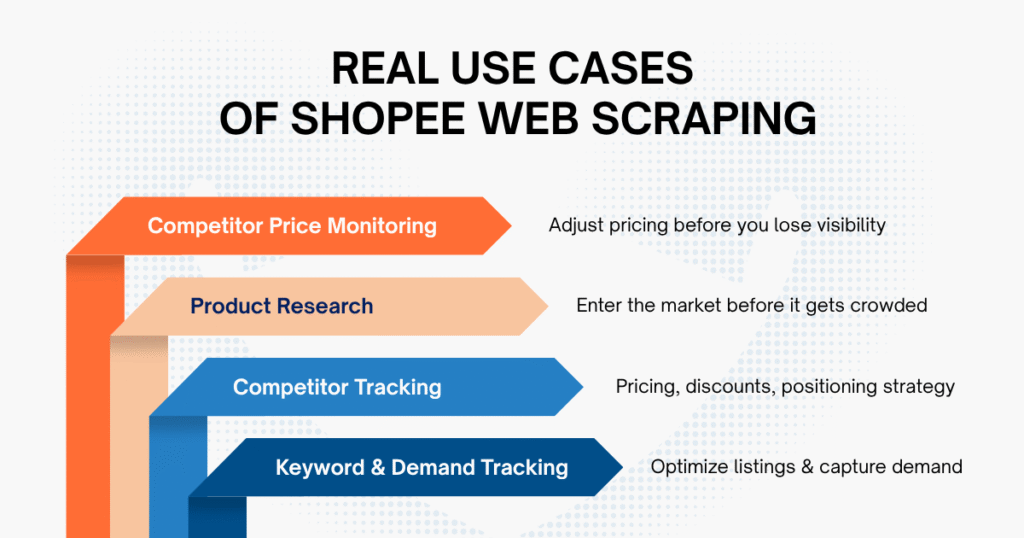
- Competitor price monitoring: compare observed prices for matched variants and currencies at recorded times; a listed price is not necessarily a checkout total.
- Product research: compare a defined sample and look for signals worth investigating; the sample is not automatically representative of the market.
- Competitor Tracking: Understand how competitors price their products, run discounts, and position their offerings.
- Keyword monitoring: track results for specified queries and conditions. Search-result placement does not reveal actual user search volume.
Easy Data – Actionable Shopee Data without Complexity
A production data project needs ongoing ownership: source changes, missing fields, access changes and validation failures can all affect delivery. Evaluate that maintenance effort alongside the initial collection method.
Before choosing a managed service, agree on the market and source, required fields, sample acceptance criteria, refresh schedule and how delivery failures will be reported.
Easy Data offers a managed collection workflow for teams that prefer to discuss a data brief rather than maintain their own extraction code. Confirm the scope and permitted access for your project before assuming a field or market is supported.
Specifically, Easy Data’s Shopee data scraping service:
- Agree on the permitted source and collection method for the project
- Define required fields and verify availability with a representative sample
- Confirm requested markets and any market-specific coverage limits
- Agree on refresh frequency, delivery timing and handling of missed updates
Include these acceptance criteria in the delivery brief:
- Documented fields, currencies, identifiers and validation rules
- Clear reporting of access problems, source changes and rejected records
- An agreed owner for maintenance and support
If you’re currently in a phase where you have to “chase data” every day, you might want to try a more streamlined approach.
Final thought
Shopee data collection is one possible input to e-commerce decisions. Start with a permitted source and a question that the available data can actually answer.
The workflow is useful only when you can explain which records were observed, which were rejected, what each field means and how fresh the snapshot is. Passing a parser test does not prove live access or complete coverage.
There is no “one-size-fits-all” solution. But when you clearly understand what you need and where your challenges lie, there will always be a more suitable and effective approach tailored to your specific team.
Is Shopee web scraping legal in Southeast Asia?
There is no blanket answer across Southeast Asia. Public visibility does not itself grant permission. For the Thailand example, section 3.1 of Shopee’s terms requires prior written consent for automated monitoring or copying, with a stated search-engine exception. Review the relevant market terms and applicable privacy and reuse obligations for your project before collecting data.
What data can you extract from Shopee web?
Fields depend on the permitted source and what the page actually exposes. Candidate fields to verify include:
- Product name and description
- Price and discount information
- Seller/store details
- Ratings and reviews
- Displayed sold indicators or result positions, where available, with their definitions and observation conditions
Verify field meanings and coverage before using them for pricing or research. This tutorial extracts a limited Product/Offer record; it does not collect reviews, transaction-level sales or a complete marketplace ranking.
How often should Shopee data be scraped?
It depends on your use case:
- Price monitoring → choose the interval needed for the decision and allowed by the source
- Market research → use a documented snapshot date and a repeatable sample
- Trend analysis → retain comparable observations over time
Choose frequency from the business need, source permission and permitted request limits. More frequent snapshots do not guarantee that the source data itself updates as often.
What is the best way to scrape Shopee in 2025?
The best method depends on your goal:
- For quick testing → use no-code tools
- For flexibility → build a custom scraper (Selenium / Playwright)
- For scale → use a managed data service
Compare methods using an authorized sample, required fields, maintenance effort and failure reporting. No method or proxy configuration guarantees stable access.
Is it better to use Shopee API or Shopee web scraping?
- Authorized API: evaluate its access requirements, fields, limits and coverage
- Permitted web collection: evaluate rendering, field availability, validation and maintenance
Neither method guarantees full-market coverage. Prefer an authorized interface that supplies the necessary fields; otherwise evaluate the permitted alternatives and document their gaps.
How can I avoid getting blocked when scraping Shopee?
For a permitted collection workflow:
- Stay within the permitted request limits
- Stop on refusals and review access permission
- Use rendering only when needed for the authorized page
- Record failures and retry only explicitly retryable errors with a bounded policy
These controls help diagnose failures and respect the agreed access conditions. They do not bypass a refusal or guarantee that a platform will allow collection.
Leave a Reply