


Introduction
Ecommerce tracking connects three different records: orders in your store, observed behaviour in analytics, and marketing costs. They answer different questions and will not always agree. Before changing a campaign or product page, check whether a reported drop reflects fewer purchases, missing tracking, a different date range, or a changed metric definition.
This guide covers sales, customer, traffic and product metrics, a GA4 event plan, and a worked reconciliation of fictional orders and events. Use it to specify what should be measured and investigate discrepancies. The example figures are invented for teaching; they are not Easy Data results or ecommerce benchmarks.
Understanding Ecommerce Data
What is Ecommerce Data?
Ecommerce data refers to the information collected from online transactions and user interactions on an ecommerce website. This data encompasses a variety of metrics and dimensions, including:
- Sales Data: This includes total revenue, average order value, transaction counts, and product performance. Sales data provides insights into how well a business is performing financially and which products are driving revenue.
- Customer Behavior Data: This data captures how customers navigate your website, including their browsing patterns, the time spent on pages, and the actions taken (e.g., clicks, add-to-cart events). Analyzing this data helps businesses understand customer preferences and improve user experience.
- Traffic Source Data: Understanding where your visitors are coming from is crucial for evaluating the effectiveness of marketing efforts. This data includes organic search, paid ads, social media traffic, and direct visits.
- Inventory Data: Stock levels, availability and sales velocity help plan replenishment. Tracking can flag shortages, but cannot guarantee that popular products stay in stock.
- Marketing Data: This data includes metrics related to marketing campaigns, such as click-through rates, conversion rates, and return on ad spend. Analyzing marketing data helps optimize promotional strategies.
Why Tracking Ecommerce Data is Essential
Tracking ecommerce data is fundamental for several reasons:
- Informed Decision-Making: Businesses can make data-driven decisions based on actual customer behavior rather than relying on gut feelings or assumptions. This leads to more effective strategies and resource allocation.
- Enhanced Customer Experience: By understanding how customers interact with your website, you can identify areas for improvement. Tailoring experiences based on data insights can lead to higher customer satisfaction and loyalty.
- Identifying Trends: Analyzing historical data allows businesses to spot trends over time. This can inform inventory management, marketing strategies, and product development.
- Optimizing Marketing Efforts: Tracking which marketing channels are most effective helps businesses allocate resources wisely. By focusing on high-performing channels, businesses can increase their return on investment (ROI).
- Measuring Performance: Regularly monitoring ecommerce data helps businesses evaluate their performance against goals and benchmarks. This enables quick adjustments to strategies and operations.
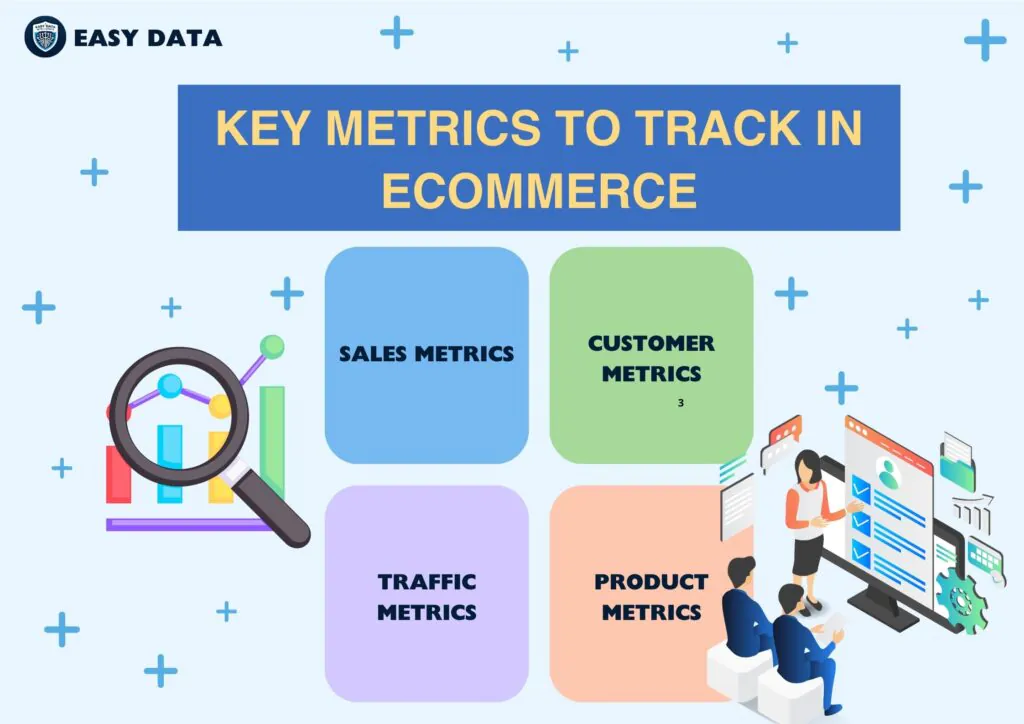
Key Metrics to Track in Ecommerce
Tracking the right metrics is crucial for gaining actionable insights. Here are some of the essential metrics every ecommerce business should monitor:
Sales Metrics
- Revenue: Define whether the report uses gross sales or sales after discounts and refunds, and whether tax and shipping are included. Revenue alone does not show profit: costs, fees and margins matter. Keep the same currency and date basis when comparing periods.
- Average Order Value (AOV): Divide the chosen revenue measure by the matching order count. State how cancellations, refunds, tax and shipping are treated. A higher AOV can reflect a different product mix; it does not by itself prove that an upsell worked.
- Conversion Rate: State the denominator. A session purchase rate is sessions with at least one purchase divided by all measured sessions. Orders per session and purchasing users per user are different measures. Investigate traffic mix and missing events before blaming page design.
- Sales Growth Rate: For a non-zero previous-period value, calculate (current sales minus previous sales) divided by previous sales, multiplied by 100. Compare equal periods and definitions, noting seasonality, promotions and currency changes. Do not report a percentage change from a zero baseline.
Customer Metrics
- Customer Lifetime Value (CLV): Distinguish observed customer revenue over a stated period from a forecast of future value. For acquisition decisions, state whether the forecast uses revenue or contribution margin, its horizon and its assumptions. A limited history is not a measured lifetime.
- Retention Rate: Define a starting customer cohort and the return window. For example, measure the share of first-time January purchasers who buy again within 90 days, after all members have had the full 90 days to return. This differs from the share of this month’s buyers who have purchased before.
- Churn Rate: For subscriptions, define the starting active accounts and cancellations during the period. For non-subscription retail, absence of another purchase does not confirm permanent churn; define an inactivity window appropriate to the product’s buying cycle.
Traffic Metrics
- Source of Traffic: Understanding where your visitors are coming from (organic search, paid ads, social media, etc.) is essential for evaluating the effectiveness of marketing efforts.
- Bounce Rate: In GA4, this is the percentage of sessions that were not engaged, rather than visits with only one page view. Engagement can come from duration, a key event, or multiple page/screen views; see Google’s engagement definition. Check the property’s engagement settings before comparing reports.
- Page Views: This metric indicates the total number of pages viewed by visitors. It helps assess content performance and user engagement.
Product Metrics
- Product Performance: Tracking which products are selling well and which are not helps in inventory management and promotional strategies. Analyzing product performance data can inform decisions about discounts, restocking, or discontinuing items.
- Inventory Levels: Track available stock, replenishment lead times and sales velocity together. A low stock count can trigger a review; replenishment still depends on supplier capacity and demand uncertainty.
- Return Rates: Specify whether you divide returned units by sold units or returned orders by orders, and give each purchase cohort time to return items. A spike can prompt checks of sizing, defects and descriptions; it does not establish the cause.
Tools for Tracking Ecommerce Data
Choose tools for a defined measurement task. An order ledger, a traffic analytics tool and a session recording tool serve different purposes. Check supported events, access controls, consent handling and page-load cost before adding another integration.
Google Analytics
GA4 ecommerce reporting requires ecommerce events. The old Universal Analytics instructions to enable Ecommerce or Enhanced Ecommerce are not the GA4 setup process. Start with Google’s ecommerce implementation guide and use the following sequence:
- Select the GA4 property and web stream: Confirm the intended production property in Google Analytics and identify which integration owns the Google tag. Keep development and test activity out of production reports.
-
Map shopping actions to events: Implement events such as
view_item,add_to_cart,begin_checkoutandpurchasethrough a supported platform integration or an explicit implementation. Check which events an existing plugin already sends before adding manual tags. - Validate events before linking advertising reports: Use Google’s ecommerce validation workflow to check event names, parameters and the destination property. Check success, failed checkout and repeat visits in a test environment before treating purchases as advertising conversions.
- Reconcile purchases: Compare transaction IDs and amounts with the store’s completed orders using the same timezone, currency and refund treatment. Debugging confirms that test events arrive; it does not prove that every real purchase is measured.
- Extend only after the core flow works: Add relevant item-list, promotion and refund events. Document who owns each event and its trigger. Check consent choices and page performance again after integration changes.
Ecommerce Platforms
Most ecommerce platforms come with built-in analytics features. Here are a few popular ones:
- Shopify: Its analytics dashboards and reports cover store activity, visitors and transactions. Confirm the report definition and availability in your store before comparing it with GA4.
- WooCommerce: The Google Analytics integration supports GA4 configuration. Verify its event coverage and settings; installing a plugin does not establish complete or duplicate-free measurement.
- Magento / Adobe Commerce: Review the reporting documentation for your edition. Check when report statistics were refreshed and how order status filters affect totals.
Third-party Analytics Tools
Consider an additional tool only when it answers a question your existing reports cannot. Feature availability and plans change; the vendor documentation below describes the capabilities to evaluate.
- Kissmetrics: Person profiles organise recorded properties and activity around a user. Identity matching and permission to collect the data still need deliberate configuration.
- Hotjar: Heatmaps and recordings help investigate observed interactions. Review the current Contentsquare product context, sampling, masking and consent controls before capturing sessions.
- Mixpanel: Product analytics supports event-based funnel and retention analysis. Define event and identity rules consistently before comparing cohorts.
- Crazy Egg: Its A/B testing tools can support controlled page comparisons. Confirm the experiment’s allocation, success metric and analysis method before interpreting a winner.
Integrating Tracking Tools
Integrations need an owner and a data contract. Record which system sends each event, what its fields mean and how duplicates are detected. Two plugins firing on the same confirmation page can create duplicate observations. Use a stable, non-personal transaction_id for each order; Google documents purchase deduplication with transaction IDs. Do not assume that this repairs every duplicate event type or every downstream export.
Implementing Data Tracking Strategies
To effectively track ecommerce data, it’s essential to have a well-defined strategy in place. Here are some key steps:
Setting Clear Goals
Before diving into data tracking, define what you want to achieve. Are you looking to increase sales, improve customer retention, or optimize marketing campaigns? Clear goals will guide your tracking efforts and help you determine which metrics are most relevant.
- Specific: Ensure your goals are specific and clearly defined. Instead of stating a general goal like “increase sales,” specify “increase sales by 20% in Q1.”
- Measurable: Set metrics that can quantify progress toward your goals. This makes it easier to assess whether you are on track to achieve your objectives.
- Achievable: Goals should be realistic and attainable based on your current resources and capabilities.
- Relevant: Align your goals with broader business objectives. Ensure that achieving these goals will contribute to the overall success of your ecommerce business.
- Time-bound: Set a timeline for achieving your goals. This creates a sense of urgency and helps keep you focused on results.
Creating a Data Collection Plan
Decide what data to collect based on your goals. This can include:
- Sales data from your ecommerce platform, including revenue, order volume, and average order value.
- Customer interaction data from your website analytics, including user behavior, traffic sources, and conversion rates.
- Marketing performance data from ad platforms and email campaigns, tracking click-through rates, conversion rates, and ROI.
Data Sampling: Sampling may help exploratory analysis, but record the sampling method and its limits. Use the full relevant order ledger for order-by-order reconciliation rather than assuming a sample proves complete revenue. Document exclusions such as test, cancelled and unpaid orders.
A small event dictionary: For every event, record its business trigger, sender, destination property, required fields, consent behaviour and owner. This example is a specification to adapt, not an installed tracking script.
-
view_item: The selected product detail is presented. Check the item identifier and variant against the store catalogue. -
add_to_cart: The cart successfully accepts the item. A button click followed by an error is not a successful addition. -
begin_checkout: Checkout starts with the relevant cart items. Define how a resumed checkout is handled in analysis. -
purchase: The store confirms an order under your documented completion rule. Use the stable order transaction ID, currency and item details; do not use a checkout-button click as evidence of a purchase. -
refund: A refund is confirmed. Associate it with the original transaction and the affected items; distinguish partial from full refunds.
Check the GA4 event parameter reference for exact requirements. For a purchase, value is the sum of item price times quantity, excluding shipping and tax; send those separately. Supply currency with monetary value. Keep item IDs and order IDs stable without embedding personal information.
Worked example: find a duplicate and a missing purchase. These fictional USD records all use the same daily cutoff, no discounts, no tax or shipping, and the same completion rule. The store ledger contains completed orders A101 for $40, A102 for $60 and A103 for $25, plus cancelled order A104 for $30. A $10 item refund against A102 is confirmed within the same period.
- Store control total: Three completed orders, $125 before refunds and $115 after the $10 refund. A104 is excluded. Before-refund AOV is $125 / 3 = $41.67, rounded to cents.
- Observed event log: Purchase rows A101=$40, A101=$40 and A102=$60; refund row A102=$10. The raw purchase total is $140. This is an illustrative raw log, not a prediction of what a deduplicated GA4 report will display.
- Reconcile by ID: Flag the repeated A101 purchase. Counting each confirmed order once leaves two observed purchases worth $100 before refunds and $90 after refunds. A103 is missing, leaving a $25 net gap versus the ledger; observed purchase coverage is 2 / 3, or 66.7%.
- Investigate rather than fill in: Check consent, blocked requests, checkout redirects, collection failures and reporting delay for A103. Do not invent a browser event to make totals match. An expected consent-related gap and a broken purchase trigger require different responses.
A single total can hide both errors: here the raw log overstates purchases by $15 while also missing a genuine $25 order. Keep duplicate and missing-ID checks separate. Real reconciliation must also handle currencies, partial refunds, timezones, pending payments and orders refunded after the reporting cutoff.
Tracking Customer Journeys
Understanding the customer journey is crucial for identifying pain points and opportunities. Map out the different touchpoints customers encounter, from discovering your website to completing a purchase. This can include:
- Awareness: How do customers find your business? This can include search engine results, social media ads, or word-of-mouth referrals.
- Consideration: What factors influence their decision-making process? This includes product comparisons, reviews, and pricing.
- Purchase: What barriers do customers face during the checkout process? High cart abandonment rates may indicate issues with shipping costs, payment options, or website usability.
- Post-Purchase: How do customers engage with your brand after making a purchase? Monitoring repeat purchases, customer feedback, and return rates provides insights into customer satisfaction.
A/B Testing
Use a controlled A/B experiment to evaluate a specific change. Random assignment, reliable outcome tracking and an analysis plan matter more than simply comparing two page versions. A short-term difference can be noise.
- Identify Elements to Test: Choose specific elements to test, such as headlines, calls-to-action, images, or layouts. Keep tests focused to isolate the impact of each change.
- Define Success Metrics: Before starting the test, establish clear metrics for success. This could be click-through rates, conversion rates, or bounce rates.
- Run the Test: Use a maintained experimentation system and plan the sample size and duration before launch. Google Optimize was discontinued on September 30, 2023 and cannot be used for new experiments. Check assignment and event collection before analysing outcomes.
- Analyze Results: Report uncertainty, sample sizes and the planned primary metric. Check for tracking failures and uneven assignment. An inconclusive result is a valid outcome; do not declare a winner merely because one percentage is higher.
Analyzing and Interpreting Ecommerce Data
Once you’ve collected the data, the next step is analysis. Here are some techniques and best practices:
Data Analysis Techniques
- Descriptive Analytics: This involves summarizing historical data to understand what has happened. Use dashboards and reports to visualize trends and patterns in your data.
- Predictive Analytics: This technique uses statistical models and machine learning to forecast future outcomes based on historical data. Predictive analytics can help identify potential customer behaviors and trends, enabling proactive decision-making.
- Prescriptive Analytics: This advanced form of analysis recommends actions based on data insights. For example, prescriptive analytics can suggest optimal pricing strategies or inventory management techniques.
- Cohort Analysis: Group customers into cohorts based on shared characteristics (e.g., purchase date, acquisition channel) and analyze their behavior over time. This approach provides insights into customer retention, lifetime value, and the effectiveness of marketing campaigns.
Turning Data into Actionable Insights
Interpret a metric alongside its collection conditions. If a product page’s bounce rate changes, first check event setup, consent coverage, device mix and traffic sources. Then examine the page and customer feedback. A dashboard trend is a reason to investigate, not proof of a cause.
- Customer Feedback: Combine data analysis with customer feedback to gain a deeper understanding of issues and opportunities. Surveys and reviews can provide qualitative insights that complement quantitative data.
- Competitor Analysis: Public catalogue prices and availability can complement your own transaction data, but they do not reveal a competitor’s private conversion rate or profitability. Our website data collection guide explains source selection and price validation; keep those observations separate from first-party analytics.
Visualizing Data
Use charts to make definitions and discrepancies visible. Google Data Studio (formerly Looker Studio), Tableau and Power BI are examples of reporting tools. Label currency, timezone, date range, exclusions and refresh time. Plot missing-event counts alongside revenue so a broken feed is not mistaken for a trading change.
- Dashboards: Create customized dashboards that present the most relevant data at a glance. Dashboards can help stakeholders quickly assess performance and identify areas for attention.
- Storytelling with Data: When presenting data, consider the narrative behind it. Use storytelling techniques to communicate insights effectively, helping your audience understand the implications of the data.
Common Challenges in Tracking Ecommerce Data
While tracking ecommerce data can provide significant benefits, there are challenges to consider:
Data Privacy Concerns
Privacy requirements depend on the jurisdiction, purpose and technology. Do not treat GDPR and CCPA as one universal consent rule. Review applicable requirements with a qualified adviser: ICO guidance addresses storage/access technologies, while California’s CCPA guidance explains rights including opting out of sale or sharing. Test the choices offered by your site and document retention and access controls.
- Transparency: Be transparent about your data collection practices. Inform customers about what data you collect and how it will be used.
- Security Measures: Limit access and retention, protect data in transit and at rest, and review integrations. Follow Google’s guidance on avoiding personally identifiable information; do not send customer emails, names or addresses in GA event parameters, page URLs or transaction IDs.
Data Overload
Collecting too much data can lead to analysis paralysis. Focus on key metrics that align with your business goals, and avoid drowning in irrelevant information. Use the following strategies to manage data overload:
- Data Filtering: Use filtering techniques to focus on the most relevant data. Create segments based on customer behaviors or demographics to narrow down your analysis.
- Prioritize Metrics: Identify which metrics are most important to your business goals. Regularly review and adjust your tracking strategy to ensure you’re focusing on the right data.
- Automate Reporting: Use automation tools to streamline reporting processes. This can help reduce the time spent on data analysis and allow you to focus on actionable insights.
Attribution Issues
Attribution distributes credit across observed interactions according to a model. It is affected by identity, consent, channel definitions and the lookback window. It does not give a complete view of every customer journey or independently prove that an advertisement caused incremental sales.
- Single-Touch Attribution: A rule such as last click assigns credit to one eligible interaction. Inspect the rule and direct-traffic treatment before interpreting the channel total.
- Multi-Touch Attribution: Models can distribute credit across eligible interactions, but available models differ by product. GA4 no longer offers first-click, linear, time-decay or position-based attribution. Its current attribution documentation describes data-driven and last-click models.
- Attribution Tools: Compare reports only after aligning conversion definitions, lookback windows, timezones and credit rules. Investigate discrepancies before moving budget, and use an appropriately designed experiment when you need evidence of incremental impact.
Conclusion
Start with one business question, a documented metric and a trustworthy order ledger. Confirm the shopping events needed to answer that question before building a larger dashboard.
Use the event dictionary and reconciliation example above as a review checklist: correct trigger, complete fields, consistent amounts, duplicate detection and an explained gap between store orders and observed events.
Repeat the checks after checkout, consent or plugin changes. Compare complete periods, preserve prior definitions and annotate measurement changes so they are not confused with changes in customer demand.
For external catalogue collection, compare extraction and validation requirements in our website scraping tools guide. Those tools complement store analytics; they do not replace purchase tracking.
Need external ecommerce market data? Explore Easy Data’s data collection services and describe the sources and fields you need when booking a demo.
Leave a Reply