


Introduction: The Power of Web Scraping YouTube Comments with Python
YouTube comments are individual responses to particular videos, not a representative survey of viewers or customers. This guide explains a bounded YouTube Data API example, the difference between top-level comments and replies, and practical checks for pagination and missing data. It also explains why browser scraping and sentiment scoring should not be treated as unrestricted alternatives.
What is Web Scraping YouTube Comments with Python?
The phrase web scraping YouTube comments with Python covers different techniques. Calling the documented YouTube Data API is different from extracting the website DOM. The example below uses the API; the separate HTML exercise uses invented local data and makes no request to YouTube.
Before building a comment workflow, define the specific use and check whether the access and reuse conditions support it:
- Identify the videos and whether you need top-level comments, replies, or an authorized moderation workflow.
- Choose an explicit page limit and report when collection stops before the next available page.
- Define how personal information, updates and deletion requests will be handled before collecting or retaining data.
Python has libraries for API requests and HTML parsing. Choose it based on your application and maintenance needs; this guide does not establish that it is the fastest or most widely used option. New to parsing? Start with the beginner local HTML exercise.
How to Web Scrape YouTube Comments with Python
1. Set Up Your Python Environment
Use Python 3 in a virtual environment. Install the API client with the interpreter that will run your script; use python3 if that is your system command. The local HTML exercise later has its own dependency.
python -m pip install google-api-python-client
The API example uses google-api-python-client. It does not need Selenium, Requests or Beautiful Soup. This tutorial prints a console preview and is not a production storage or compliance implementation.
2. Using the YouTube Data API to Extract Comments
The YouTube Data API setup guide explains project configuration and credentials. Check the current service terms before using the project for collection or analysis.
2.1. Create a Google Developer Account and API Key
- Open the Google Cloud console using the account that will own the project.
- Create a new project.
- Enable the YouTube Data API v3.
- Create and restrict an API key for the intended application. Keep it out of website source, version control and shared logs. Set
YOUTUBE_API_KEYandYOUTUBE_VIDEO_IDin your local environment; do not paste a real key into this article.
2.2. Python Script to Extract Comments
Save this as youtube_comments.py and run python youtube_comments.py after setting your environment variables. It requests at most three pages of published top-level comments, in time order, with up to 100 threads per page. It preserves comment text and distinguishes comments by ID. It does not retrieve replies or score sentiment.
"""Bounded top-level comment retrieval; run only with a permitted API project."""
import os
import sys


def get_top_level_comments(youtube, video_id, max_pages=3):
    if not isinstance(video_id, str) or not video_id.strip():
        raise ValueError("Provide a video ID")
    if type(max_pages) is not int or not 1 <= max_pages <= 100:
        raise ValueError("max_pages must be an integer from 1 to 100")

    rows, seen_ids, seen_tokens = [], set(), set()
    page_token = None
    for page in range(max_pages):
        params = dict(part="snippet", videoId=video_id.strip(),
                      maxResults=100, order="time", textFormat="plainText")
        if page_token:
            params["pageToken"] = page_token
        response = youtube.commentThreads().list(**params).execute()
        for item in response.get("items", []):
            comment = item["snippet"]["topLevelComment"]
            comment_id = comment["id"]
            snippet = comment["snippet"]
            if not isinstance(comment_id, str) or not comment_id:
                raise ValueError("Response has no usable comment ID")
            if not isinstance(snippet["textDisplay"], str):
                raise ValueError("Response has invalid comment text")
            if comment_id not in seen_ids:
                rows.append(dict(id=comment_id, text=snippet["textDisplay"],
                                 published_at=snippet["publishedAt"]))
                seen_ids.add(comment_id)
        page_token = response.get("nextPageToken")
        if not page_token:
            return rows, None
        if not isinstance(page_token, str) or page_token in seen_tokens:
            raise ValueError("Response has an invalid or repeated page token")
        seen_tokens.add(page_token)
    # A non-empty token means we deliberately stopped before the next page.
    return rows, page_token


def main():
    from googleapiclient.discovery import build
    from googleapiclient.errors import HttpError

    api_key = os.environ.get("YOUTUBE_API_KEY")
    video_id = os.environ.get("YOUTUBE_VIDEO_ID")
    if not api_key or not video_id:
        raise SystemExit("Set YOUTUBE_API_KEY and YOUTUBE_VIDEO_ID locally")
    youtube = build("youtube", "v3", developerKey=api_key)
    try:
        rows, next_token = get_top_level_comments(youtube, video_id)
    except HttpError as error:
        # Do not print the request URL, which can contain the API key.
        print("YouTube API request failed (HTTP " +
              str(error.resp.status) + "). Check access and quota.", file=sys.stderr)
        raise SystemExit(1) from None
    for row in rows:
        print(row["id"], row["published_at"], row["text"], sep="\t")
    if next_token:
        print("Stopped at the page limit; more results were available.",
              file=sys.stderr)


if __name__ == "__main__":
    main()
The method reference documents a default of 20 results, a maximum of 100 and a quota cost of one unit per call. The example explicitly sets 100. A non-empty continuation token means the page limit stopped the run; it does not mean collection is complete. HTTP failures stop the run rather than printing a successful partial result. Disabled comments, missing videos, permissions and quota need different corrective actions; do not retry them indefinitely.
3. Browser Automation and a Local HTML Exercise
Do not treat browser automation as a substitute for API permission or quota. YouTube API developer policies, section III.E.6, prohibit scraping YouTube applications by API clients. Selenium can automate a browser, while Beautiful Soup parses supplied HTML; neither establishes permission or complete comment coverage. The following exercise is local and fictional.
3.1. Set Up the Local Parser
For this local parsing exercise, install Beautiful Soup. No ChromeDriver, browser session or YouTube account is used.
- Install the local HTML parser:
python -m pip install beautifulsoup4
- If you separately maintain authorized browser tests, consult Selenium migration guidance. The earlier direct
webdriver.Chrome(executable_path=...)pattern uses a deprecated argument; driver configuration now belongs in a Service object.
3.2. Parse Fictional Comments with Python
from bs4 import BeautifulSoup

# Invented local HTML; no browser or network request.
sample = '<p class="comment">Useful tutorial</p><p class="comment">Thank you</p>'
soup = BeautifulSoup(sample, "html.parser")
nodes = soup.select(".comment")
if not nodes:
    raise ValueError("No matching comment elements")
for node in nodes:
    print(node.get_text(" ", strip=True))
This exercise selects two invented comments from an HTML string. A parser does not load JavaScript, scroll a page or retrieve additional replies. On a real permitted source, an empty match should trigger a check of the input and selector rather than a claim that no comments exist.
4. Handle Pagination and Infinite Scroll
For API pagination, read nextPageToken from the response and pass it as the next request’s pageToken. The example implements that loop and stops at its configured limit. Website infinite scroll is a different mechanism and does not prove complete coverage. Replies require a separate comments.list request using parentId and its own pagination. Even a thread resource with replies may contain only a subset of them. Deleted, private or unavailable comments are not recovered by adding more pages.
5. Clean and Analyze the Data
Validate IDs and required fields before storing anything. Identical text can belong to different comments, so text alone is a poor deduplication key. The fictional exercise below keeps two different IDs with the same text and drops only a repeated ID. It is not a YouTube dataset or an audience metric.
# Fictional records, not collected YouTube data.
records = [dict(id="demo-1", text="Thank you"),
           dict(id="demo-2", text="Thank you"),
           dict(id="demo-1", text="Thank you")]
unique, seen = [], set()
for record in records:
    if not record.get("id") or not isinstance(record.get("text"), str):
        raise ValueError("Missing ID or invalid text")
    if record["id"] not in seen:
        unique.append(record)
        seen.add(record["id"])
print([record["id"] for record in unique])  # ['demo-1', 'demo-2']
The earlier TextBlob sentiment example has been replaced with an input-validation exercise. The default rule in section III.E.4.h restricts derived metrics. Section III.L and the additional analytics policies provide a conditional route for audited developers with approved analytics uses, including sentiment analysis; this requires the applicable approval and policy amendment. This tutorial does not establish that your project qualifies. Even an authorized sentiment score describes a self-selected set of comments, not all viewers or customers.
Legal and Ethical Considerations
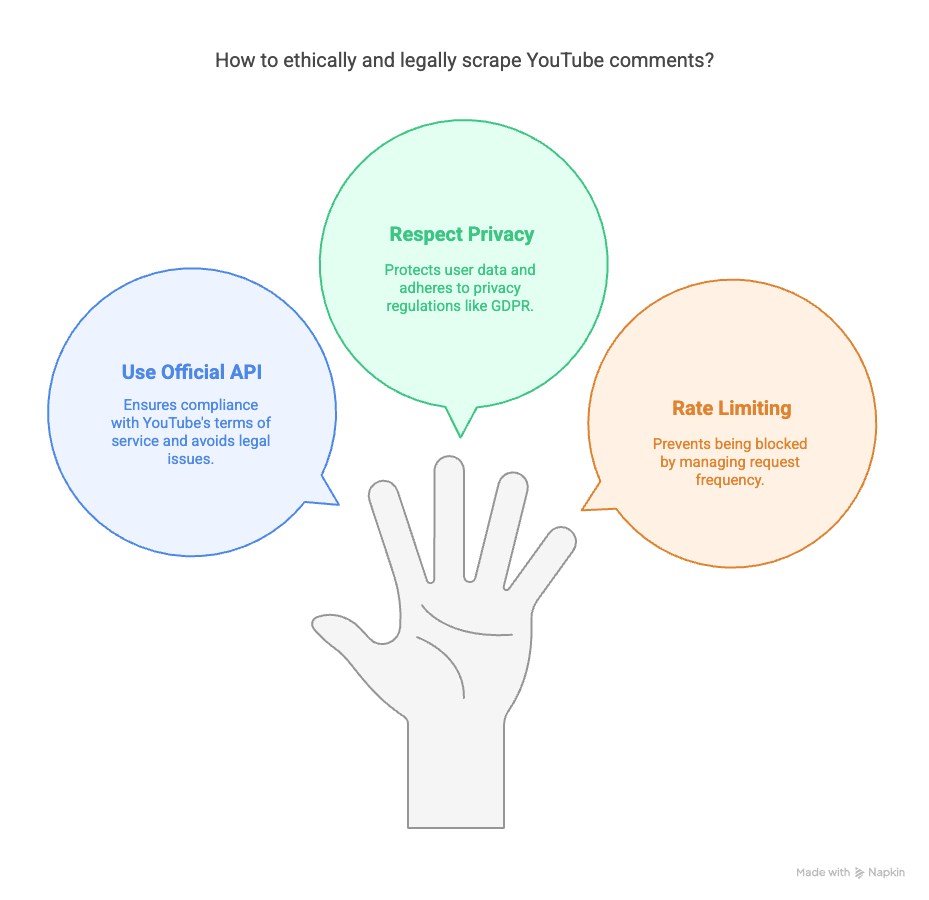
Review the current provider policies and the requirements applicable to your intended use. The checks below are a starting point, not a determination that a particular project is lawful:
- Access and use: Review the YouTube API developer policies, including the restrictions on scraping and derived data. API access does not authorize every downstream use.
- Privacy and retention: Comment text itself may contain personal information. Minimize collection and implement the applicable refresh, retention and deletion requirements; the example only prints a preview and does not implement those controls.
- Request limits: Set a bounded page budget, monitor API errors and stop on permission or quota failures. Never rotate projects or credentials to evade limits.
Conclusion: Unlock the Power of YouTube Comments with Python
A useful Python comment workflow needs an explicit source, scope and stopping condition. The example shows bounded top-level API pagination; replies, authorization, storage and permitted reuse require additional decisions. Preserve IDs and original text, disclose incomplete collection, and check the current provider requirements before extending the workflow. The coverage example in our collection guide explains why a partial observation should not be presented as the whole population.
For more information on how Easy Data can help with your web scraping needs, visit EasyData.io.vn.
External Links
Leave a Reply