

Scrape ecommerce data is no longer just a technical task, it has become a core capability for competitive analysis, pricing intelligence, and product research. As online marketplaces grow more dynamic and fragmented, relying on manual checks or limited dashboards is no longer enough. In this guide, you’ll learn how to scrape ecommerce websites with Python in a structured, practical, and scalable way, while understanding why each step matters.
What Does “Scrape Ecommerce Website” Really Mean?
When people talk about how to scrape ecommerce website data, they often picture a simple script pulling product names and prices. In practice, the concept goes deeper and is closely tied to how ecommerce data behaves.
To scrape ecommerce website data means programmatically collecting publicly available marketplace data (such as product listings, prices, sellers, and availability) and turning it into structured datasets that can be reused and compared over time. The goal is rarely a single snapshot. Instead, value comes from observing how that data changes across days, campaigns, or competitive shifts.
Typical data points include:
- Product titles and identifiers
- Base prices, discounts, and promotional prices
- Seller or brand information
- Stock and availability signals
- Ratings, reviews, and ranking positions
When teams scrape ecommerce website data consistently, it becomes the foundation for pricing analysis, trend detection, and market benchmarking.
When and Why Scraping Ecommerce Websites Makes Sense
Scrape ecommerce websites is most useful when scale and consistency start to matter more than convenience.
Manual browsing works when validating a handful of products. It quickly breaks down when teams need to monitor hundreds or thousands of SKUs, multiple categories, or several markets at once. At that point, scraping becomes less about automation and more about data reliability.
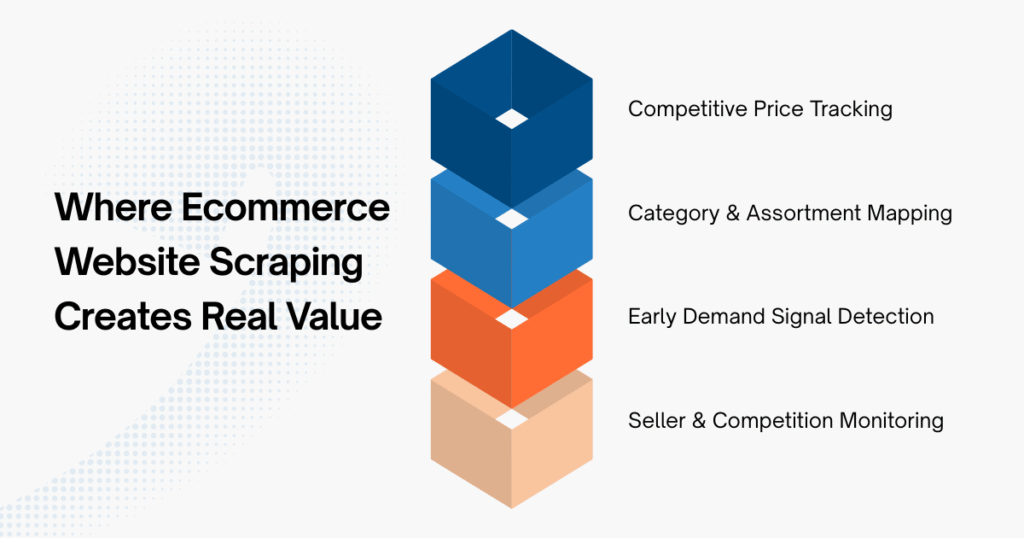
Common scenarios where scraping adds clear value include:
- Monitoring competitor prices across time
- Mapping category structure and assortment depth
- Detecting early demand signals before sales peak
- Tracking seller entry and competitive density
In all these cases, the advantage is not speed, but repeatability. Scraping allows teams to ask the same questions week after week and get comparable answers.
Tools and Libraries Commonly Used for Ecommerce Website Scraping
Python remains one of the most popular choices to scrape ecommerce website data because it balances simplicity with flexibility.
Most projects rely on a small set of core libraries:
| Tool | Role |
|---|---|
requests |
Fetching HTML content |
BeautifulSoup |
Parsing and navigating page structure |
pandas |
Structuring scraped data for analysis |
time, random |
Controlling request frequency |
These tools are intentionally lightweight. For many ecommerce category and listing pages, they are more than sufficient, especially when the goal is clarity and maintainability rather than speed.
A Practical Walkthrough of Ecommerce Website Scraping With Python
Copy – paste scripts might work once, but effective ecommerce website scraping requires understanding the logic behind each step. When you understand the process, you can adapt to layout changes, data inconsistencies, and real-world constraints.
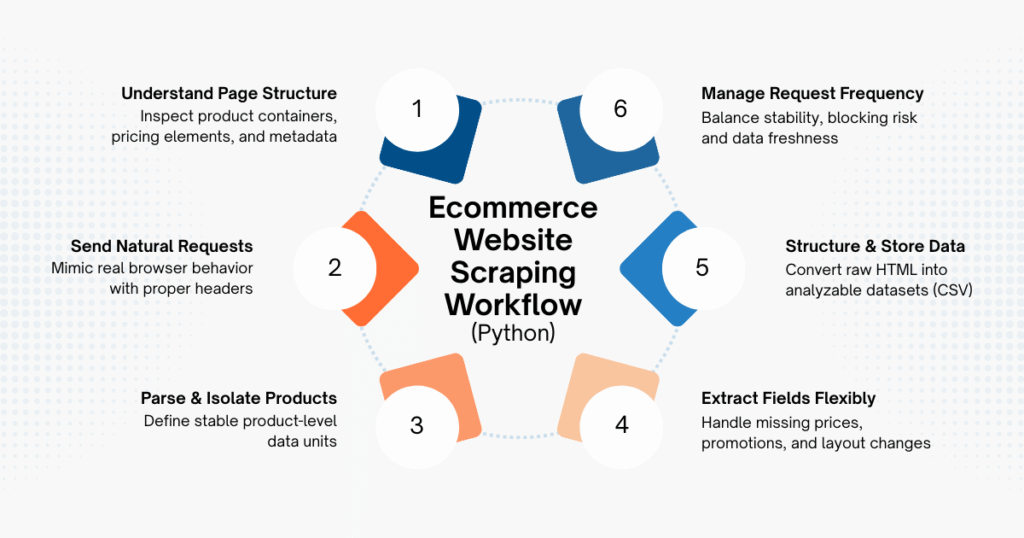
Step 1: Understanding the Page Structure
Every ecommerce website organizes product data differently. Some rely on clean HTML blocks; others inject content dynamically through JavaScript or APIs.
By inspecting the page in your browser, you can usually identify:
- Repeating product containers
- Price and discount elements
- Seller or brand metadata
If key information appears directly in the HTML response, a basic scraper is enough. If not, the scraping approach needs to adapt.
Step 2: Sending Requests That Look Natural
Copied!import requests headers = { "User-Agent": "Mozilla/5.0" } url = "https://example-ecommerce-site.com/category" response = requests.get(url, headers=headers)
Many ecommerce websites filter traffic aggressively. Requests without headers often return incomplete pages or trigger blocks. Mimicking a real browser helps ensure consistent responses, especially when scraping repeatedly.
Step 3: Parsing and Isolating Product Data
Copied!from bs4 import BeautifulSoup soup = BeautifulSoup(response.text, "html.parser") products = soup.find_all("div", class_="product-card")
This step defines the logical unit of data (one product card equals one row in your dataset). If this structure is unstable or frequently changes, your scraper will require ongoing maintenance.
Step 4: Extracting Fields With Flexibility
Copied!data = [] for product in products: name = product.find("h2").get_text(strip=True) price = product.find("span", class_="price").get_text(strip=True) data.append({ "product_name": name, "price": price })
Ecommerce data is rarely clean. Some products lack prices, others are sponsored, and promotions can alter layouts. Defensive extraction logic prevents small inconsistencies from breaking the entire script.
Step 5: Structuring and Saving the Output
Copied!import pandas as pd df = pd.DataFrame(data) df.to_csv("ecommerce_data.csv", index=False)
At this point, scraping becomes useful. Structured data enables comparison across time, categories, and competitors (something raw HTML can never provide).
Step 6: Managing Request Frequency
Copied!import time import random time.sleep(random.uniform(2, 5))
Sustainable ecommerce scraping prioritizes stability over speed. Slower, well-spaced requests reduce the risk of blocking and data gaps, especially when scraping needs to run regularly.
Common Challenges When Scraping Ecommerce Websites
As scraping moves from experiments to ongoing workflows, several challenges tend to surface.
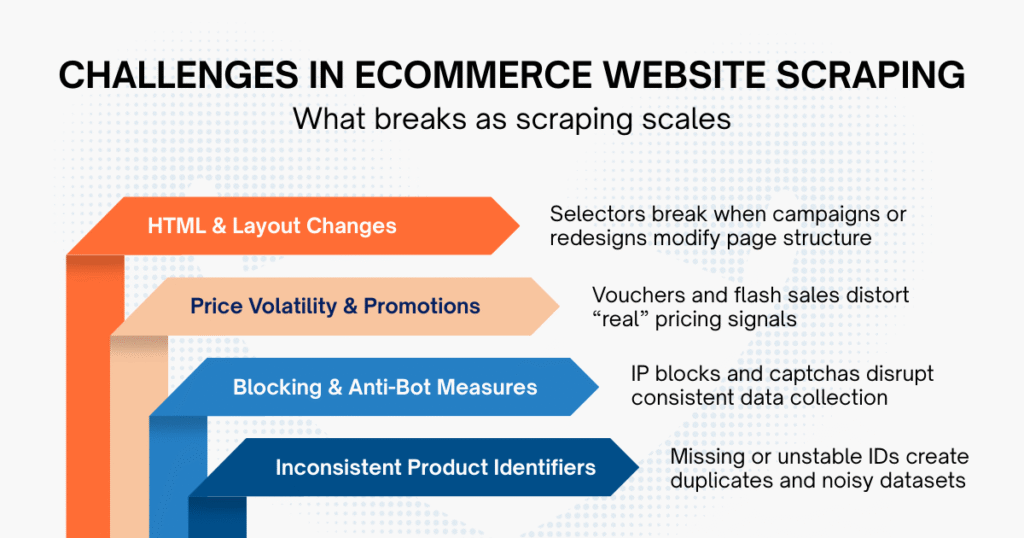
HTML structures often change during major campaigns or redesigns, breaking previously stable selectors. Prices may fluctuate rapidly due to vouchers or flash sales, making it harder to interpret what is “real” pricing behavior. On top of that, IP blocking, captchas, and inconsistent product identifiers introduce noise into datasets.
These issues are manageable in small projects. At scale, they shift the effort from writing code to maintaining reliability, which is often underestimated at the start.
Building In-House Scrapers vs Using Ecommerce Scraping Services
For testing or small monitoring tasks, in-house Python scrapers are often sufficient. They offer control and flexibility, and they help teams understand how ecommerce data is structured.
As scope expands (more categories, more countries, longer time horizons), the hidden cost becomes maintenance. Keeping scrapers running reliably through campaign cycles, layout changes, and platform defenses requires ongoing attention.
This is why some teams choose to work with professional ecommerce data providers like Easy Data rather than maintain crawlers in-house. By relying on managed ecommerce data scraping services, teams can reduce operational overhead and focus on analyzing stable, normalized datasets. The decision is less about capability and more about where teams want to spend their effort: engineering upkeep or market insight.
Final Thoughts
To scrape ecommerce website data effectively is to balance technical execution with an understanding of marketplace behavior. Python provides a strong foundation, but long-term value comes from stable data pipelines and thoughtful interpretation. Whether built in-house or supported by specialized services, ecommerce scraping works best when it enables teams to see patterns early, act with confidence, and avoid reacting too late.
Leave a Reply