

In the ever-evolving world of digital retail, social commerce and social ecommerce have emerged as game-changers, redefining how businesses connect with consumers and drive sales. By seamlessly blending social media with ecommerce, these platforms allow brands to engage customers where they already spend significant time—on social networks like Instagram, TikTok, and Facebook. As we move into 2025, the social commerce industry is projected to account for a substantial portion of global ecommerce sales, with innovative trends and strategies shaping the future of online shopping. In this article, we’ll explore the dynamics of social shopping, delve into social commerce examples, highlight key social commerce trends, and provide actionable social commerce strategies to help businesses thrive in this dynamic landscape.
What is Social Commerce?
Social commerce refers to the process of selling products or services directly through social media platforms, enabling consumers to discover, engage with, and purchase items without leaving their favorite apps. Unlike traditional ecommerce, which typically directs users to a separate website or marketplace for transactions, social ecommerce integrates the entire shopping experience—from product discovery to checkout—within the social media ecosystem. This seamless integration enhances convenience, reduces friction, and creates a more engaging customer journey.
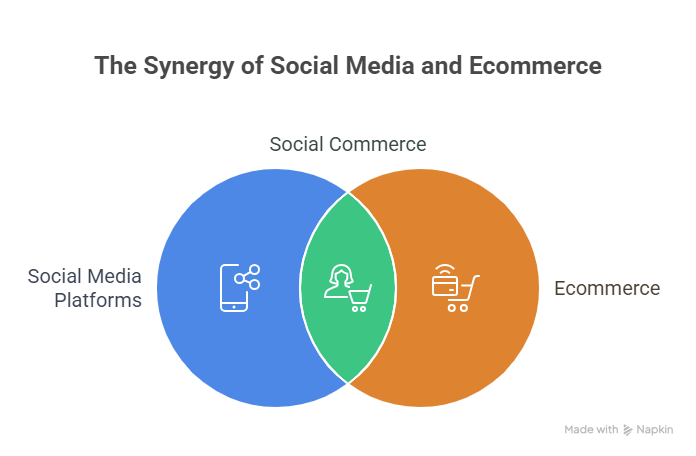
The rise of social shopping has been fueled by the increasing time consumers spend on social media, with platforms like Instagram, TikTok, and Facebook offering built-in shopping features such as shoppable posts, in-app checkouts, and live shopping events. According to industry forecasts, the social commerce industry is expected to surpass $2 trillion globally by 2025, with the U.S. alone projected to reach nearly $80 billion in retail social commerce sales. This growth underscores the importance of understanding and leveraging social ecommerce for businesses aiming to stay competitive in 2025.
Why Social Commerce is Transforming Ecommerce?
The social commerce industry is reshaping ecommerce by aligning with modern consumer behaviors. Today’s shoppers, particularly Gen Z and Millennials, value convenience, authenticity, and personalized experiences. Social shopping caters to these preferences by offering:

- Seamless Shopping Experiences: Consumers can browse, interact with brands, and make purchases without navigating away from their social media feeds. This reduces the steps in the purchase process, increasing conversion rates.
- Enhanced Engagement: Social media platforms enable real-time interaction through comments, likes, and direct messages, fostering a sense of community and trust.
- Influencer-Driven Sales: Influencers and micro-influencers play a pivotal role in social commerce, with their recommendations driving significant sales. For instance, 82% of consumers are likely to follow a micro-influencer’s recommendation.
- Data-Driven Personalization: Advanced analytics and AI allow brands to tailor content and product recommendations based on user behavior, preferences, and demographics.
As social media platforms continue to integrate advanced shopping features, the lines between social networking and ecommerce are blurring, creating a new era of social ecommerce.
Key Social Commerce Trends for 2025
To succeed in the social commerce industry, businesses must stay ahead of emerging social commerce trends. Here are the top trends shaping the landscape in 2025:
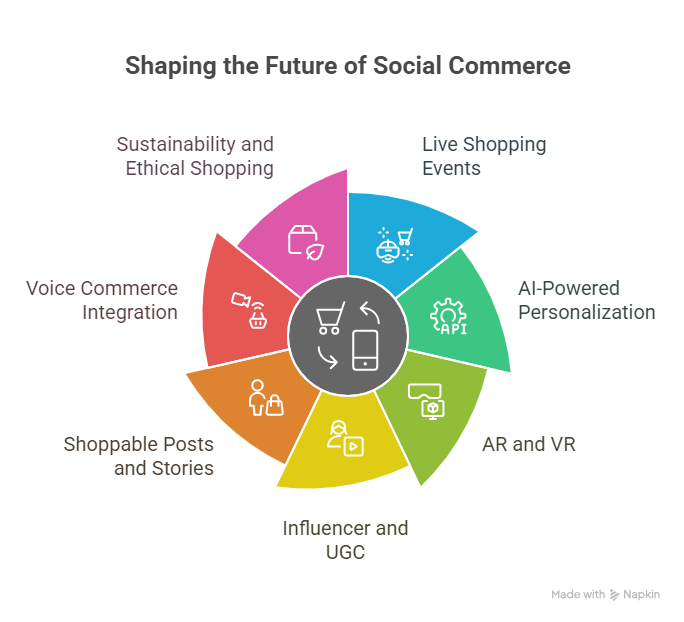
1. Live Shopping Events
Live shopping, popularized by platforms like TikTok and Instagram, is a cornerstone of social commerce. These real-time events allow brands to showcase products, interact with audiences, and drive instant sales. For example, a two-hour live shopping event on TikTok can generate more sales than a week at a flagship store. In 2025, expect live shopping to become a staple, with brands hosting interactive product demos, exclusive drops, and influencer-led events to create urgency and boost engagement.
2. AI-Powered Personalization
Artificial intelligence (AI) is revolutionizing social ecommerce by enabling hyper-personalized shopping experiences. AI-driven algorithms analyze user data to deliver tailored product recommendations, targeted ads, and dynamic content. By 2025, AI is projected to account for 79.6% of retail ecommerce sales in the U.S., highlighting its critical role in social commerce strategies. Brands leveraging AI can enhance customer satisfaction and loyalty by offering relevant, timely suggestions.
3. Augmented Reality (AR) and Virtual Reality (VR)
AR and VR are transforming social shopping by allowing consumers to interact with products virtually. Features like virtual try-ons for fashion and beauty products or AR previews for furniture help customers make informed purchase decisions. For instance, Snapchat’s AR lenses let users “try on” makeup, while Instagram’s AR tools enable virtual product visualization. In 2025, AR and VR will become integral to social commerce, enhancing the immersive shopping experience.
4. Influencer and User-Generated Content (UGC)
Influencer marketing remains a powerful driver of social commerce, with the industry expected to reach $22.2 billion by 2025. Collaborating with influencers and leveraging UGC, such as customer reviews and shoppable videos, builds trust and authenticity. For example, 44% of Instagram users shop on the platform weekly, often influenced by user-generated content. Brands that incorporate UGC into their social commerce strategy can boost conversions and foster community engagement.
5. Shoppable Posts and Stories
Shoppable posts and stories on platforms like Instagram and Pinterest allow users to click directly on products to view details and make purchases. These features streamline the shopping process and capitalize on impulse buying. For instance, Instagram’s shoppable posts have a conversion rate of 1.08%, with over 21.6 million consumers interacting with marketing posts. In 2025, expect platforms to enhance these features, making social shopping even more seamless.
6. Voice Commerce Integration
Voice commerce, powered by tools like Amazon Alexa and Google Assistant, is gaining traction in social ecommerce. Consumers can use voice commands to search for products, place orders, or track deliveries, offering a hands-free shopping experience. While still in its early stages, voice commerce is expected to contribute significantly to social commerce by 2025, particularly in industries like grocery and apparel.
7. Sustainability and Ethical Shopping
Sustainability is a growing priority for consumers, especially Gen Z, who prioritize eco-friendly brands. Social commerce platforms are responding by promoting sustainable products and transparent practices. For example, brands using eco-friendly packaging or carbon-neutral shipping can highlight these efforts in their social media campaigns, aligning with consumer values and driving sales.
Social Commerce Examples: Brands Leading the Way
To illustrate the power of social commerce, let’s explore a few social commerce examples from brands that have successfully leveraged these platforms:
1. Beauty Works on TikTok Shop
Beauty Works, a UK-based beauty brand, capitalized on TikTok’s rapid content cycle by participating in the TikTok Shop beta launch. By syncing their product catalog with TikTok Shop and collaborating with influencers, they reached over 100 million users, driving significant sales through shoppable videos and ads. This example highlights the importance of aligning social commerce strategies with platform-specific features.
2. The Tiny Tassel on Facebook Shop
The Tiny Tassel, a retailer specializing in handmade jewelry, uses Facebook Shop to create detailed, informative product pages. By offering customization options and clear shipping information, the brand enhances the customer experience, driving conversions through a seamless in-app checkout process. This demonstrates how small businesses can compete with larger brands in the social commerce industry.
3. Heat Transfer Warehouse on Instagram and TikTok
Heat Transfer Warehouse transformed its business by embracing video storytelling on Instagram Reels and TikTok. Their short, engaging tutorials showcase products in action, making complex processes accessible to crafters. This strategy has built a strong following across multiple platforms, proving that creative content is key to social ecommerce success.
4. Badgley Mischka on Multiple Platforms
Global fashion label Badgley Mischka expanded its social commerce presence across Instagram, Facebook, TikTok, and Google Shopping. By leveraging BigCommerce’s app marketplace, the brand optimized its omnichannel strategy, resulting in explosive growth on Google Shopping and increased sales across social platforms. This example underscores the value of an integrated approach to social shopping.
Crafting an Effective Social Commerce Strategy
To capitalize on the social commerce trends shaping 2025, businesses need a robust social commerce strategy. Here are actionable steps to build a successful approach:
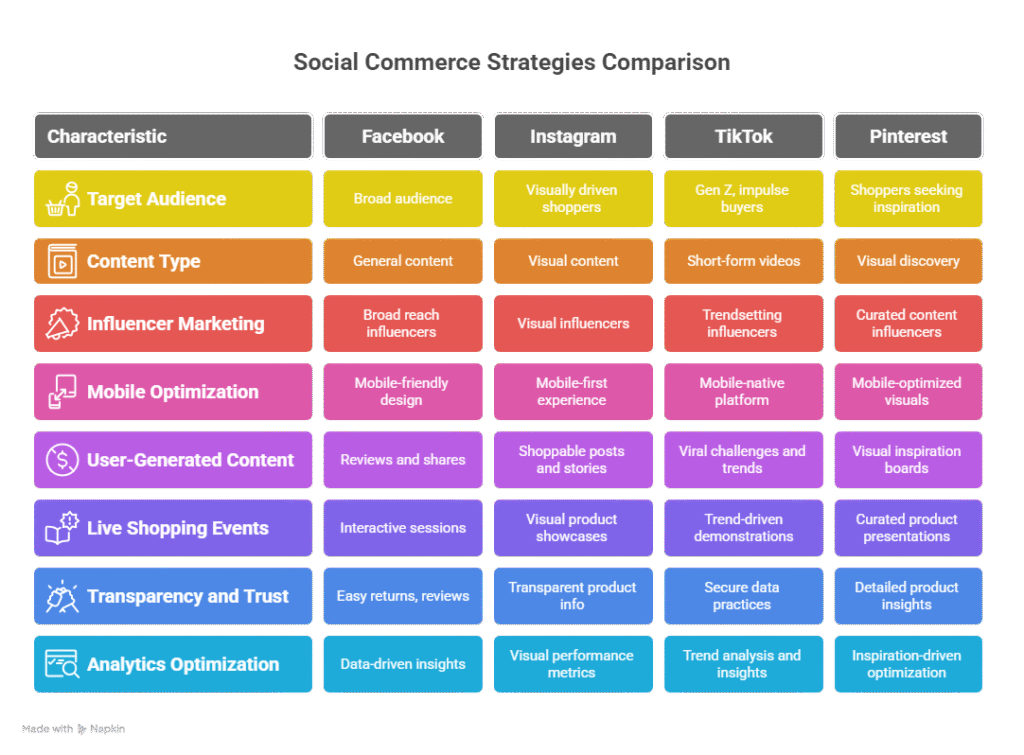
1. Choose the Right Platforms
Not all social media platforms are equal in social commerce. Select platforms that align with your target audience:
- Facebook: With 64.6 million social commerce buyers in 2024, it’s ideal for a broad audience.
- Instagram: Perfect for visually appealing products, with 46.8 million buyers in 2023.
- TikTok: A hotspot for Gen Z and impulse buyers, with 35.3 million users shopping on the platform in 2023.
- Pinterest: Great for visual discovery, catering to shoppers seeking inspiration.
2. Leverage Influencer Partnerships
Partnering with influencers and micro-influencers can amplify your reach. Use tools like Shopify Collabs to identify creators who resonate with your audience and track performance metrics. Focus on micro-influencers, as their engaged followers often trust their recommendations more than those of mega-influencers.
3. Optimize for Mobile
With mobile commerce projected to drive $710 billion in sales in 2025, ensure your social ecommerce strategy prioritizes mobile-friendly designs and fast-loading content. A one-second delay in loading can reduce conversions by up to 10%, so optimize for speed and user experience.
4. Incorporate User-Generated Content
Encourage customers to share reviews, photos, and videos of your products. UGC builds trust and authenticity, with 82% of consumers using social media for product research. Feature UGC in shoppable posts and stories to drive engagement and conversions.
5. Host Live Shopping Events
Live shopping events create a sense of urgency and community. Collaborate with influencers or brand ambassadors to host interactive sessions, showcasing products and answering customer questions in real-time. Platforms like TikTok and Instagram are ideal for this format.
6. Prioritize Transparency and Trust
To overcome trust barriers, offer easy returns, transparent pricing, and detailed product reviews. According to studies, 35% of consumers would try social commerce if they felt their data was secure. Displaying ratings and keeping buyers informed about their purchase status can boost confidence.
7. Use Analytics for Optimization
Leverage platform analytics and AI tools to track campaign performance, understand customer behavior, and refine your social commerce strategy. Data-driven insights can help you target the right audience and optimize content for maximum impact.
🚀 Explore Our E-commerce Data Services
Click to discover real-time crawling solutions for Shopee, TikTok Shop, and Lazada.
Challenges in Social Commerce
While social commerce offers immense opportunities, it also comes with challenges:
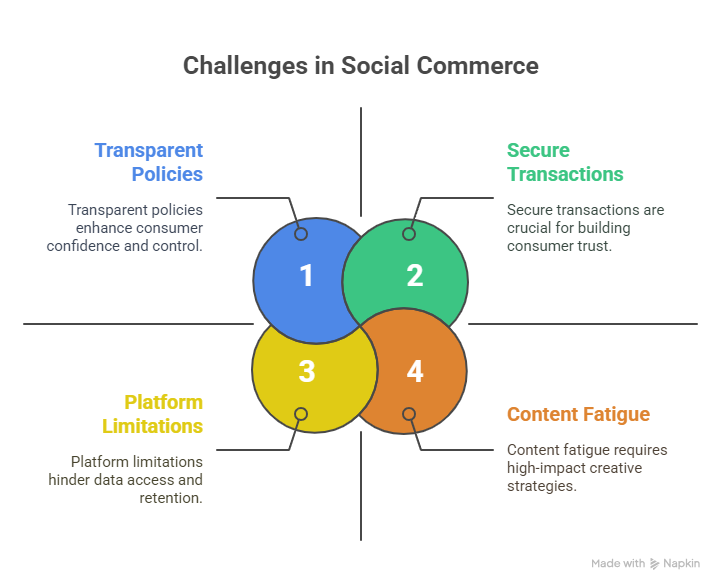
- Trust and Security: 37% of consumers express concerns about entering payment information on social platforms. Brands must prioritize secure transactions and transparent policies.
- Platform Limitations: Social media platforms often limit access to customer data, making retention strategies challenging. Integrating social commerce with an owned ecommerce store can mitigate this issue.
- Content Fatigue: The rapid content cycle on platforms like TikTok requires consistent, engaging content to stay relevant. Brands must invest in creative strategies to avoid fading into the background.
The Future of Social Commerce in 2025
The social commerce industry is poised for explosive growth in 2025, driven by technological advancements and shifting consumer behaviors. With global sales projected to reach $2 trillion, businesses that adapt to social commerce trends and implement effective social commerce strategies will gain a competitive edge. Key developments to watch include:
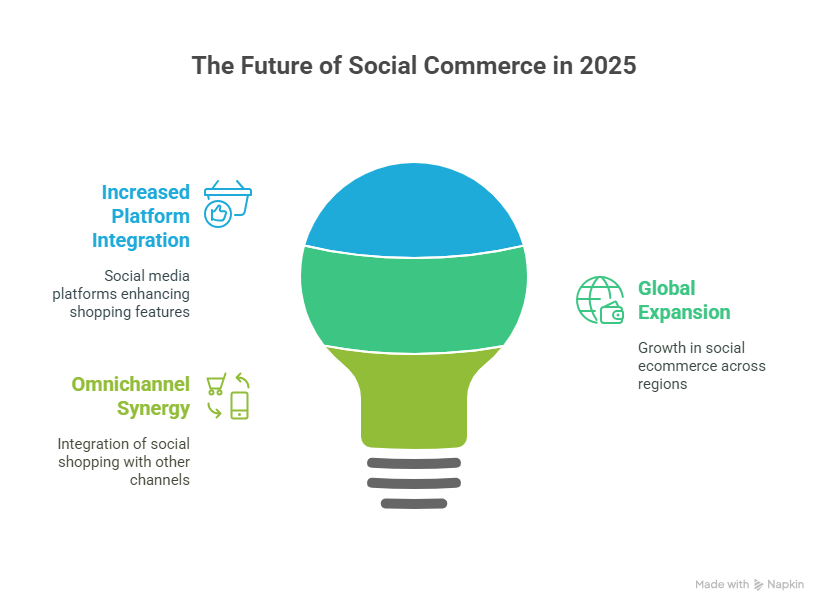
- Increased Platform Integration: Social media platforms will continue to enhance shopping features, such as advanced AR tools and seamless checkouts.
- Global Expansion: While China leads in social ecommerce, markets like the U.S., Europe, and Southeast Asia are catching up, with platforms like TikTok Shop expanding rapidly.
- Omnichannel Synergy: Brands will integrate social shopping with other channels, such as in-store and online stores, to create a unified customer experience.
To stay ahead, businesses should explore emerging trends and technologies in ecommerce. For a deeper dive into the broader ecommerce landscape, check out our article on the Top 10 E-commerce Trends to Watch in 2025.
Conclusion
Social commerce and social ecommerce are transforming the way consumers shop, offering businesses unprecedented opportunities to connect with audiences and drive sales. By embracing social commerce trends like live shopping, AI personalization, and AR, and leveraging social commerce examples from leading brands, businesses can craft effective social commerce strategies to thrive in 2025. Whether you’re a small business or a global brand, the key to success lies in understanding your audience, choosing the right platforms, and delivering authentic, engaging experiences. As the social commerce industry continues to grow, now is the time to invest in social shopping and position your brand for a prosperous future.
📥 Want to see real data in action?
Book a free demo with our team to get data samples, pricing, and technical consultation tailored to your use case.
Book a Demo Now
Leave a Reply