


In the rapidly evolving world of online retail, ecommerce analytics has become the cornerstone of strategic decision-making for businesses aiming to thrive in 2025. With global ecommerce sales projected to surpass $6.4 trillion by 2029, understanding customer behavior, optimizing marketing efforts, and enhancing user experiences are critical for staying competitive. Tools like Google Analytics 4 (GA4), combined with advanced data tracking methods such as the datalayer for ecommerce GA4 and enhanced ecommerce, provide businesses with actionable insights to drive growth. This comprehensive guide explores how ecommerce analytics, powered by GA4, can transform your online store, offering detailed steps to implement tracking, analyze data, and leverage trends for success.
- Why Ecommerce Analytics Matters in 2025
- Understanding Google Analytics 4 for Ecommerce
- Setting Up Google Analytics 4 Ecommerce Tracking
- Key Ecommerce Events to Track in GA4
- Analyzing Ecommerce Data in GA4
- Leveraging Ecommerce Analytics for Growth
- Challenges and Limitations of GA4 Ecommerce Tracking
- Best Practices for Ecommerce Analytics in 2025
- Conclusion
Why Ecommerce Analytics Matters in 2025
Ecommerce analytics involves collecting, analyzing, and interpreting data from online stores to understand customer interactions, optimize marketing campaigns, and boost conversions. Unlike traditional retail, where in-store observations guide decisions, ecommerce relies on digital tools to track metrics like product views, add-to-cart actions, checkout behavior, and purchases. These insights enable businesses to tailor their strategies to meet customer needs and market demands.
In 2025, the importance of ecommerce analytics is amplified by emerging trends such as AI-driven personalization, social commerce, and augmented reality (AR) shopping experiences. According to a recent report, businesses leveraging predictive analytics can anticipate customer needs, resulting in up to 30% higher customer retention rates. To stay ahead, retailers must harness tools like Google Analytics 4 for ecommerce to gain a holistic view of the customer journey. For a deeper dive into the latest industry shifts, check out our article on the Top 10 Ecommerce Trends to Watch in 2025.
Understanding Google Analytics 4 for Ecommerce
Google Analytics 4 (GA4) is the latest iteration of Google’s analytics platform, designed to provide a more comprehensive and flexible approach to tracking user behavior across websites and apps. Unlike its predecessor, Universal Analytics (UA), GA4 is built around an event-based data model, making it ideal for tracking complex ecommerce interactions. Here’s why GA4 is a game-changer for ecommerce analytics:
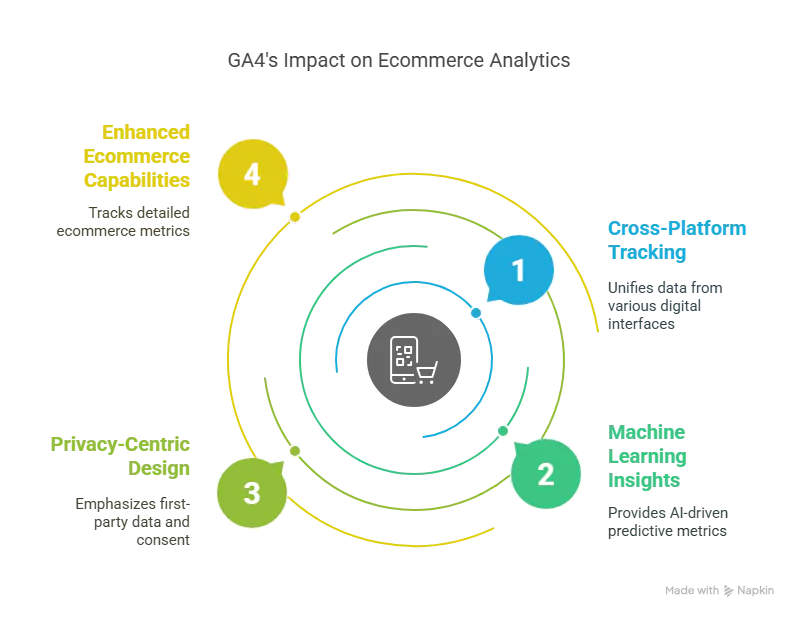
- Cross-Platform Tracking: GA4 unifies data from websites, mobile apps, and other digital interfaces, offering a complete view of the customer journey.
- Machine Learning Insights: GA4’s AI-driven features, such as predictive metrics and anomaly detection, help identify trends and opportunities.
- Privacy-Centric Design: With increasing privacy regulations, GA4 emphasizes first-party data collection and consent management.
- Enhanced Ecommerce Capabilities: GA4’s enhanced ecommerce features allow businesses to track detailed metrics like product impressions, clicks, and refunds.
To fully leverage GA4, businesses must set up ecommerce tracking correctly, which involves configuring the datalayer for ecommerce GA4 and enabling enhanced ecommerce features. Let’s explore how to do this step-by-step.
Setting Up Google Analytics 4 Ecommerce Tracking
Implementing Google Analytics 4 ecommerce tracking requires a combination of GA4 configuration, Google Tag Manager (GTM), and a properly structured data layer. Below is a detailed guide to get started.
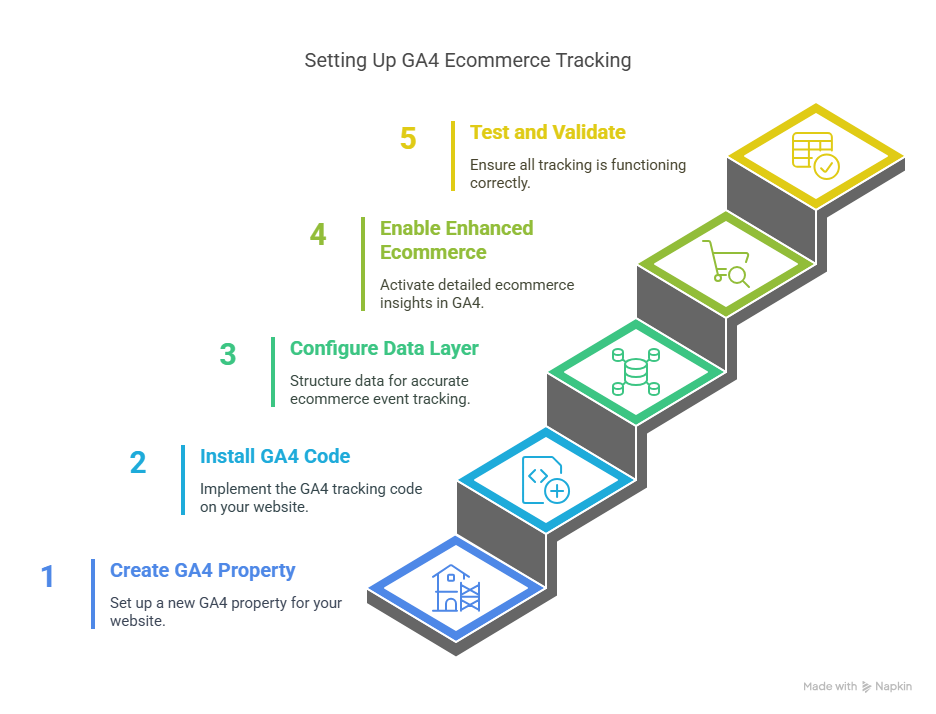
Step 1: Create a GA4 Property
- Sign Up for Google Analytics: Visit analytics.google.com and create a Google Analytics account if you don’t already have one.
- Set Up a Property: Create a new GA4 property for your website. Name it after your domain (e.g., “EasyData Store”) and configure the time zone and currency settings.
- Create a Data Stream: Under “Admin” > “Data Streams,” add a web stream for your website. Copy the measurement ID (e.g., G-XXXXXXX) for later use.
Step 2: Install GA4 Tracking Code
You can install the GA4 tracking code directly on your website or use Google Tag Manager for easier management. Here’s how to do it with GTM:
-
Set Up Google Tag Manager: Create a GTM account at tagmanager.google.com and add the GTM container code to your website’s
<head>and<body>sections. -
Create a GA4 Configuration Tag:
- In GTM, go to “Tags” > “New” > “Tag Configuration” > “Google Analytics: GA4 Configuration.”
- Enter your GA4 measurement ID.
- Set the trigger to “All Pages” to fire the tag on every page load.
- Publish Changes: Save and publish your GTM container to make the tag live.
Step 3: Configure the Data Layer for Ecommerce GA4
The datalayer for ecommerce GA4 is a JavaScript object that stores structured data about user interactions, such as product views or purchases, and passes it to GA4 via GTM. A properly configured data layer ensures accurate tracking of ecommerce events.
Example Data Layer for a Purchase Event
Copied!window.dataLayer = window.dataLayer || []; window.dataLayer.push({ event: 'purchase', ecommerce: { transaction_id: 'T12345', value: 99.99, currency: 'USD', items: [ { item_id: 'P123', item_name: 'Blue T-Shirt', item_category: 'Apparel', price: 49.99, quantity: 2 } ] } });
Implementing the Data Layer
- Manual Implementation: Work with your web development team to add data layer code to your website’s backend, dynamically populating it with product and transaction details.
- CMS Plugins: If you use platforms like Shopify, WooCommerce, or Magento, install plugins like “Datalayer for WooCommerce” to automate data layer setup.
- Verify the Data Layer: Use GTM’s Preview mode or GA4’s DebugView to ensure the data layer is correctly pushing events to GA4.
Step 4: Enable Enhanced Ecommerce in GA4
Enhanced ecommerce in GA4 provides detailed insights into product performance, checkout behavior, and internal promotions. To enable it:
- Turn On Enhanced Measurement: In GA4, go to “Admin” > “Data Streams” > select your web stream > enable “Enhanced Measurement.” Ensure the “Ecommerce” option is checked.
-
Set Up Ecommerce Events: Configure events like
view_item,add_to_cart,begin_checkout, andpurchasein GTM. For each event:- Create a new tag in GTM (e.g., “GA4 Event – Purchase”).
- Set the event name (e.g.,
purchase). - Enable “Send E-commerce data” under “More Settings” and select the data layer as the source.
- Create a custom trigger (e.g., “Custom Event – purchase”) to fire the tag when the event occurs.
-
Mark Events as Conversions: In GA4, go to “Events” and mark key ecommerce events (e.g.,
purchase) as conversions for reporting.
Step 5: Test and Validate
- Use GTM Preview Mode: Visit your website, interact with products (e.g., view items, add to cart, complete a purchase), and check the GTM Preview panel to ensure tags are firing correctly.
- Check GA4 DebugView: In GA4, go to “DebugView” to verify that ecommerce events and parameters are being recorded.
- Monitor Reports: After 24-48 hours, check GA4’s “Monetization” > “Ecommerce purchases” report to confirm data is populating.
Key Ecommerce Events to Track in GA4
To maximize the value of ecommerce analytics, track the following recommended GA4 ecommerce events:
-
view_item: Tracks when a user views a product page. Parameters include
item_id,item_name, anditem_category. - add_to_cart: Records when a user adds a product to their cart.
- begin_checkout: Captures when a user starts the checkout process.
-
purchase: Logs completed transactions, including
transaction_id,value, anditems. -
refund: Tracks returns or refunds, using
transaction_idanditem_id. - view_promotion and select_promotion: Measures impressions and clicks on internal promotions (e.g., banners).
These events, when combined with enhanced ecommerce features, provide a granular view of the customer journey, helping you identify drop-off points and optimize conversions.
Analyzing Ecommerce Data in GA4
Once ecommerce tracking is set up, GA4’s reporting capabilities allow you to analyze data and derive actionable insights. Key reports include:
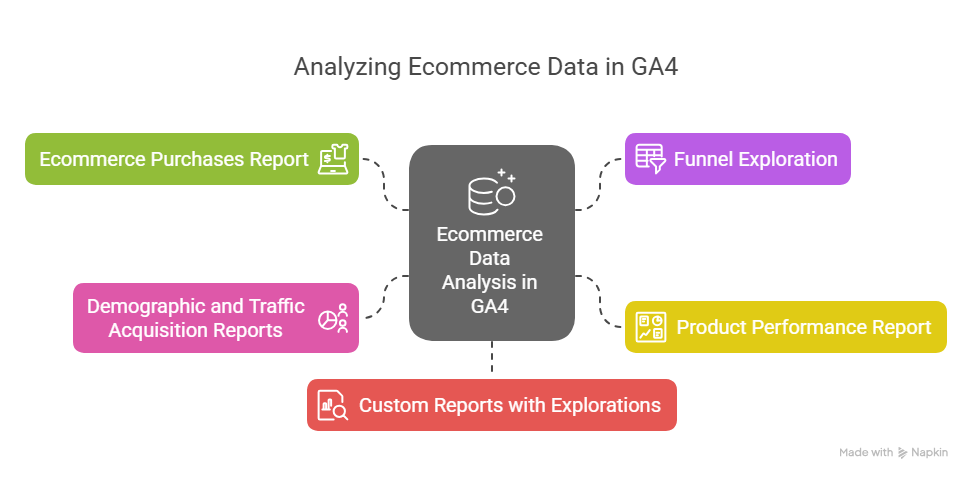
1. Ecommerce Purchases Report
- Location: Reports > Monetization > Ecommerce purchases
- Insights: View metrics like item views, add-to-cart actions, purchases, and revenue by product. Use the table to identify top-performing products and calculate purchase-to-view rates (similar to conversion rates).
- Actionable Use: Reallocate inventory to high-demand products or optimize underperforming product pages.
2. Funnel Exploration
- Location: Explore > Funnel Exploration
- Insights: Create a funnel to visualize the customer journey (e.g., view_item > add_to_cart > begin_checkout > purchase). Identify drop-off points, such as a high abandonment rate at checkout.
- Actionable Use: Simplify the checkout process or offer incentives like free shipping to reduce abandonment.
3. Product Performance Report
- Location: Reports > Monetization > Ecommerce purchases
- Insights: Analyze metrics like views, clicks, and purchases for each product. Compare performance across categories or brands.
- Actionable Use: Promote best-sellers in marketing campaigns or bundle low-performing products with popular ones.
4. Demographic and Traffic Acquisition Reports
- Location: Reports > User > Demographic Details; Reports > Acquisition > Traffic Acquisition
- Insights: Understand your audience’s age, gender, location, and traffic sources (e.g., organic search, paid ads, social media).
- Actionable Use: Tailor campaigns to high-value demographics or optimize underperforming channels.
5. Custom Reports with Explorations
- Location: Explore > Create a new exploration
- Insights: Build custom reports to analyze specific metrics, such as revenue by marketing campaign or user retention by product category.
- Actionable Use: Identify high-ROI campaigns or create personalized offers for loyal customers.
Leveraging Ecommerce Analytics for Growth
With GA4’s insights, businesses can implement data-driven strategies to enhance performance. Here are some practical applications:

1. Optimize Product Pages
Use product performance data to identify pages with high views but low add-to-cart rates. Common issues include poor product descriptions, lack of reviews, or unappealing visuals. A/B test changes like adding customer testimonials or high-quality images to boost conversions.
2. Reduce Cart Abandonment
Funnel exploration can reveal where users drop off during checkout. Common reasons include high shipping costs, complex forms, or lack of payment options. Solutions include offering multiple payment methods (e.g., QR codes, popular among 29% of mobile users by 2025) or streamlining the checkout process.
3. Personalize Marketing Campaigns
GA4’s demographic and behavior data enable hyper-targeted campaigns. For example, if data shows that millennials drive 33% of social commerce purchases, create TikTok or Instagram campaigns featuring video content, as 62% of consumers watch product review videos before buying.
4. Enhance Customer Retention
Use GA4’s user retention reports to identify loyal customers and offer exclusive discounts or subscription models. The subscription economy is projected to reach $1.5 trillion in 2025, making personalized subscriptions a powerful retention tool.
5. Integrate with Emerging Trends
Combine GA4 data with 2025 ecommerce trends like AR try-ons or blockchain for secure payments. For example, track AR interactions (e.g., virtual try-ons) as custom events in GA4 to measure their impact on conversions.
Challenges and Limitations of GA4 Ecommerce Tracking
While GA4 is powerful, it has some limitations:
- No Historical Data Import: GA4 cannot import transaction data from Universal Analytics, requiring businesses to start fresh.
- Complex Setup: Enhanced ecommerce tracking requires technical expertise to configure the datalayer for ecommerce GA4 and custom events.
- Limited Built-In Reports: Unlike Universal Analytics, GA4 lacks prebuilt enhanced ecommerce reports, necessitating custom configurations.
- Data Processing Delay: Ecommerce data may take 24-48 hours to appear in reports, impacting real-time analysis.
To overcome these, consider integrating GA4 with tools like Google BigQuery for advanced analytics or Google Looker Studio for visual dashboards. Additionally, work with experienced developers or analytics consultants to streamline setup.
Best Practices for Ecommerce Analytics in 2025
To maximize the value of ecommerce analytics with GA4, follow these best practices:
- Define Clear KPIs: Focus on metrics like conversion rate, average order value, and customer lifetime value (LTV) to align analytics with business goals.
- Regularly Audit Tracking: Use GTM’s Preview mode and GA4’s DebugView to ensure events are firing correctly.
- Leverage First-Party Data: With privacy regulations tightening, prioritize first-party data collection through loyalty programs or email sign-ups.
- Combine with Other Tools: Integrate GA4 with SEO platforms, CRM systems, or AI-driven tools to enhance insights.
- Stay Updated on Trends: Monitor emerging trends like voice commerce or livestream shopping to adapt your analytics strategy. Our Top 10 Ecommerce Trends to Watch in 2025 provides actionable insights to guide your approach.
Conclusion
In 2025, ecommerce analytics powered by Google Analytics 4 is essential for businesses seeking to thrive in a competitive digital landscape. By leveraging the datalayer for ecommerce GA4, enabling enhanced ecommerce, and analyzing key metrics, retailers can optimize their online stores, reduce cart abandonment, and personalize customer experiences. While GA4’s setup may require technical effort, the insights it provides—such as product performance, funnel analysis, and demographic trends—are invaluable for driving growth.
To stay ahead, combine GA4’s capabilities with emerging ecommerce trends like AI personalization, social commerce, and AR shopping. By adopting a data-driven approach, your business can not only meet customer expectations but also exceed them, ensuring long-term success in the dynamic world of ecommerce. For more insights on navigating the future of online retail, explore our article on the Top 10 Ecommerce Trends to Watch in 2025.
Leave a Reply