
On Southeast Asia’s largest marketplace – Shopee, the massive amount of product, pricing, sales, and buyer-behavior data is essentially “raw gold” for optimizing business strategies. This is also why a Shopee scraper is becoming increasingly popular: it enables automated, accurate, and large-scale data collection. This A–Z beginner’s guide explains what a Shopee scraper is, how it works, what it can be used for, and the key considerations you should know before using one.
Understanding a Shopee Scraper
What Is a Shopee Scraper?
A Shopee scraper is a tool or software designed to automatically collect public data from Shopee. Instead of manually copying product information, the scraper sends requests, accesses Shopee webpages or hidden APIs, parses the returned data, and exports it into structured formats (CSV, JSON, Excel). Its main purpose is to help businesses gather Shopee data quickly, consistently, and at scale for analysis.
What Data Can a Shopee Scraper Extract?
A Shopee scraper can gather a wide variety of data:
| Data Field | Detailed Data |
| Product Data | Product name Price & discounted price Sales volume Product images Description Attributes (size, color…) |
| Seller Data | Shop name Ratings Response rate Followers Product categories |
| Review & Rating Data | Star ratings Review content Review photos/videos Review timestamps |
| Category & Keyword Search Results | Top products for a given keyword Category rankings Average pricing & competition level |
How a Shopee Scraper Works
Although it may sound technical, the data extraction process is straightforward:
- Request: Sends a request to Shopee product, shop, or category URLs.
- Crawl: Retrieves the HTML/JSON response from Shopee’s server.
- Parse: Extracts and converts the data into structured fields.
- Export: Outputs data to CSV, Excel, JSON, or a database.
However, Shopee’s anti-bot systems make Shopee scraping more complex in real conditions.
What Shopee Scrapers Are Used For
Shopee scrapers support a wide range of e-commerce data analytics tasks. With Shopee’s massive and fast-changing dataset, businesses rely on large-scale Shopee data to make strategic decisions. Key use cases include:
- Market & Category Intelligence: Helps identify market trends, category growth, and shifts in consumer behavior. Large-scale datasets reveal new opportunities and emerging demand patterns.
- Competitive Intelligence: Allows tracking competitor pricing, promotions, marketing push, new SKUs, and sales performance. This provides a complete competitive landscape rather than focusing on just a few rivals.
- Price Intelligence & Promotion Tracking: Enables monitoring hourly/daily price changes, promotions, flash sales, vouchers, and discount mechanisms. This supports dynamic pricing strategies and revenue optimization.
- Product & Catalog Optimization: Provides insight into SKU performance, variations, descriptions, images, rating quality, and growth potential. Businesses can refine catalog strategy, expanding or trimming SKUs.
- Brand Protection & Unauthorized Seller Detection: Identifies counterfeit products, unauthorized sellers, price dumping, and misrepresentation. Large-scale data improves brand consistency and marketplace monitoring.
Shopee Scraper vs Shopee API
The main difference is data accessibility:
- A Shopee scraper extracts nearly all public data visible to users.
- The Shopee API provides limited data depending on permissions and policy.
In other words: Scrapers give the full picture; APIs give a restricted slice.
| Shopee Scraper | Shopee API |
| Few data restrictions | Limited by API policy |
| Highly customizable | Depends on API structure |
| Can be blocked without optimization | Stable, official |
Shopee API works best for simple system integrations for official sellers. Businesses needing extensive, detailed, and strategic data should use a Shopee scraper.
Learn more: Shopee Scraper vs Shopee API: Which Works Better?
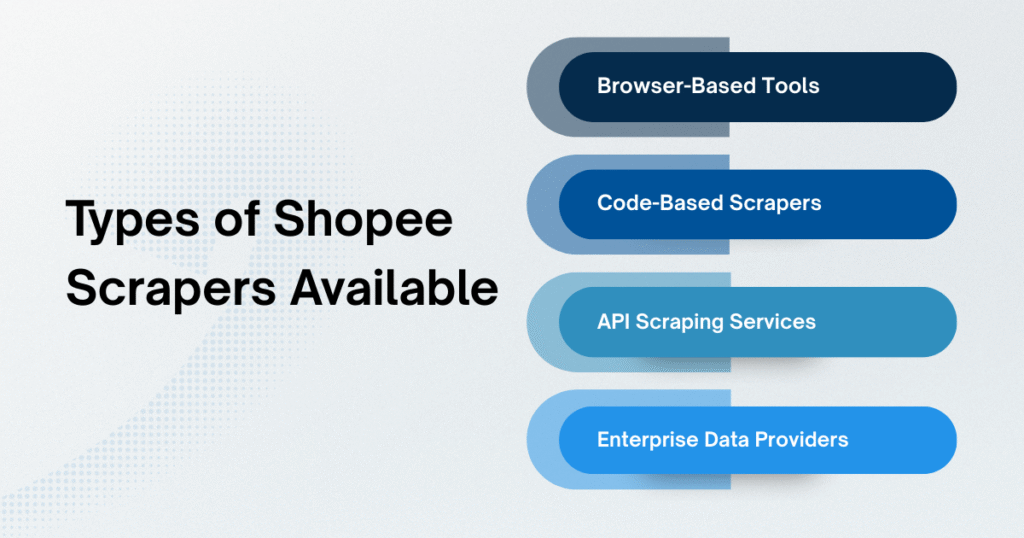
Types of Shopee Scrapers Available Today
Browser-Based Tools
These browser extensions or web-based tools scrape data directly from the Shopee interface. They are easy to use and suitable for small tasks such as scraping a few hundred URLs.
However, they lack automation, scale poorly, and get blocked easily.
Code-Based Scrapers
Built with Python or Node.js, these provide customization, proxy control, and structured export.
The downside: they require continuous maintenance as Shopee updates its structure and anti-bot systems.
API Scraping Services
These “scraper-as-a-service” tools return clean, structured Shopee data through an API. Providers handle proxy rotation, CAPTCHA, and data formatting.
Limitations include request limits, higher costs at scale, and inconsistent historical data.
Enterprise Data Providers (datasets & pipelines)
Ideal for large businesses needing multi-country data, historical datasets, and high-frequency updates. Providers deliver standardized datasets and stable pipelines, no maintenance required.
Getting Started with a Shopee Scraper
What Beginners Need Before Starting
Before beginning your Shopee scraping journey, users (especially beginners) should prepare key factors to ensure smooth and accurate data collection:
- Define clear data goals: Determine what you want to scrape (product data, pricing & price movement, sales volume, competitor data…), so you can choose the correct Shopee scraper and avoid collecting unnecessary or misaligned data.
- Basic knowledge of web structure & hidden APIs: You don’t need to be a developer, but you should understand HTML, returned JSON, request–response behavior, crawl frequency, and Shopee’s anti-bot limits. This helps you troubleshoot issues when running large-scale Shopee scraping.
- Technical support tools: Depending on your Shopee data scraper type, you may need Python/Node.js (for code-based scrapers), rotating proxies, fingerprint browsers, or servers (for 24/7 operation).
- Data analysis tools: Data only becomes useful when analyzed. Tools like Excel/Google Sheets, Power BI/Looker Studio, or SQL/BigQuery (for big datasets) will help you.
- Usage roadmap: Beginners should start with browser-based tools, then upgrade to API scraping services, and finally to code-based or enterprise datasets (if they need very large data).
Step-by-Step: How Beginners Can Run Their First Scraper
Below is a step-by-step process to run your first Shopee product data scraper, suitable even for non-technical users:
Step 1: Choose the right Shopee scraper
- Small data → browser tools
- Medium data → Shopee scraping API tools
- Large data → code-based scrapers or enterprise datasets
Step 2: Gather URLs or keywords
Prepare product, shop, category links, or keywords to analyze.
Step 3: Configure crawl settings
Choose number of pages, data fields, crawl speed, and export format (CSV/JSON/Excel).
Step 4: Run the Shopee scraping job
Monitor IP blocks, CAPTCHA, response speed, or missing data.
Step 5: Clean & standardize the data
Remove duplicates, normalize prices, fix categories, and group products.
Step 6: Analyze & visualize
Identify best-selling products, pricing bands, category competition, and competitor strengths/weaknesses.
Common Beginner Mistakes to Avoid
When starting with a Shopee scraper, beginners often make mistakes that directly affect data quality and scraping performance.
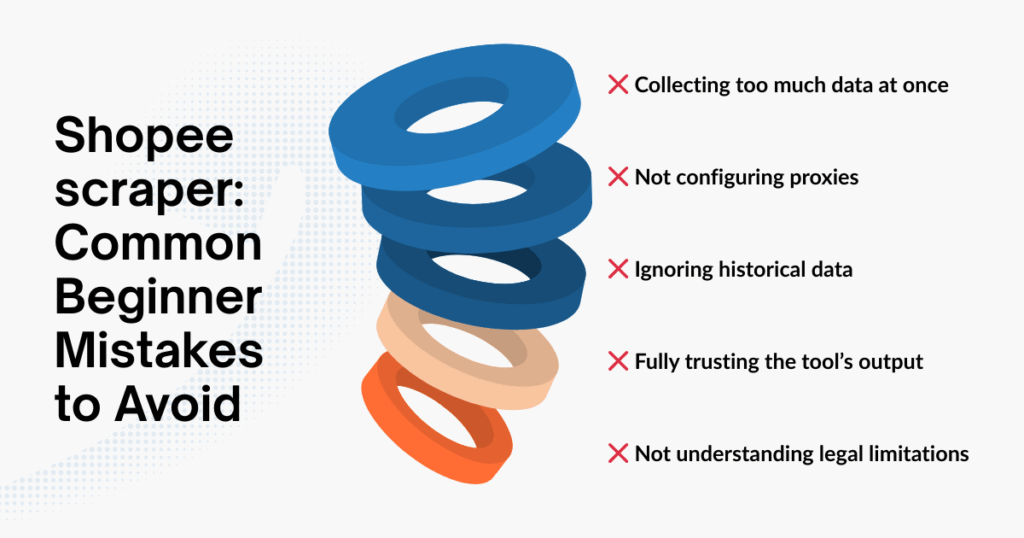
The most common mistake is trying to scrape too much data at once, triggering Shopee’s anti-bot system and causing IP blocks, CAPTCHA, or empty data returns. Additionally, failing to configure rotating proxies also leads to interrupted Shopee scraping, especially when scraping many pages or categories simultaneously.
Another mistake is ignoring historical data and focusing only on current data, while time-series data is what builds a comprehensive view of trends and strategy. Many beginners also tend to fully trust tool scrape Shopee outputs without rechecking issues like missing fields, wrong formats, or abnormal values. Finally, not studying legal limits and platform policies can easily lead to violations of Shopee’s terms of service..
Pros and Cons of Using a Shopee Scraper
Advantages for Individuals & Small Teams
Using a Shopee scraper offers clear benefits for individuals and small teams working in Shopee business or market research:
- Understand the market quickly: Aggregate data on pricing, sales, rankings, and trends without needing a data team.
- Make data-driven decisions: Choose potential products, optimize pricing, and improve sales strategies based on Shopee scraping insights.
- Low cost & easy deployment: Browser-based and API scraper tools are affordable and require no complex programming skills.
- Save significant time: Automated collection of thousands of product, review, and category data points frees users to focus on analysis.
Limitations and Risks for Large-Scale Use
When scaling Shopee scraper usage, businesses face several limitations and risks:
- High risk of blocking at large volumes: Anti-bot systems detect abnormal speeds, causing CAPTCHA, empty data, or blocked IPs.
- Rapidly increasing technical costs: Large datasets require servers, residential proxies, monitoring systems, and DevOps teams.
- Data errors when Shopee updates its interface: Since scrapers rely on Shopee’s HTML/JSON, even small changes can break the scraper.
- Not ideal for enterprise BI systems: Scraped data often lacks history, consistency, and scalability.
When data needs exceed internal scraper capacity, businesses may consider partnering with e-commerce data providers. One example is Easy Data – a B2B provider that collects and standardizes data from Shopee, Lazada, and TikTok Shop. Stable, historical, and structured raw data helps businesses avoid technical risks and focus on analysis instead of maintaining complex Shopee data scraping infrastructure. This approach is worth considering when scaling to large-scale analytics.
Conclusion
A Shopee scraper is a powerful tool for individuals, businesses, and e-commerce teams seeking to collect and analyze Shopee data. To use it effectively, you must understand how it works, the strengths and weaknesses of each scraper type, and the infrastructure required for scaling. When applied correctly, Shopee scraping becomes a true competitive advantage on Southeast Asia’s largest marketplace.
Leave a Reply