


If you’ve been using web scraping for e-commerce for a while, you’ve probably come across web scraping problems such as IP blocking, failed data retrieval, slow-running scrapers, and frequent instances of incorrect or missing data. Start by identifying which stage failed: access, rendering, extraction, validation, or storage. This guide pairs common symptoms with checks and Python examples; some access restrictions require an approved data source rather than another retry.
- Most web scraping problems come from 4 core areas: anti-bot systems, poor scraper architecture, low data quality, and legal constraints and the most common issues include: IP bans, JavaScript rendering, DOM changes, duplicate data, and rate limiting
- Check both implementation errors and pipeline design: a successful HTTP response can still contain the wrong page or unusable data
- To fix these problems:
- Identify your crawler, respect access limits, and render JavaScript only when required
- Design a clear pipeline (crawl → parse → store)
- Clean and validate data from the start
- At scale, compare maintenance time, failure handling, coverage, and total cost before choosing an in-house scraper or a provider
In short: reliable web scraping depends on system design, not just code.
Overview of Common Web Scraping Problems
Based on experience scraping e-commerce websites for multiple real-world projects in Southeast Asia, Easy Data has observed that web scraping problems usually revolve around 4 main groups, each affecting the system in its own way:
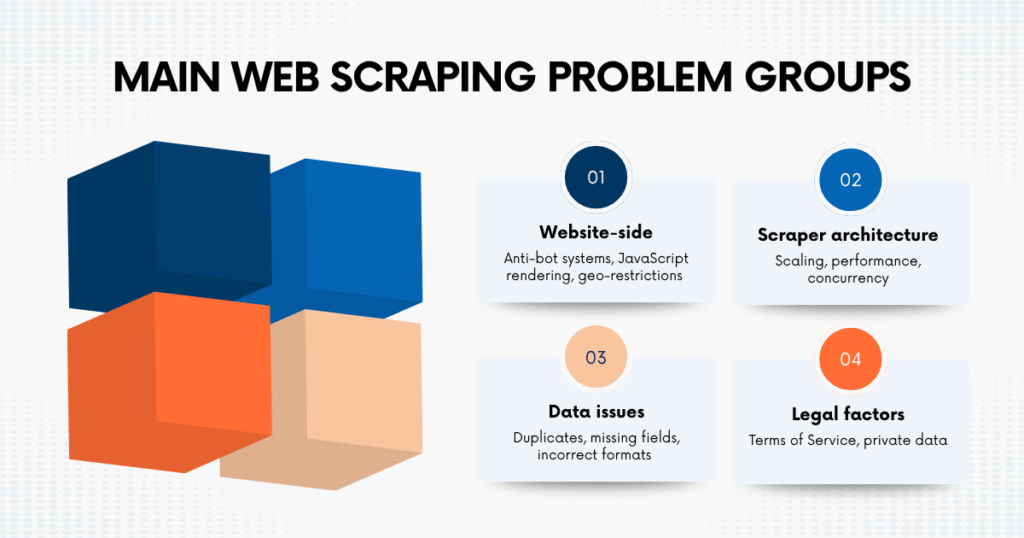
- Website-side issues: anti-bot systems, JavaScript rendering, geo-restrictions
- Scraper architecture issues: scaling, performance, concurrency
- Data issues: duplicates, missing fields, incorrect formats
- Legal factors: Terms of Service, private data
| Web Scraping Problem Group | Illustrative difficulty | When It Happens | How It Affects | Recommended Approach |
|---|---|---|---|---|
| Website-level issues | High | When crawling dynamic or protected websites (Shopee, Lazada, TikTok Shop) | Data cannot be retrieved or scraper gets blocked → pipeline stops | Check permitted access and responses, render required content, control crawl rate |
| Scraper architecture issues | High | When moving from small test to large-scale crawling | System becomes slow, unstable, or fails at scale → cannot maintain data flow | Use async scraping, queues, and separate pipeline stages |
| Data-related issues | Medium | After scraping raw data from multiple pages or sources | Data becomes unreliable → leads to incorrect analysis and decisions | Normalize, deduplicate, validate schema before storing |
| Legal & compliance issues | Medium | When scraping without clear rules or governance | Risk of being blocked or violating policies → long-term operational risk | Only scrape public data, follow ToS, define clear data usage scope |
Understanding these groups helps you predict issues before they happen, design the system correctly from the beginning, and most importantly, avoid having to “fix the same issue again and again.”
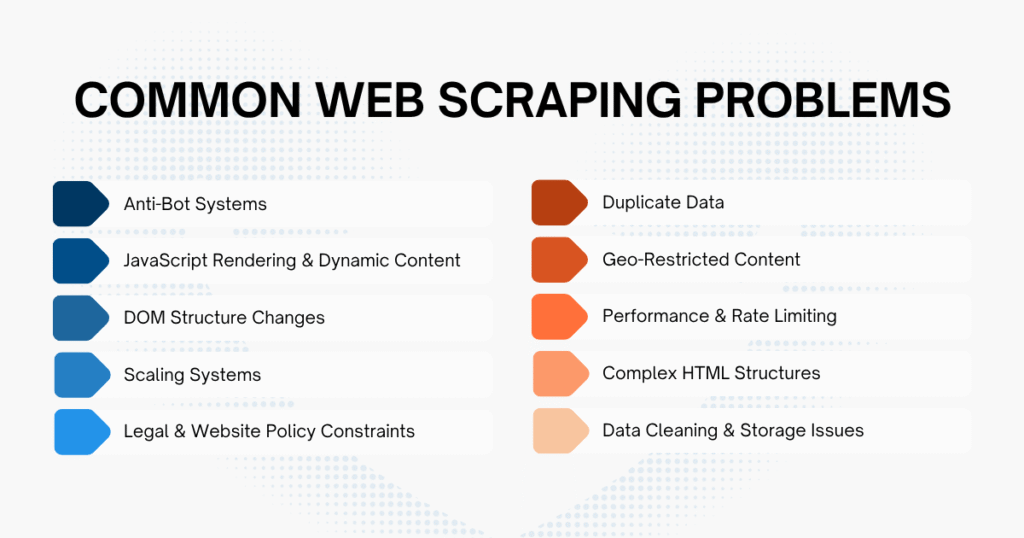
Top 10 Web Scraping Problems And How to Fix Them
During the process of web scraping, issues can appear at any stage. The key is to identify the problem correctly and handle it in the right way.
The guide below summarizes the 10 most common web scraping problems, following the actual workflow of a real scraping system. You can use it as a checklist to debug your current system or as a foundation when designing a pipeline from scratch.
1. Anti-Bot Systems (IP Ban, CAPTCHA, Fingerprinting)
When you first run it, everything is usually quite smooth: data comes in steadily, requests are stable, and there are no significant errors.
But after a short time:
- Requests start to fail
- The page asks for CAPTCHA
- Or worse, your IP gets completely blocked
Inspect the status code, final URL, and response body. A 403, a CAPTCHA page, a login redirect, and a timeout need different responses; missing data alone does not establish an IP ban.
Causes:
- Sending requests too fast → looks like a bot
- Accessing too many URLs continuously
- Not following robots.txt
- Request headers don’t look like a real browser
- Accessing data that requires login
- Using headless browser, but fingerprint is exposed
How to handle:
- Reduce crawl speed, don’t spam requests
- Add retry + reasonable delay
- Use an honest crawler User-Agent and contact address; stop if access is denied
- Prioritize scraping public data only
- Respect robots.txt and protection mechanisms
Example code: check robots.txt before scraping
Copied!from urllib.robotparser import RobotFileParser def can_scrape(base_url: str, target_url: str, user_agent: str) -> bool: robots_parser = RobotFileParser() robots_parser.set_url(f"{base_url}/robots.txt") robots_parser.read() return robots_parser.can_fetch(user_agent, target_url) base_url = "https://example.com" target_url = "https://example.com/products" user_agent = "MyResearchBot" if can_scrape(base_url, target_url, user_agent): print("The URL is allowed for crawling.") else: print("The URL is blocked by robots.txt.")
The delay below is illustrative, not a permitted crawl rate. This GET-only example makes at most four attempts, honors Retry-After when applicable, and returns None for an exhausted 429. Other HTTP or network errors propagate to the caller; do not parse an error as an empty product page. See the urllib3 retry options.
Example code: polite request with delay and retry
Copied!import time import random import requests from requests.adapters import HTTPAdapter from urllib3.util.retry import Retry session = requests.Session() retry_strategy = Retry( total=3, backoff_factor=2, status_forcelist=[429, 500, 502, 503, 504], allowed_methods=["GET"], respect_retry_after_header=True, raise_on_status=False ) adapter = HTTPAdapter(max_retries=retry_strategy) session.mount("http://", adapter) session.mount("https://", adapter) session.headers.update({ "User-Agent": "MyResearchBot/1.0 (+contact@example.com)", "Accept": "text/html,application/xhtml+xml", "Accept-Language": "en-US,en;q=0.9" }) def fetch_html(url: str): time.sleep(random.uniform(2, 5)) response = session.get(url, timeout=15) if response.status_code == 429: print("Rate limit persists after retries; stop this job and reschedule.") return None response.raise_for_status() return response.text
2. JavaScript Rendering & Dynamic Content
A situation that easily makes you “doubt yourself”: you inspect and see full data, but when running the scraper, nothing shows up.
At this point, many people think the code is wrong, but the real issue lies in how the website works.
- Returned HTML is almost empty
- No product name, no price
- But in the browser everything still displays normally
Causes:
- Website uses React / Vue
- Data loads after page render
- Content only appears when scrolling
- DOM changes after load
How to handle:
- Use Playwright / Selenium
- Wait for elements to appear (don’t use hard sleep)
- Get HTML after rendering is complete
- Parse the rendered HTML
The selectors and example.com URLs are placeholders. Choose a readiness marker from the actual page: a visible product field, or a verified empty-state marker for a page with no products. One visible card does not prove every lazy-loaded page has been collected. Playwright discourages using network-idle as a readiness test; waiting for expected content makes this example match the extraction step. Navigation or readiness failures raise an error and still close the browser.
Example code: render the website with Playwright and extract HTML
Copied!from playwright.sync_api import sync_playwright def get_rendered_html(url: str, ready_selector: str) -> str: with sync_playwright() as playwright: browser = playwright.chromium.launch(headless=True) try: page = browser.new_page( user_agent="MyResearchBot/1.0 (+contact@example.com)" ) response = page.goto( url, wait_until="domcontentloaded", timeout=60000 ) if response is None or not response.ok: raise RuntimeError("Page navigation did not succeed.") page.locator(ready_selector).first.wait_for( state="visible", timeout=30000 ) return page.content() finally: browser.close()
Example code: parse rendered HTML
Copied!from bs4 import BeautifulSoup html = get_rendered_html( "https://example.com/products", ".product-card .product-name" ) soup = BeautifulSoup(html, "html.parser") products = [] for product_card in soup.select(".product-card"): name_element = product_card.select_one(".product-name") price_element = product_card.select_one(".product-price") products.append({ "name": name_element.get_text(strip=True) if name_element else None, "price": price_element.get_text(strip=True) if price_element else None }) print(products)
3. DOM Structure Changes
This is a very “annoying” web scraping problem because it doesn’t show clear errors.
No crash, no exception, but data gradually becomes incorrect (e.g., price shifts, missing product name, or returning all “none”). Just a small frontend change can make all your selectors “useless” immediately.
Causes:
- Website updates UI
- A/B testing
- CSS class changes
- Elements get renamed
How to handle:
- Avoid depending on “random” classes
- Use more stable selectors
- Add fallback selectors
- Monitor output to detect early
A fallback such as h1 can also match a login or error page. First validate the page identity and expected product fields against saved examples, then use a fallback only if it represents the same field. A nonempty title is not proof of a valid product.
Example code: fallback selector
Copied!from bs4 import BeautifulSoup def extract_product_name(html: str): soup = BeautifulSoup(html, "html.parser") selectors = [ '[data-testid="product-title"]', "h1.product-title", "h1", 'meta[property="og:title"]' ] for selector in selectors: element = soup.select_one(selector) if element: if element.name == "meta": return element.get("content", "").strip() return element.get_text(strip=True) return None
The 30% threshold is an example, not a universal quality target. Set a threshold for each required field and source. Quarantine failed batches for inspection; an empty result may be legitimate, blocked, or incomplete.
Example code: detect broken selectors
Copied!def validate_scraping_result(items, max_missing_ratio=0.3): if not 0 <= max_missing_ratio <= 1: raise ValueError("Missing-field threshold must be between 0 and 1.") if not items: raise ValueError( "No items: check access, rendering, selectors, and expected empty state." ) missing = sum(not str(item.get("name") or "").strip() for item in items) if missing / len(items) > max_missing_ratio: raise ValueError("Missing-name threshold exceeded; inspect saved responses.")
4. Scaling Systems
The most obvious sign: the more URLs you need to crawl, the slower the system becomes, timeouts happen continuously, and requests become unstable.
Causes:
- Sequential requests
- No queue
- No retry
- No status tracking
How to handle:
- Use async to run in parallel
- Limit concurrency (avoid being blocked)
- Separate crawl/parse/store
- Use queue to manage jobs
This small example limits simultaneous connections to five; it does not enforce five requests per second. For large queues, bound queued work as well as active connections and apply the source’s rate limit. Keep failed URLs separate from successfully parsed empty pages.
Example code: async HTML scraping with concurrency limits
Copied!import asyncio import aiohttp urls = [ "https://example.com/page-1", "https://example.com/page-2", "https://example.com/page-3" ] async def fetch_html(session, url): async with session.get(url, timeout=20) as response: response.raise_for_status() return await response.text() async def main(): headers = { "User-Agent": "MyResearchBot/1.0 (+contact@example.com)" } connector = aiohttp.TCPConnector(limit=5) async with aiohttp.ClientSession( headers=headers, connector=connector ) as session: tasks = [fetch_html(session, url) for url in urls] results = await asyncio.gather(*tasks, return_exceptions=True) for url, result in zip(urls, results): if isinstance(result, Exception): print(f"Failed to fetch {url}: {result}") else: print(f"Fetched {url}: {len(result)} characters") asyncio.run(main())
5. Legal & Website Policy Constraints
Many teams only focus on “getting the data” and forget about compliance, leading to being blocked, limited data access, or worse, not being able to continue scraping.
Causes:
- Violating Terms of Service
- Scraping private data
- Not checking robots.txt
How to handle:
- Check robots.txt
- Read the website’s Terms of Service
- Avoid scraping personal data without a valid legal basis
- Avoid login-protected content without permission
- Do not bypass CAPTCHA, paywalls, or access controls
- Crawl only public and permitted content
Example code: filter URLs before adding them to the crawl queue
Copied!from urllib.robotparser import RobotFileParser class RobotsChecker: def __init__(self, base_url: str, user_agent: str): self.base_url = base_url.rstrip("/") self.user_agent = user_agent self.parser = RobotFileParser() self.parser.set_url(f"{self.base_url}/robots.txt") self.parser.read() def is_allowed(self, url: str) -> bool: return self.parser.can_fetch(self.user_agent, url) robots_checker = RobotsChecker( base_url="https://example.com", user_agent="MyResearchBot" ) url = "https://example.com/products" if robots_checker.is_allowed(url): print("Add URL to the crawl queue.") else: print("Skip URL because it is not allowed by robots.txt.")
6. Duplicate Data
This web scraping problem is very common but often overlooked. The dataset may look complete, but when analyzing carefully:
- One product appears multiple times
- Average price becomes incorrect
- Item count is inflated
This directly affects decisions based on data, especially in pricing or competitor tracking.
Causes:
- Pagination
- URLs with tracking params
- Multiple URLs for the same product
How to handle:
- Normalize URLs
- Deduplicate by ID
- Remove tracking params
Only remove parameters confirmed to be tracking-only for the source. Keep product, seller, variant, region, blank-value, and repeated query parameters when they affect identity. This example preserves fragments because some applications use them for routing. Do not rewrite signed URLs or use this normalization as proof that two products are identical. Python’s query parser needs keep_blank_values=True to retain empty values.
Example code: normalize URLs
Copied!from urllib.parse import urlparse, parse_qsl, urlencode, urlunparse TRACKING_PARAMETERS = { "utm_source", "utm_medium", "utm_campaign", "utm_term", "utm_content", "fbclid", "spm" } def normalize_url(url: str) -> str: parsed_url = urlparse(url) filtered_query = [ (key, value) for key, value in parse_qsl(parsed_url.query, keep_blank_values=True) if key not in TRACKING_PARAMETERS ] normalized_url = parsed_url._replace( scheme=parsed_url.scheme.lower(), netloc=parsed_url.netloc.lower(), query=urlencode(filtered_query), fragment=parsed_url.fragment ) return urlunparse(normalized_url)
Use the normalization function above. Define source as a namespace that distinguishes markets, stores, and regions where IDs are reused. Define product_id at your chosen unit, including a variant ID when variants must remain separate. This set removes repeated observations only within one snapshot; create a new set for the next collection so price history is not discarded. Missing identity is an error, not a shared empty key.
Example code: deduplicate items
Copied!def is_new_item(item, seen_items): source = str(item.get("source") or "").strip() if not source: raise ValueError("A source namespace is required.") product_id = item.get("product_id") if product_id is not None and str(product_id).strip(): dedupe_key = ("id", source, str(product_id).strip()) else: url = str(item.get("url") or "").strip() parsed = urlparse(url) if parsed.scheme not in ("http", "https") or not parsed.netloc: raise ValueError("Item needs a product ID or absolute product URL.") dedupe_key = ("url", source, normalize_url(url)) if dedupe_key in seen_items: return False seen_items.add(dedupe_key) return True # Create a new set for each collection snapshot. seen_items = set()
7. Geo-Restricted Content
The sign is very clear: the same URL returns different data each time you scrape. For example:
- Different prices by country
- Products only appear in certain regions
- Language, currency change
Causes:
- Website detects location
- Region-based pricing
- Language-based content
How to handle:
- Clearly define the region when crawling
- Store currency together
- Compare data within the same region
Example code: store region metadata
Copied!from datetime import datetime, timezone def build_product_record(product, region, language): return { "product_id": product["product_id"], "name": product["name"], "price": product["price"], "currency": product["currency"], "region": region, "language": language, "scraped_at": datetime.now(timezone.utc).isoformat() } record = build_product_record( product={ "product_id": "SKU123", "name": "Wireless Mouse", "price": 199000, "currency": "VND" }, region="VN", language="en-US" ) print(record)
8. Performance & Rate Limiting
HTTP 429 signals rate limiting. Timeouts and inconsistent data can also come from connectivity, rendering, or parsing failures, so record the response and failing stage before choosing a retry policy.
Causes:
- Too many requests
- No caching
- Retry too fast
How to handle:
- Limit crawling speed
- Use exponential backoff
- Cache HTML responses
- Re-crawl only necessary URLs
- Prioritize important URLs
This standalone alternative uses the same bounded retry policy as section 1. Exhausted errors are raised to the caller, and a 403 or 404 is not retried by the status policy. Catch the failure at the job boundary and record it for review; do not immediately wrap this function in another retry loop. Retry-After may extend the wait beyond the network timeout.
Example code: retry with exponential backoff
Copied!import requests from requests.adapters import HTTPAdapter from urllib3.util.retry import Retry def fetch_with_backoff(url, max_attempts=4): if max_attempts < 1: raise ValueError("max_attempts must be at least 1") retry = Retry( total=max_attempts - 1, backoff_factor=2, status_forcelist=[429, 500, 502, 503, 504], allowed_methods=["GET"], respect_retry_after_header=True, raise_on_status=False ) with requests.Session() as session: adapter = HTTPAdapter(max_retries=retry) session.mount("https://", adapter) session.mount("http://", adapter) response = session.get( url, timeout=15, headers={"User-Agent": "MyResearchBot/1.0 (+contact@example.com)"} ) response.raise_for_status() return response.text
A one-hour cache is illustrative. Choose expiry for the required freshness and distinguish request time from the age of cached content. Keep authenticated or personalized responses out of a shared cache, and validate the body even when its status is successful.
Example code: cache HTML responses
Copied!from requests_cache import CachedSession session = CachedSession( cache_name="html_cache", expire_after=3600 ) response = session.get( "https://example.com/products", timeout=15, headers={ "User-Agent": "MyResearchBot/1.0 (+contact@example.com)" } ) response.raise_for_status() print("Loaded from cache:", response.from_cache) html = response.text
9. Complex HTML Structures
Not every website “lays out” data in an easy-to-scrape way. When facing complex HTML:
- Selectors seem correct
- Code runs normally
- But data is wrong, missing, or taken from the wrong place
Causes:
- Too many nested layers → selector becomes inaccurate
- Repeated components → easy to select the wrong element
- Real data is in script/JSON, but you scrape HTML
- DOM changes based on state (hover, click, load more…)
How to handle:
- Inspect carefully multiple times, not just one element
- Prefer extracting from JSON in <script> or API (if available)
- Write more “reliable” selectors
- Validate data after scraping (don’t trust 100%)
Example code: parse JSON-LD from HTML
Copied!import json from bs4 import BeautifulSoup def extract_json_ld(html: str): soup = BeautifulSoup(html, "html.parser") script_elements = soup.select('script[type="application/ld+json"]') structured_data = [] for script_element in script_elements: try: data = json.loads(script_element.string) structured_data.append(data) except (TypeError, json.JSONDecodeError): continue return structured_data
Example code: extract product cards from nested HTML
Copied!from bs4 import BeautifulSoup def extract_products(html: str): soup = BeautifulSoup(html, "html.parser") products = [] for product_card in soup.select(".product-card"): name_element = product_card.select_one(".product-card__name") price_element = product_card.select_one(".product-card__price") link_element = product_card.select_one("a[href]") products.append({ "name": name_element.get_text(strip=True) if name_element else None, "price": price_element.get_text(strip=True) if price_element else None, "url": link_element["href"] if link_element else None }) return products
10. Data Cleaning & Storage Issues
Scraping data does not mean you already have “usable” data. Raw data is usually very “dirty”. Examples:
- Price: “1.200.000đ” → cannot calculate immediately
- Product name: extra spaces, strange characters
- Fields sometimes exist, sometimes not, inconsistent format
If not handled carefully, this web scraping problem will strongly affect the final result: incorrect analysis, wrong calculations, wrong dashboard display.
Causes:
- Different formats across pages
- Website changes format without notice
- No normalization step
- Storing raw data without validation
How to handle:
- Clean data right after scraping
- Normalize format
- Handle missing data
- Validate before storing
- Design clear storage
This Python/Pydantic 2 example deliberately accepts only whole-VND prices, such as 199,000 VND, 1.200.000đ, or 199000 ₫. It rejects decimal prices, ranges, negative values, missing currency, and other currencies instead of silently stripping their meaning. Other sources need an explicit locale/currency parser; preserve the raw price and quarantine unsupported formats. The examples here are teaching fragments, not a complete marketplace scraper.
Example code: clean price and validate product data
Copied!import re from typing import Literal from pydantic import BaseModel, ConfigDict, Field, HttpUrl, ValidationError class Product(BaseModel): model_config = ConfigDict(str_strip_whitespace=True) product_id: str = Field(min_length=1) name: str = Field(min_length=1) price: int = Field(ge=0, strict=True) currency: Literal["VND"] url: HttpUrl source: str = Field(min_length=1) def clean_price(price_text: str) -> int: pattern = ( r"([0-9]+|[1-9][0-9]{0,2}(?:,[0-9]{3})+|" r"[1-9][0-9]{0,2}(?:\.[0-9]{3})+)\s*(?:VND|đ|₫)" ) match = re.fullmatch(pattern, price_text.strip(), flags=re.IGNORECASE) if not match: raise ValueError("Expected one nonnegative whole-VND price with currency.") return int(match.group(1).replace(",", "").replace(".", "")) raw_item = { "product_id": "SKU123", "name": " Wireless Mouse ", "price": "199,000 VND", "url": "https://example.com/product/sku123", "source": "example.com:VN:store-1" } try: product = Product( product_id=raw_item["product_id"].strip(), name=raw_item["name"].strip(), price=clean_price(raw_item["price"]), currency="VND", url=raw_item["url"], source=raw_item["source"].strip() ) print(product.model_dump()) except (ValidationError, ValueError) as error: print("Invalid product data:", error)
This table keeps the latest value for each source/product pair, using the same identity rules as section 6. stored_at is the database write time, not the time the page was observed. To retain price history, use a separate observation table with an actual collection timestamp rather than overwriting past observations. The SQLite UPSERT documentation explains how the composite conflict target selects the row to update.
Example code: store data in SQLite
Copied!import sqlite3 # Separate demonstration database; this does not migrate an existing schema. connection = sqlite3.connect("products_vnd_demo.db") connection.execute(""" CREATE TABLE IF NOT EXISTS products ( source TEXT NOT NULL, product_id TEXT NOT NULL, name TEXT NOT NULL, price INTEGER NOT NULL CHECK (price >= 0), currency TEXT NOT NULL CHECK (currency = 'VND'), url TEXT NOT NULL, stored_at TEXT DEFAULT CURRENT_TIMESTAMP, PRIMARY KEY (source, product_id) ) """) def save_product(product): # Reuse the Product model above before writing to storage. item = Product.model_validate(product).model_dump() with connection: connection.execute(""" INSERT INTO products (source, product_id, name, price, currency, url) VALUES (?, ?, ?, ?, ?, ?) ON CONFLICT(source, product_id) DO UPDATE SET name = excluded.name, price = excluded.price, currency = excluded.currency, url = excluded.url, stored_at = CURRENT_TIMESTAMP """, ( item["source"], item["product_id"], item["name"], item["price"], item["currency"], str(item["url"]) )) # After saving your validated batch, call connection.close().
How Web Scraping Problems Impact Business Decisions
Web scraping problems are not just technical issues. In practice, even a small error in your scraping pipeline can quietly affect how your business makes decisions. Consider these hypothetical examples:
A team tracks competitor pricing to optimize their own pricing strategy. But the dataset contains duplicate entries → the average price is skewed → leading to incorrect pricing decisions.
Or:
A delayed snapshot could miss a short promotion. Whether that matters depends on the promotion duration and the decision deadline; the required refresh interval should be defined before collection.
The pattern is simple: If your data is not accurate or not timely, your decisions are unlikely to be correct.
When Should You Use Data Scraping Services?
If you are only working on a small project (few products, few keywords, low crawl frequency), building your own scraping system is entirely reasonable.
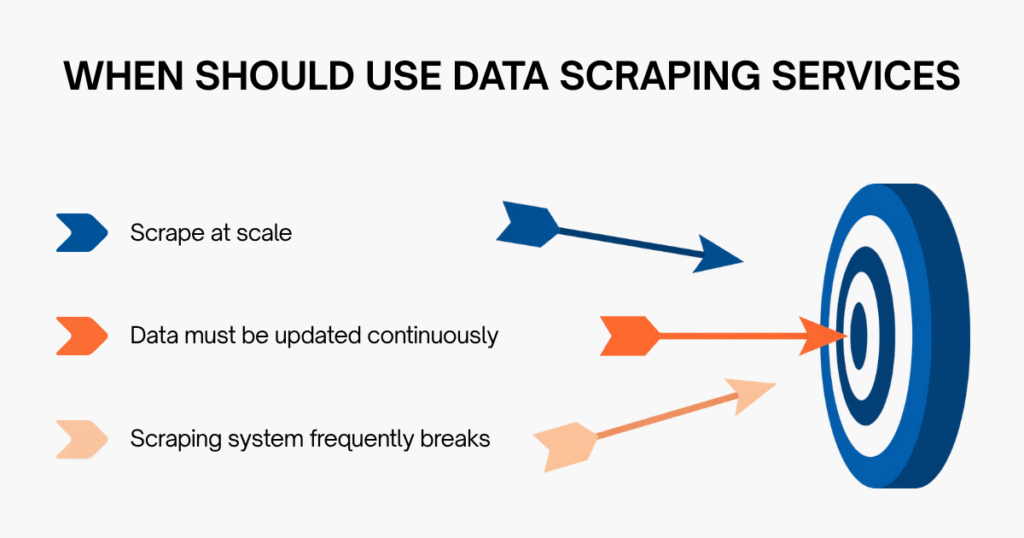
But when you start to scale, things change. Web scraping problems no longer happen “occasionally”, but start repeating continuously. At that point, the team spends more time fixing issues and keeping the system stable instead of actually using the data.
This is when you should consider a more professional solution.
Instead of building and fixing everything yourself, you can use e-commerce data scraping services from Easy Data, where the system is already designed to meet your needs:
- Collect data from both web and app
- Customize based on specific goals (product, price, keyword, search…)
- Support multiple Southeast Asia markets (Vietnam, Thailand, Indonesia…)
- Update data based on your schedule (hourly, daily…)
Agree on coverage, refresh intervals, sample validation, and failure reporting before choosing a provider. A service can take on collection and maintenance work, but its delivered data still needs acceptance checks for your use case.
Final Thought
Diagnose a failed collection in order: confirm access and response status, verify the expected content rendered, test selectors against saved pages, then validate identity, currency, and storage behavior. Record failed URLs and reasons separately from successful results so the next run can be evaluated against evidence.
And if you want to shorten implementation time and avoid constantly “putting out fires”, a more practical solution is to use a full-service data scraping provider.
Why does a scraper work at first but fail later?
Because websites can:
- Detect bot behavior over time
- Change their HTML structure
- Apply rate limiting
=> A scraper must be designed to handle change, not just work once.
How can you avoid getting blocked when web scraping?
Common approaches include:
- Reducing request speed
- Use an approved API or export when automated page access is restricted
- Identify your crawler and follow the source’s response and rate guidance
- Avoiding login-protected data
No technique guarantees access. If the source denies a request or presents an access challenge, stop and use a permitted collection method.
Why is scraped data often incorrect or incomplete?
Common causes:
- Incorrect selectors
- Dynamic content not rendered
- DOM structure changes
- No data validation step
=> That’s why data cleaning and validation are critical.
What is the hardest part of web scraping?
Challenges can arise in both implementation and ongoing operation, including:
- Anti-bot systems
- Scaling infrastructure
- Maintaining data consistency
=> These are what make real-world scraping challenging.
Leave a Reply